Onshape Tutorial: Wall Display Box + 3D Printed Cleat | NCEA AS91623
Автор: MrBevin
Загружено: 2026-01-12
Просмотров: 88
Описание:
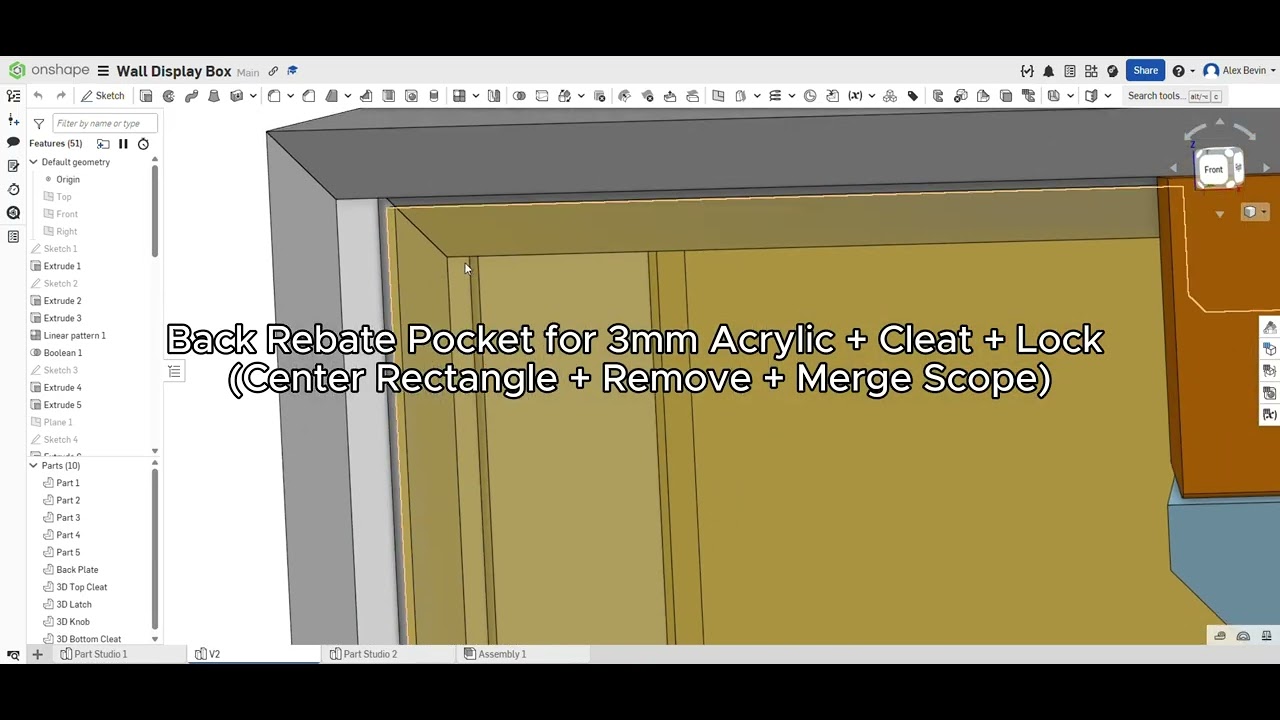
In this video I introduce Applied Design Project 1 for NCEA AS91623 and walk through key CAD modelling steps in Onshape for a wall-mounted display/shadow box. Students will build skills in parametric modelling, laser cutting, 3D printing, and workshop processes (including Festool tools) while producing clear evidence for assessment.
Project overview
Outcome: Wall-mounted display box (optional internal lighting)
Timeframe: 6 weeks
Standard: AS91623 (Applied Design)
Focus: skill-building + getting credits early (evidence-led)
What you’re graded on (AS91623)
Achieved: interpret the design, trial techniques, test for enhancement, follow safety rules
Merit: accuracy + independence (clean execution, controlled process)
Excellence: efficiency (economise time, effort, and materials) + strong iteration/testing
Key reminder: No evidence = no grade.
Capture clear photos/screenshots, annotate decisions, and show testing that proves improvement.
Tools/software used
Onshape (parametric CAD), laser cutter, 3D printer (PLA), workshop tools + safe procedures.
If you’re a student following along, pause often, model step-by-step, and keep your file organised (rename parts/sketches, use rollbacks, and document changes).
Повторяем попытку...
Доступные форматы для скачивания:
Скачать видео
-
Информация по загрузке: