EASY Android Recovery Mode Tool
Автор: Explaining Android
Загружено: 2026-02-25
Просмотров: 2515
Описание:
If you're tired of executing ADB and Fastboot commands. . .then I've got some useful tools for you to use.
~~~~~
Hi! Don't forget to like the video, subscribe to the channel, and hit the "Thanks" button on this video, if you can, and join our channel community here - / @explainingandroid
Links
~~~~~~
Android Recovery Tool - https://ExplainingAndroid.com/recovery
Developer Mode Guide -
USB Debugging Mode -
Video Description
~~~~~~
I want everyone to check out this project I've been working on.
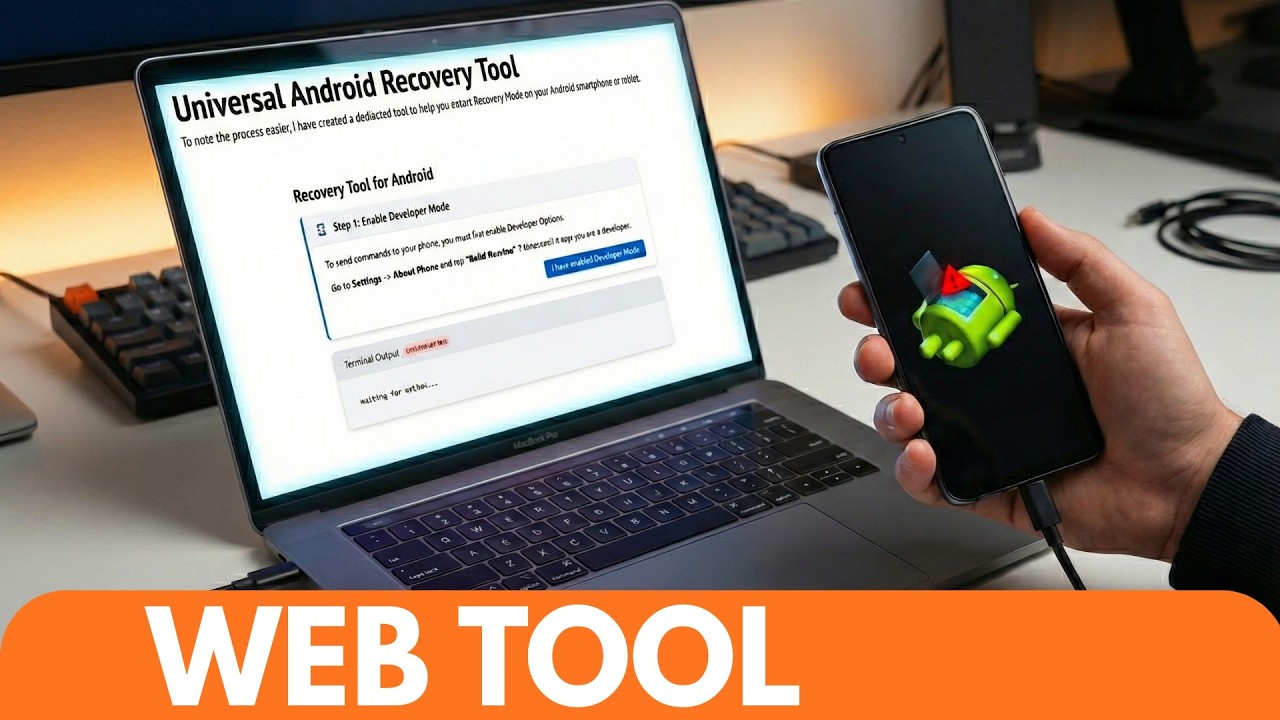
It's a dedicated page that I setup on my website and it can help you access Recovery Mode on your Android smartphone or tablet.
You can use it without ever installing ADB & Fastboot tools on your PC
and you don't need to type anything into the command prompt either.
Recovery Tool Demo
The only things you'll need is a PC that can run a Chromium browser like Chrome, Brave, or Edge.
and a USB cable to connect your Android device to that PC
This is required because we need a browser that supports the WebUSB protocol
Which is the same thing Google is using for its Android Flash Tool website.
When you're ready to begin, pull up the page. . .
ExplainingAndroid.com/recovery
You have a terminal log window at the bottom, this allows you to follow along so you know exactly what commands are being sent to your phone.
And the first step here is to enable Developer Mode
This is something that I've covered here in the past. . .but most Android devices can turn this feature on by locating the Build Number entry within the About Phone section of the Settings application
And then tapping on this 7-10 times
Once that is done, we're then told that we need to enable USB Debugging Mode
This is a toggle within the newly revealed Developer Options menu.
Which most people will be able to find within the Settings app of their phone.
Some OEMs tuck this away behind the System menu as well, so keep an eye out for that
#android #android101 #android16
So look through this menu, find the USB Debugging toggle. . .and enable it from here.
If you haven't done so already, connect the phone to the PC with a USB cable.
And when we click through to the last option, we're told that we need to select our device from the list
As long as your computer has the proper USB drivers. . .
And as long as you have followed the steps outlined on this page
You'll see your phone in this list. . .and you'll be able to secure the connection required here.
You'll need to confirm this connection via this screen here
Which is standard for USB Debugging connections to the PC on Android
The log will say the connection is successful
and the card here will tell you that clicking on this blue button here will reboot your phone into Recovery Mode just as you would expect
just click on that blue button so the website can send that command to your phone
you'll see the Android smartphone reboot
and the vast majority of you will see this broken android screen here
this is your stock Android recovery mode screen
and it works as like a protection layer for those times when you may have accidentally booted into recovery mode
but we can bypass this splash screen with a simple two button combo using the volume up and power button
this process tends to require specific timing
so be prepared to attempt this a few times before getting it right
but I have had the best success by pressing and holding the volume down button
and almost immediately after I press that button down, I also press the power button too
this 1-2 combo usually works the best for me
navigating recovery mode
if this is the first time you've ever accessed recovery mode on your Android phone. . .then congratulations
there is a way to factory data reset the phone from this menu. . .but it requires multiple confirmations so I highly doubt you'll do this accidentally
but you will need to use the volume up and volume down buttons to change which option is highlighted in this menu
and pressing the power button will select whichever menu option it's currently hovering over.
When people need to access Recovery Mode on their Android phone. . .
most of us end up having to take time to research the correct button combination
and others have ADB & Fastboot tools setup on their PC so they can execute the command adb reboot recovery.
But not everyone wants to do this. so I hope this page on my website will help those who just want to access recovery mode without a bunch of setup involved
As an Amazon associate, I may earn a commission on sales from the links below.
The Gear I Use
~~~~~
5W "Slow" Charger - https://amzn.to/2OaUMV8
Fast Charger - https://amzn.to/3rtBsC6
MicroUSB Cable - https://amzn.to/38dkpeM
USB-C Cable - https://amzn.to/2OqlTvi
TPU Cases - https://amzn.to/38g9b9w
USB-C to 3.5mm Dongle - https://amzn.to/3rVt7c3
USB-C to 3.5mm DAC - https://amzn.to/3CyksSJ
NVIDIA Shield TV - https://amzn.to/4cZFaJz
Telescopic Controller - https://amzn.to/3uDrvY9
Повторяем попытку...
Доступные форматы для скачивания:
Скачать видео
-
Информация по загрузке: