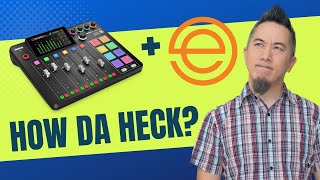
Best audio settings when using the Rodecaster Pro 2 with Ecamm Live
Автор: Take One Tech... with Alec
Загружено: 2022-06-22
Просмотров: 8715
Описание:
❗ Checkout the Rodecaster Pro 2 Masterclass here: http://www.rodecastermasterclass.com
SPECIAL LAUNCH OFFER - Use coupon code 'RCPLAUNCH' for 25% off at checkout through October!
🎬 Elevate your online presence with The Digital Stage Academy https://www.takeonetech.io/academy
❗️ Master Ecamm Live with the Ecamm Live Masterclass! Get lifetime access TODAY!: http://www.ecammlivemasterclass.com
Better still checkout my Zoom Masterclass and get the Ecamm Masterclass included as a bonus!! https://www.zoommasterclass.com
In this video I walk through the optimum settings to use with Ecamm live for the Rodecaster Pro 2. If you are new to Rodcaster Pro in general then this video is for you as I'll talk through all of the different settings and the effect they'll have on your output. If you are upgrading from a Rodecaster Pro to a Rodecaster Pro ii then this will still be helpful for you aa there are a number of settings that will be new to you because of the added functionality in the Rodecaster Pro 2.
Looking to buy a Rodecaster Pro 2? Here's my affiliate link, which is one of the easiest ways to support the channel! https://amzn.to/3bkaade
#RODECASTERPRO2 #ECAMMFAM #tutorial
===‼️ CHECKOUT MY COURSES & AFFILIATE PROGRAM
📕 Rodecaster Pro 2 Masterclass 👉 http://www.rodecastermasterclass.com
📙 Ecamm Live Masterclass 👉 http://www.ecammlivemasterclass.com
📘 Stream Deck Masterclass 👉 http://www.streamdeckmasterclass.com
💰 Become a Take One Tech Affiliate & EARN 30% COMMISSION on referrals to my courses! http://takeonetech.io/affiliate_users...
===💫 CONNECT WITH ME & THE COMMUNITY
🎬 Join the Take One Tech family to learn, share and grow with me and others (it’s free!) https://www.takeonetech.io/family
🎫 Discover the added benefits of becoming a channel member: / @takeonetech Need some 1 on 1 time with me? Book a consultation! https://www.takeonetech.io/consultation
❤️ ‘Buy Me A Coffee’ allows you to make a single one off donation ☕️ https://www.buymeacoffee.com/takeonetech
📦 I’d really appreciate a follow on Amazon Live! https://www.amazon.com/shop/takeonetech
🎯 My Website: https://www.takeonetech.io
🔳 Checkout Stream Deck & Loupedeck icon packs in my store: https://www.takeonetech.io/store
👍 Follow me on the other socials…🕊 / takeonetech_🔵 / takeonetech📸 / takeonetech_🎵 / takeonetech
===🌟 I RECOMMEND THE FOLLOWING SERVICES
🌟 Ecamm Live: https://takeonetech.io/ecamm
Ecamm Live Coupon Code - 15% OFF with code 'TAKEONETECH'
🌟 TubeBuddy: https://takeonetech.io/tubebuddy
🌟 Epidemic Sound: https://takeonetech.io/epidemic
🌟 Setapp: https://takeonetech.io/setapp
===🧰 GEAR THAT I ACTUALLY USE
🎙 AUDIO
Rodecaster Pro 2 https://amzn.to/3bkaadeShure MV7 https://amzn.to/3orJc5R
Shure RK345 windscreen https://amzn.to/2RlQRXk
KZ ZS10 Pro https://amzn.to/3x5Edee
KZ ZSN in-Ear Monitor Cables https://amzn.to/2Sdo8EIElgato Wave LP Mic Boom https://amzn.to/3IukA6nAvermedia Livestreamer Arm https://amzn.to/3PgTC4C
🎛 PERIPHERALS
Stream Deck XL: https://amzn.to/3huECm6
Stream Deck Pedal: https://amzn.to/3AeqqHeLoupedeck Live: https://amzn.to/3KMfAtR
Logitech MX Master 3: https://amzn.to/3hugkso
Logitech MX Mouse Case: https://amzn.to/3uV43kk
Logitech Wireless Presenter: https://amzn.to/2TuXqYq
📷 CAMERA
Desview T3 Teleprompter ((To view output, not for scripts!😂): https://amzn.to/2UWkXSM
Lilliput A7S: https://amzn.to/3xZ0Xxl
💡 LIGHTING
Nanlight Pavotube 6C: https://amzn.to/3CN8zX9
Ulanzi VL49 RGB: https://amzn.to/33OVrzPLow Cost Pair of Soft Box Lights: https://amzn.to/3ePDszR
⚙️ OTHER RANDOM GEAR
Peak Design Tech Pouch: https://amzn.to/3omICqc
4K Virtual Monitor: https://amzn.to/3ojdAPIiClever Folding Keyboard: https://amzn.to/3gQKqom
The large digital clock above my monitor! https://amzn.to/41AgYvf
Some links are affiliate links which means I earn a commission from qualifying purchases. Using my links helps support my channel at no additional cost to you. Thanks for your support!🙏😊
00:00 Introduction
00:34 Rodecaster Pro 2 inputs and outputs over USB
03:23 Map input channels 1&2 to left and right stereo
05:13 Avoiding Slap back / Echo with Ecamm Live and Rodecaster Pro 2
07:53 Using Mix Minus on the Rodecaster Pro ii chat channel to avoid slapback
09:42 Using Ecamm Live and Rodecaster Pro 2 with Zoom
Повторяем попытку...

Доступные форматы для скачивания:
Скачать видео
-
Информация по загрузке: