Autodesk Fusion 360 | Tutorial: Bodies vs Components
Автор: Autodesk Fusion
Загружено: 2019-02-03
Просмотров: 118986
Описание:
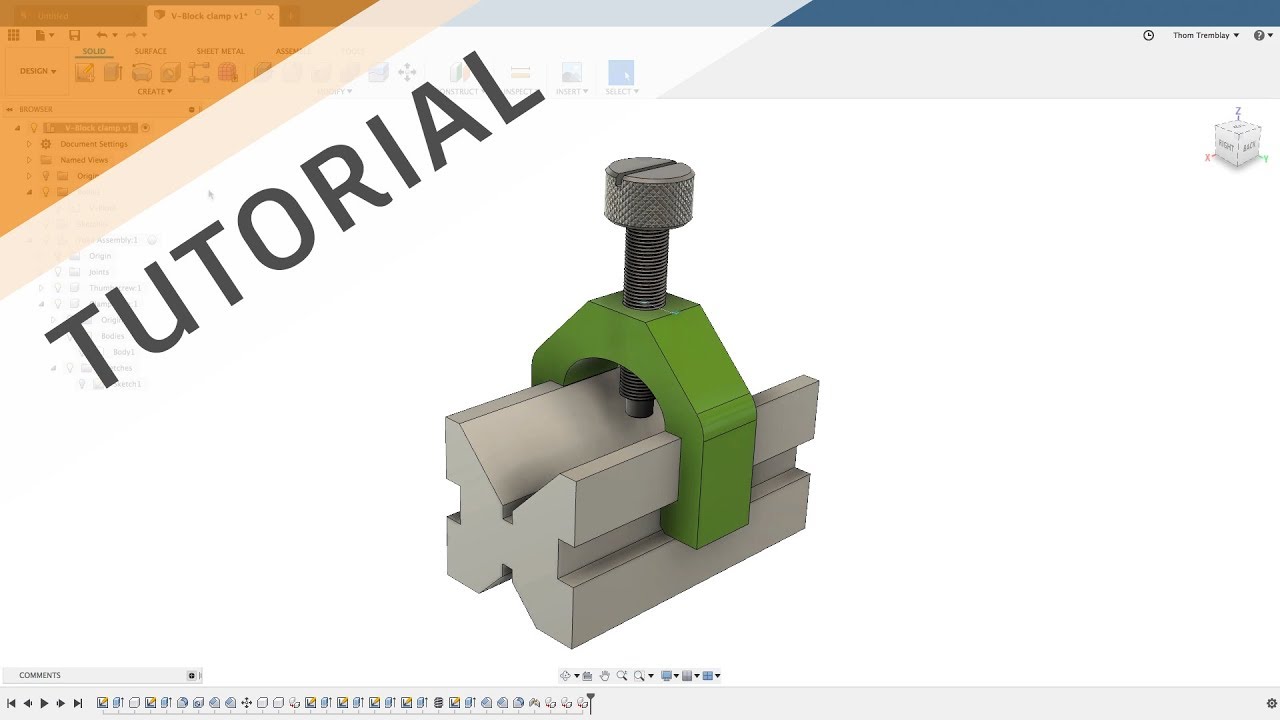
In this Autodesk Fusion 360 YouTube video, we will cover bodies and components. On the screen is a basic assembly. In Fusion 360, there are a few different ways to define three dimensional objects. For example, if you were to extrude a sketch, that would create a body; if you were to add fillets to that body, they would just be part of the body. If you placed a whole feature on that body, it is still just one body. However, to work in the context of an assembly and to make drawings of individual parts, those bodies have to be contained within a component. A component is another tier up and it's so important that many people will tell you that rule one for using Fusion 360 is to create a component FIRST, before you start creating any sort of geometry. For the people that follow that tenet, this design would be a poor example because when this design was created, a sketch was made, and then a body was extruded without creating a component.
Let's take a look at the browser and understand what the structure looks like and understand what a component's structure looks like. So, every design in Fusion 360 to another design is a component. So, at the top, we have a V-block clamp and, looking at the icon, it shows me that there is more than one component inside of this design. A component is easy to spot because it has its own origin and can contain its own sketches, bodies, joints, and a number of different elements. If this design only contained bodies, you would not be able to apply assembly joints between just the bodies.
Looking down the browser, we see the sketches that were used and then we see a component. It too has multiple components within it. When we expand it, we see that it has its own origin folder, a joints folder, and two more components. Components can not only contain bodies, joints, and sketches, but they can also contain other components. If we expand one of those components, we'll see that it has its own origin, its own bodies, and its own sketches. Looking to the browser is a great first step in understanding how your design is structured and whether or not everything is made into a component or, as in this design, you have a body that is sitting at the top level that has limited assembly functions because it's only a body.
Another important feature of components is it makes it easier to work in the context of your design. For example: if I want to make a modification to the clamp yoke, rather than trying to find which features made up the clamp yoke, I can activate the clamp yoke by selecting the activation button on the right and the timeline will limit itself to only show the features that are owned by that clamp yoke. If I were to switch over to the thumbscrew, you'll see that the feature set changes. The icons will appear the same but there are different sketches and different extrusions. Reactivating the top level of the design will take us back to the overall timeline.
A body is going to be anything that's generating 3d geometry. Whether that body is a solid body, a freeform body, a mesh body, it will be making the 3d geometry. To really leverage that body, you need to have it inside of a component.
This exercise is pulled from the "Creating Assembies" Help Course: https://autode.sk/3OIiNNY
►FREE TRIAL | https://autode.sk/2uLm8a6
►SUBSCRIBE | https://autode.sk/2q61ZpD
►GET STARTED | https://autode.sk/2HaB2Jk
CONNECT with Fusion 360 on social media:
INSTAGRAM | https://autode.sk/2Enzh8P
FACEBOOK | http://autode.sk/19jII5A
TWITTER | http://autode.sk/19jIJXc
LISTEN to the Fusion 360 podcast "The New Possible":
BLOG | http://autode.sk/3qbFsFS
SPOTIFY | http://autode.sk/3txPz9O
APPLE | http://autode.sk/36LwBTE
GOOGLE | http://autode.sk/2YQccbC
Повторяем попытку...
Доступные форматы для скачивания:
Скачать видео
-
Информация по загрузке: