Procedural Motion Graphics with Geometry Nodes - Chapter 12 Announcement
Автор: CrossMind Studio
Загружено: 2022-11-17
Просмотров: 34371
Описание:
#Blender #GeometryNodes #motiongraphics
Download Project Files: https://crossmindstudio.gumroad.com/l...
Hello folks, ...
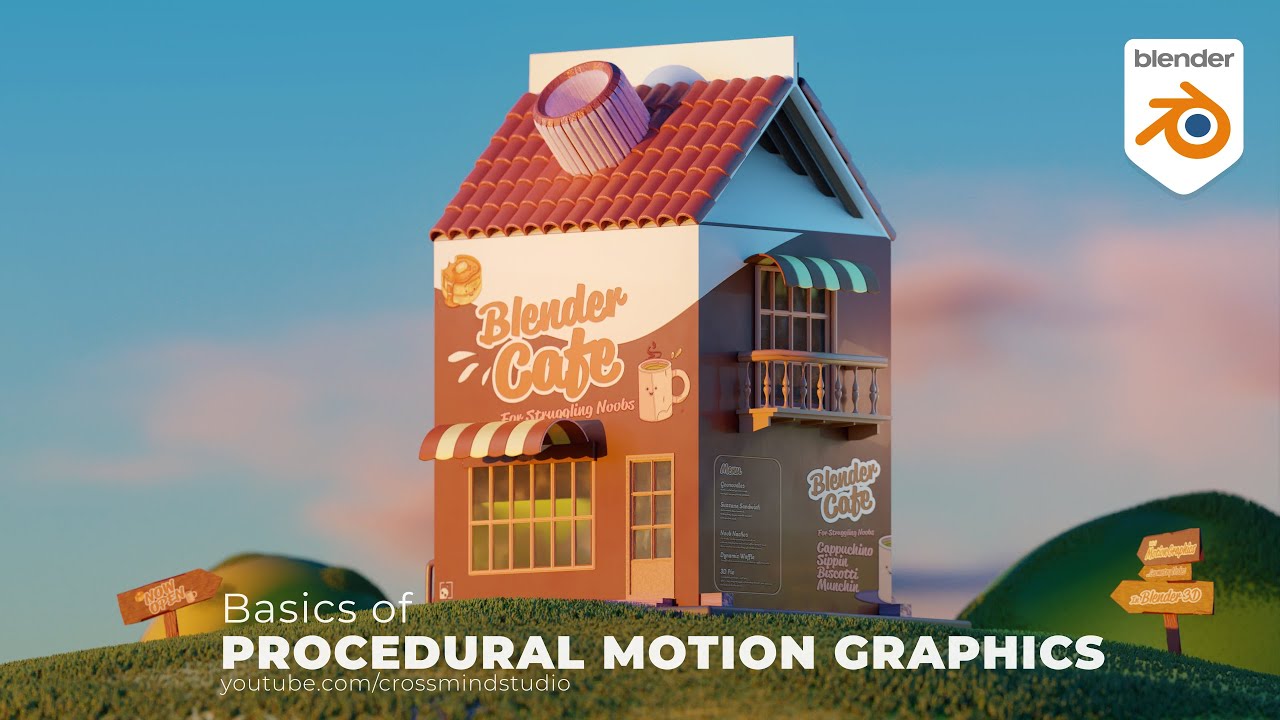
hope everyone is doing great. I am currently recording the next chapter for Geometry Nodes in Blender in which we will discuss the very basics of Procedural Motion Graphics in Bender 3D software. There are many ways these simple animations can be used , for instance architectural construction animations, transformations, product exploded views presentations, Assemblies animations, infographics, ui and ux animations, simple motion graphics etc are few of them. Chapter will premiere on 25th of Nov 2022 (Friday). Have been caught up in work and life for few weeks now, really excited to get back to post few updates and tutorial, there is lot to catch up to and share :).
Introduction to Geometry Nodes: Full Playlist
• Geometry Nodes For Beginners - Blender 3D
Chapter 1: • 01 Introduction - Geometry Nodes For Begin...
Chapter 2: • 02 Whys and Hows - Geometry Nodes For Beg...
Chapter 3: • 03 Interface and Basics -Geometry Nodes Fo...
Chapter 4: • 04 Applying Materials -Geometry Nodes For ...
Chapter 5: • 05. Understanding Basic Math -Geometry No...
Chapter 6: • 06 Displacing Geometry -Geometry Nodes For...
Chapter 7: • 07-Points and Instancing -Geometry Nodes( ...
Chapter 8: • 08-Curve nodes-Geometry Nodes( Fields) For...
Chapter 9: • 09-Geometry Proximity-Geometry Nodes( Fiel...
Chapter 10: • 10__RAYCAST__Geometry Nodes For Beginners ...
For more chapters click the playlist
About this series - Geometry Node Introduction Series ( 3.0 Fields and Beyond )
Welcome to another short tutorial series about hot topic of the blender community, which is also the latest and anticipated feature - Geometry Nodes. In this chapter 6, we are going to discuss... a few more things about math, use the same nodes that we made animation with in last chapter, but this time use math, vectors, floats and textures to make basis displacement on a mesh. Basically , we will learn basics of manipulating geometry with help of nodes, and shape up some nice looking landscapes.
Nodes are powerful, every major 3D program either already have a strong node based procedural workflow, or is adapting to it. Blender's Everything Node projects first installment is Geometry Nodes. Which is still at a very early stage of development, but can make life easier even with limited number of nodes we have a this moment.
It's fun, It changes the way we used to make environments, procedural effects, scatter things around. And not just that, with upcoming modifiers and many more nodes being added to it, its going to get even more powerful. So while the development of Geometry Nodes will go on for quite some time, its better we do some catching up, and start adapting to the new workflow.
This first part of Geometry Nodes series is for absolute beginners, Like, literally basics and no tricks or advance setups, This is for those who are starting with nodes and geometry nodes workflow for the first times. Well, Lets agree, it looks darn scary when you look at those big node maps, but once you understand it, you will never go back to old methods. We will start with creating absolute basic things , without touching the spreadsheet or attributes first. Main goal here is to get comfortable with nodes, know its meaning and uses, why it is better than old methods. Understanding the node based interface, adding nodes, connecting nodes, short keys, organizing nodes, making simple node groups etc. will be our first priority, from there on we will work towards using simple math in nodes, applying materials, using node groups, simple point instancing, Wiring parameters ,creating your first node based animation which you can apply to any other object with single click and it will give you exact same results. By the end of this short series you should have this animation with you, or even better example. And then we can get into a bit of rendering and lighting of this intro sequence.
Enough talk now, So lets get started and get our hands on Geometry Nodes already, and I will try to make it as easy as it could get, because honestly , I hate spreadsheets and math's as well, But there are always ways to find methods of learning. Lets figure it out together.
I will be adding new chapters in this playlist, to save this playlist for future updates
Full Course Playlist
• Geometry Nodes For Beginners - Blender 3D
Blender version
3.1
Join this channel to support us :
/ @crossmindstudio
SYSTEM CONFIGURATION FOR NERDS:
Windows 10
Dual Xeon silver 4114 2.2 GHz ( 2 processors 20 cores)
Quadro P 4000 GPU - 8GB
64 GB 2400 Mhz DDR 4
SSD NVME
My Renderro Cloud Workstation
CPU- 8x2.5 Ghz
GPU - Nvidia T4 16GB
Ram 32 GB
/ instacrossmind
/ crossmind
https://vimeo.com/instacrossmind
https://gumroad.com/crossmindstudio
http://www.crossmind.com/
Повторяем попытку...
Доступные форматы для скачивания:
Скачать видео
-
Информация по загрузке: