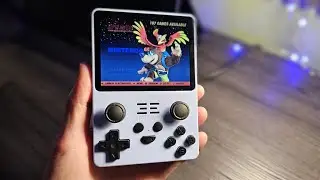
Flashing ArkOS on the Powkiddy RGB20s
Автор: BOREDGAMING
Загружено: 2022-12-23
Просмотров: 33370
Описание:
Please Like and Subscribe!
We do have our RGB20s flashed with ARK OS
When I say OS sdcard it is the one on the right side (the 32GB samsung)
Games SD Card are on the Left Side. Labelled on our devices
this is the link for the ARK os Wiki, https://github.com/christianhaitian/a...
Link for rufus
https://rufus.ie/en/
RG351MP OS
https://drive.google.com/file/d/1-dju...
The BIOS Pack you can download ARKOs 2.0
/ full_clean_bioses_set_for_retroarch_retropie
This is my folder structure, It has some bios here also but the lastest is the bios pack link above so just extract it on the bios folder of the folder structure there..
https://www.mediafire.com/file/6b5gj6...
00:00 Intro
01:00 Setting up rufus
01:25 Downloading ArkOS
02:05 Extracting ArkOs
02:40 Running Rufus and Flashing ArkOS
04:34 Initial Boot
08:00 ShutDown your RGB 20s
08:30 Backing UP Bios FIles
10:50 Adding Games to RGB20s
11:24 setting up 2nd sd card for Roms
13:00 Google your needs insert console rompack
Clarification for ROMS SDCARD
1.Old sd(TF2- GAMES) (Left hand side of the device) : insert to pc, backup bios folder in PC
2.new sd insert to rgb20s left hand side TF2-Games, boot, go to options, advanced, use 2nd sd for roms. so that proper folders will be made in it
3. After that , put new sd to pc, copy bios folder from pc to new SD then add your games to their respective console folders then Lastly, put it into rgb20s and play
Повторяем попытку...

Доступные форматы для скачивания:
Скачать видео
-
Информация по загрузке: