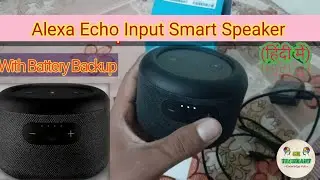
Echo Input Portable Smart Speaker Edition : Unboxing and Complete Installation Tips
Автор: Sukhdev Taneja
Загружено: 2020-10-26
Просмотров: 11348
Описание:
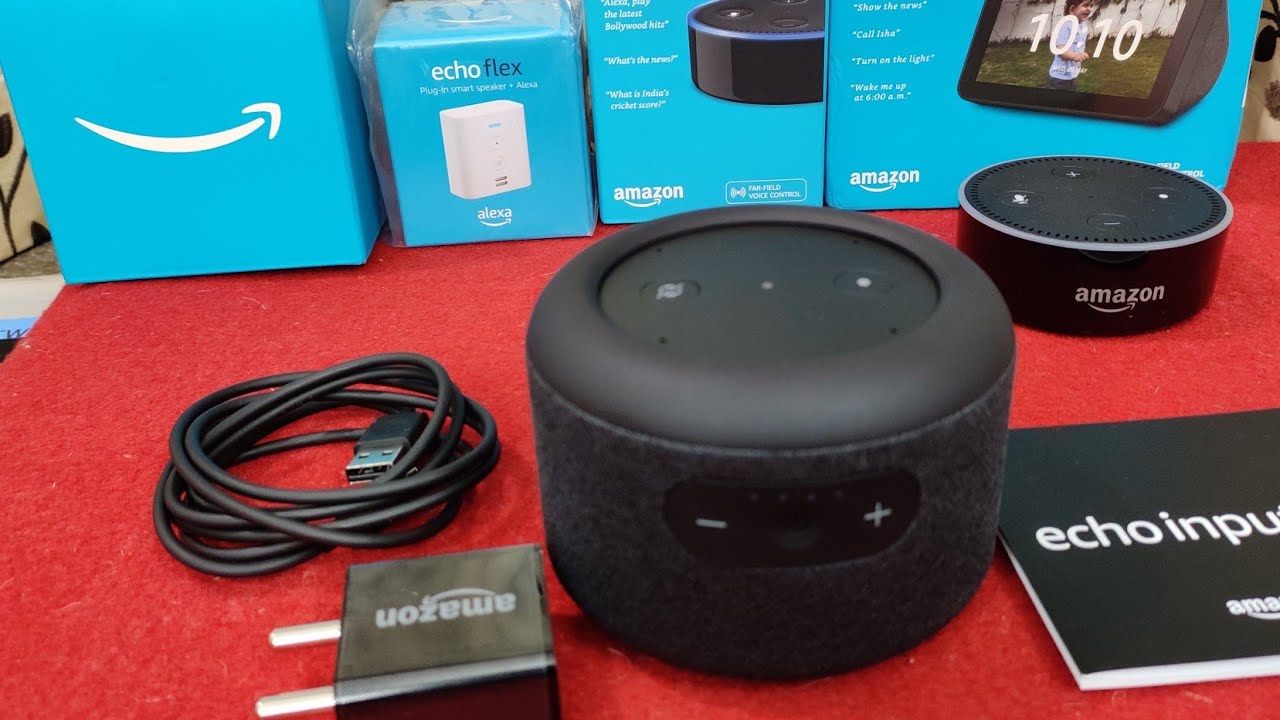
Watch out Unboxing and complete Installation of Echo Input Portable Smart Speaker Edition. (Voice : Hindi)
People can purchase this Echo Input Portable Smart Speaker Edition online from Amazon :
Echo Input Portable Smart Speaker Edition (Search List) - https://amzn.to/2J5Tnwh
Echo Input Portable Smart Speaker Edition - Carry Echo anywhere - https://amzn.to/3mCyAPF
Echo Input Portable Smart Speaker Edition with Amazon Smart Plug - https://amzn.to/3ouhwgl
Echo Input Portable with Wipro 9W LED smart color bulb - https://amzn.to/3owbPOQ
Echo Input Portable with Syska 12W LED smart color bulb - https://amzn.to/35uFrDu
Echo Input Portable with Echo Flex and Wipro 9W LED smart color bulb - https://amzn.to/3ou09wa
Echo Dot (3rd Gen) – Smart speaker with Alexa (Grey) - https://amzn.to/35AGFgK
Echo Dot (3rd Gen) with clock - Smart speaker with Alexa and LED display (White) - https://amzn.to/3ovUJk3
All-new Echo Dot (4th Gen) | Next generation smart speaker with powerful bass and Alexa (Black) - https://amzn.to/3jENeE9
All-new Echo Dot (4th Gen) with clock | Next generation smart speaker with powerful bass - https://amzn.to/2TrLXFz
Echo Flex– Plug-in Echo for smart home control - https://amzn.to/3mpq6el
All-new Fire TV Stick Lite with Alexa Voice Remote Lite | Stream HD Quality Video | 2020 release - https://amzn.to/37Gipwk
Fire TV Stick 4K with Alexa Voice Remote | Stream in 4K resolution - https://amzn.to/3ov4SxK
All-new Fire TV Stick with Alexa Voice Remote (includes TV controls) | Stream HD Quality Video with Dolby Atmos Audio | 2020 release - https://amzn.to/34x3K4B
Kindle (10th Gen), 6" Display with Built-in Light,WiFi (Black) - https://amzn.to/3ovbThW
Kindle Paperwhite (10th gen) - with Built-in Light, Waterproof, 8 GB, WiFi - https://amzn.to/2J5V6Sh
Introducing Amazon Smart Plug (works with Alexa) - https://amzn.to/3dWJFrA
1. Echo Dot - Voice control your music, Make calls, Get news, weather & more - Black - https://amzn.to/2IMZ3Xv
2. Amazon Echo - Voice control your music, Make calls, Get news, weather & more, Powered by Dolby – Grey - https://amzn.to/2G1DqVK
3. Echo Plus with built in smart home hub - Voice control your music, Make calls, Get news, weather & more, Powered by Dolby - Black - https://amzn.to/2IMKva8
Please visit my Amazon Shop Page for better Products :
https://www.amazon.in/shop/sukhdevtaneja
Seller can contact me for making free Review of their products on my YouTube Channel : [email protected]
People can contact me for Business Inquires or Question related to My Products reviewed on Social Media :
(On Facebook) - / sukhdev.taneja2
(On Linkedin) - / sukhdev-kumar-16938631
(On Instagram) - / sukhdevtaneja
Hello Friends, if you like our works, Please help us for getting better Gadgets for review. Your small contributions will always encourage us for making better video for you.
( Paypal) - https://paypal.me/sukhdevtaneja
People can join Amazon Prime Service for fast delivery, Prime Movies and Prime Music :
https://www.amazon.in/tryprime?tag=su...
Pepole can join Amazon Business for selling their Products online on Amazon :
https://www.amazon.in/tryab?tag=sukht...
प्लीज वीडियो को लाइक जरूर करें (Please Like Videos)
हमारे चैनल को जरूर सब्सक्राइब करे और नई वीडियो के लिए (Please Subscribe our Video Channel for New Upcoming Videos)
Note- “Amazon and the Amazon logo are trademarks of Amazon.com, Inc. or its affiliates.”
Connect Echo Dot to Wi-Fi
Your Echo Dot requires an active Wi-Fi connection to speak, process your commands, and stream media.
Before you begin
• Plug your Echo Dot into a power outlet.
• Open the Alexa app.
Echo Dot connects to dual-band Wi-Fi (2.4 GHz / 5 GHz) networks that use the 802.11a / b / g / n standard. Echo Dot does not connect to ad-hoc (or peer-to-peer) networks.
1. In the Alexa app, open the left navigation panel and then select Settings.
2. Select your device and then select Update Wi-Fi. If you're adding a new device to your account, select Set up a new device instead.
3. On your Amazon Echo (1st Generation) device, press and hold the Action button until the light ring changes to orange. Your mobile device will then connect to your Amazon Echo (1st Generation) device. A list of available Wi-Fi networks appear in the app.
Note: The Alexa app may ask you to manually connect your device to your Amazon Echo (1st Generation) device through your Wi-Fi settings.
4. Select your Wi-Fi network and enter the network password (if required). If you don't see your Wi-Fi network, scroll down and select Add a Network (for hidden networks) or Rescan.
How to Pair Amazon Echo Dot with WiFi (Hindi) - • How to Pair Amazon Echo Dot with WiFi (Hin...
Italian Morning by Twin Musicom is licensed under a Creative Commons Attribution licence (https://creativecommons.org/licenses/...)
Artist: http://www.twinmusicom.org/
#EchoInputPortableSmartSpeaker
Повторяем попытку...
Доступные форматы для скачивания:
Скачать видео
-
Информация по загрузке: