How to Monitor File and Folder Changes in Real-Time on Windows | DiskPulse Tutorial
Автор: OnlineComputerTips
Загружено: 2024-08-05
Просмотров: 3142
Описание:
Check out the writeup of the Disk Pulse app on our website.
https://onlinecomputertips.com/suppor...
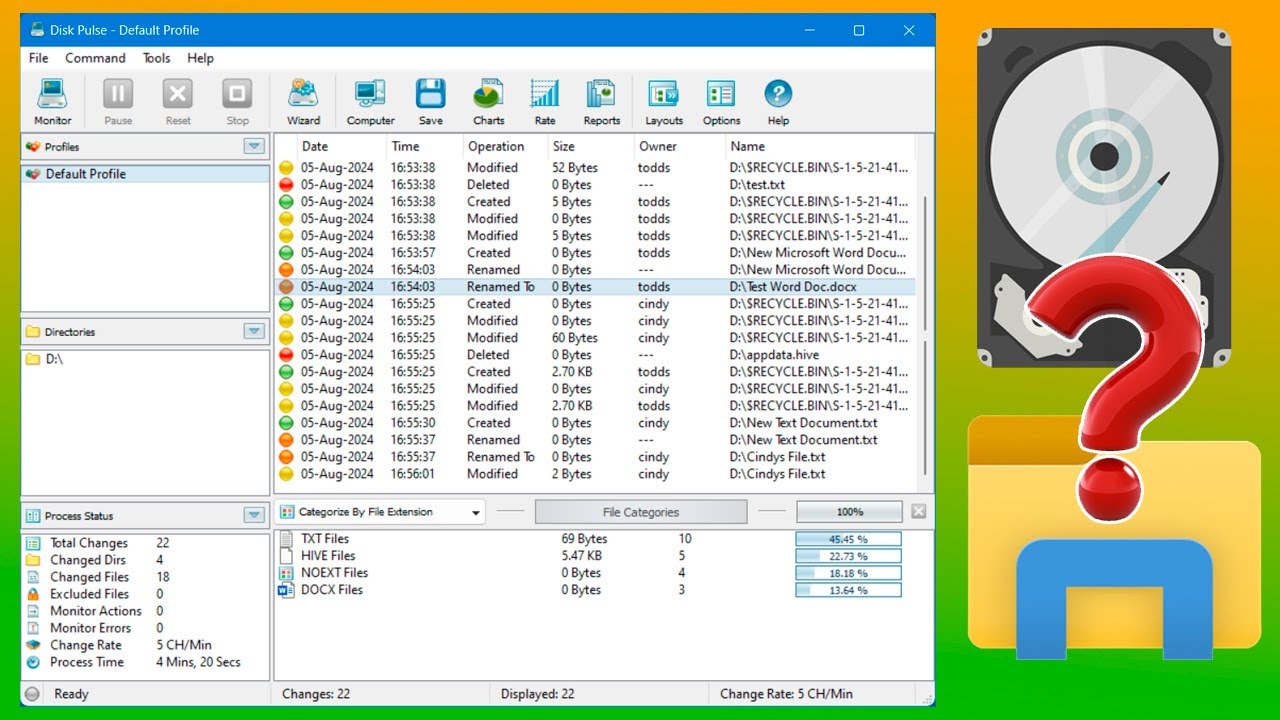
Ever wonder what’s happening to your files when you aren't looking? Whether you're troubleshooting a program that keeps deleting data or monitoring a shared folder for changes, tracking file activity manually is impossible. In this video, we show you how to use Disk Pulse, a powerful tool that monitors your hard drive or specific folders in real-time.
We’ll show you how to track who modified a file, when a document was renamed, and even see exactly what was moved to the Recycle Bin—all from a simple, live dashboard.
0:00 Introduction: Why you need to monitor file system changes
0:40 Getting started: Installing and launching Disk Pulse
1:00 Setting up your first monitor for a drive or folder
1:35 Live Demo: Tracking file modifications and deletions in real-time
2:00 How Disk Pulse identifies renames and Recycle Bin activity
2:30 Right-click options: Opening file locations and comparing changes
3:00 Multi-User Tracking: Seeing changes made by other accounts
4:20 Advanced Features: Using the Wizard and viewing change charts
5:10 Customizing settings: Email notifications and system tray options
6:00 Important: Keeping Disk Pulse running in the background
6:35 Summary and download link
Step-by-Step Instructions:
1 - Download and install the free version of Disk Pulse (link in the description).
2 - Open the program and click the Monitor button in the top toolbar.
3 - Click Add to select the specific drive or folder you want to watch.
4 - Click Start to begin the real-time monitoring.
5 - To Test: Create a new folder or edit a text file within your monitored path. You will see the change appear instantly in the Disk Pulse window, along with the date, time, and the user account responsible.
6 - Analyze Results: Use the tabs at the bottom to categorize changes by extension, change type (Created, Modified, Deleted), or by user.
7 - Pro Tip: Go to Options - General and enable "Minimize to the system tray." This allows you to keep the monitor running in the background without cluttering your taskbar.
8 - Note: For the monitor to work across multiple users, you must remain logged into your account while the other users are active.
Here is a link where you can download Disk Pulse.
https://www.diskpulse.com/index.html
🎓 Step up your skills with our online training courses:
http://madeeasytraining.com
📘 Get our book "Windows 11 Made Easy" on Amazon:
https://www.amazon.com/dp/B09HFXWXRY
📚 Explore our full library of tech and computer books:
https://www.madeeasybookseries.com/home
🚀 Master your software and hardware with our latest tech tips:
https://onlinecomputertips.com
#Windows11 #DiskPulse #FileMonitoring #TechTutorial #WindowsTips #CyberSecurity #SystemAdmin #PCOptimization #Windows10 #OnlineComputerTips
Повторяем попытку...
Доступные форматы для скачивания:
Скачать видео
-
Информация по загрузке: