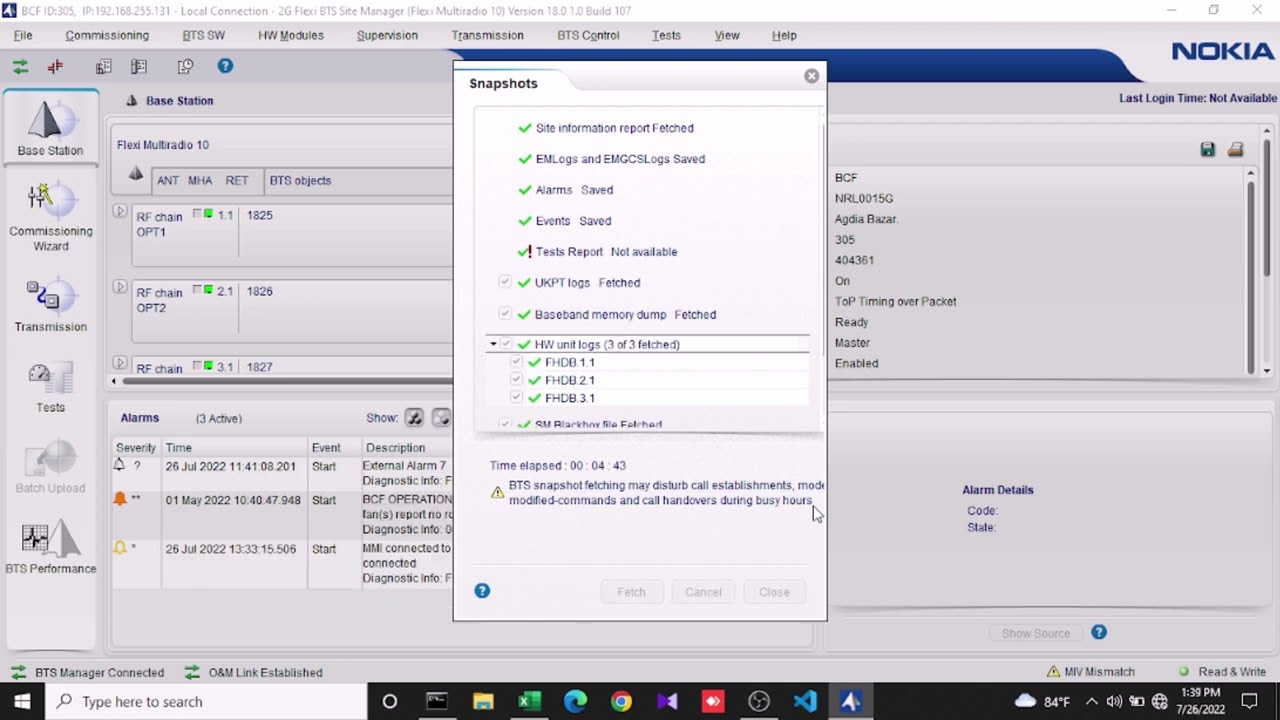
Nokia flexi bts information || How to Login Nokia 2G flexi bts || Collect snapshots and scf file
Автор: Technology and Info
Загружено: 2022-07-30
Просмотров: 1680
Описание:
Welcome to Technology and Info channel.
Nokia flexi bts. How to login Nokia 2G flexi bts?
And also we collect snapshots and backup scf file.
We need to a good condition lapton, CAT6 LAN cable. This cable connect laptop with Nokia flexi bts LAM port.
Then we go to the network and internet setting .
We use for laptop ip: 192.168.255.130
subnet musk: 255.255.255.0
Browser ip address: 192.168.255.129
This channel Technology and Info based.basically focused on telecommunication technology. This channel is mobile tower based.
Please follow and subscribe "Technology and Info" channel.
If someone need "Flexi/2G BTS Site Manager" just comment box drop your email address.....
Повторяем попытку...
Доступные форматы для скачивания:
Скачать видео
-
Информация по загрузке:






![Hi-Fi - ЛУЧШИЕ ПЕСНИ 2024 [СБОРНИК] @ХитЗаХитом](https://image.4k-video.ru/id-video/5uGh9gQTV0U)


