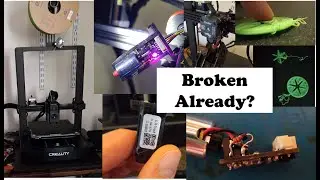
3D Printer FIXED! How I Solved Error 2194 (Step-by-Step)
Автор: Just Science and Engineering
Загружено: 2025-01-17
Просмотров: 4928
Описание:
In this video, I’m swapping out and testing a new CR Touch sensor on my 3D printer! I’ll walk you through the process of removing the old unit, troubleshooting cable connections, and running a test print to see if the upgrade improves print quality. Along the way, I’ll share tips on handling tricky epoxy-secured connectors, rerouting cables, and diagnosing issues with automatic Z-offset calibration.
Did the upgrade work? Watch to find out! If you enjoy 3D printing, troubleshooting, and upgrading your machine, don’t forget to like, comment, and subscribe for more hands-on content.
BL Touch: https://www.creality3dofficial.com/pr...
CR Touch: https://www.creality3dofficial.com/pr...
Print Shop: https://www.etsy.com/shop/FilamentFin...
00:00 Unboxing the New CR Touch
01:45 Removing the Old Sensor
03:30 Handling Cable & Epoxy Challenges
05:10 Installing the New CR Touch
07:00 Automatic Z-Offset Calibration Test
08:45 First Print Test – Success?
14:30 Final Thoughts & Next Steps
#3dprinting #3dprintingtechnology #crtouch #printerupgrade #3dprinterfix #diytech
Повторяем попытку...

Доступные форматы для скачивания:
Скачать видео
-
Информация по загрузке: