Bow and Arrow Rigging in Blender
Автор: CG Masters
Загружено: 2014-07-28
Просмотров: 99541
Описание:
Check out part 2 on using the bow in the BGE to shoot arrows: • Bow and Arrow in the Blender Game Engine
If you don't have your own bow to work with, download the start file for this tutorial here: https://www.cgmasters.com/tutorials/b...
Download the final rigged bow here: https://www.cgmasters.com/tutorials/b...
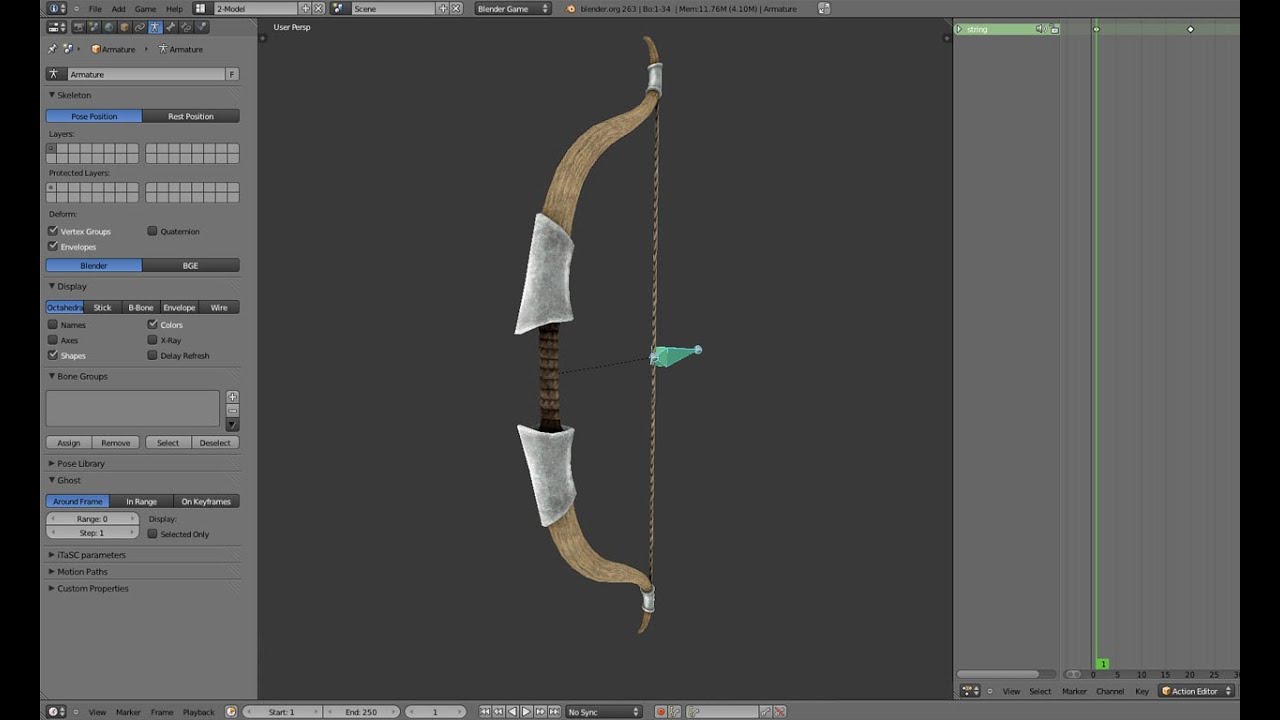
This Blender tutorial series will take you through rigging and animating a bow and arrow. The goal for this series is to use this rig in a game to aim and shoot arrows with, but the rig in this tutorial is made for general animation as well. In this first part, we'll rig the bow so that it bends back automatically when you pull back just one bone. We'll do this by using IK constraints and a super awesome Limit Distance constraint. Thanks to Lee Salvemini for helping me get past some obstacles finding the most accurate and efficient way to rig this.
Chris Plush (blengine)
Chapters:
00:53 - Adding bones to the top and bottom of the bow, and adding a string bone
02:40 - Parenting the mesh to the rig
05:20 - Creating a main bone to parent the whole rig to
06:40 - Creating the top_ik bone to be the ik solver for the top of the bow
07:30 - Adding the IK constraint to the top of the bow
08:40 - Why the Limit Distance constraint doesn't work on its own
09:42 - Creating a workaround to this problem by creating a new rotation bone
10:18 - Parenting the top_ik bone to the new rotation bone
11:25 - Adding a Limit Location constraint to the string bone
13:05 - Adding a new top_limit bone
14:00 - Parenting the top_limit bone and new rotation bone to the main bone
14:20 - Adding Limit Distance constraint to the top_limit bone
14:50 - Adding a Track To constraint to the rotation bone
15:47 - Duplicating and flipping the new top bones to the bottom
16:30 - Adding an ik constraint to the bottom of the bow
17:37 - Animating
Check out https://cgmasters.com for more courses and tutorials.
Like the tutorial and want to leave a tip?
PayPal - https://www.paypal.me/cgmasterscom
Повторяем попытку...
Доступные форматы для скачивания:
Скачать видео
-
Информация по загрузке: