OpenWRT - Emulex OneConnect OCe14102 Dual SFP+ Adapter ft. QSFPTEK 10GBASE-SR SFP+ Transceiver
Автор: Van Tech Corner
Загружено: 2023-01-23
Просмотров: 7235
Описание:
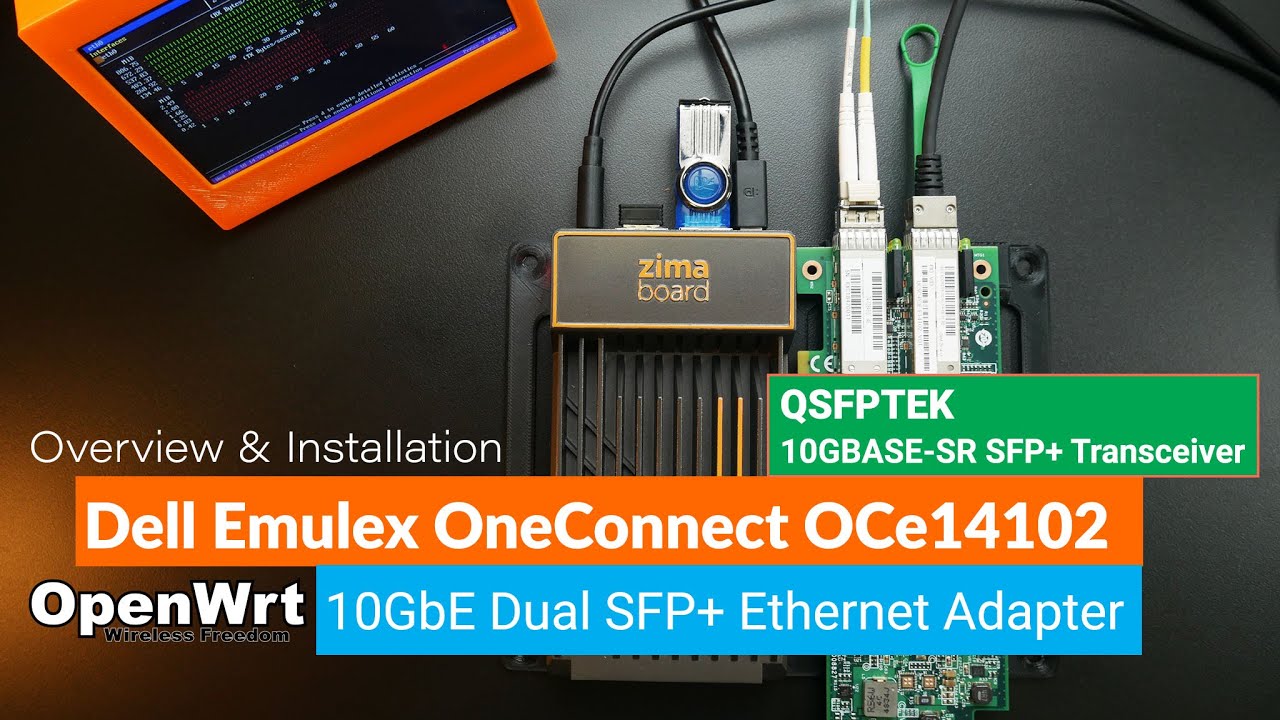
In this video, I will introduce you another 10G OpenWRT build with the Emulex OneConnect OCe14102 Dual SFP+ Adapter, the QSFPTEK SFP+ Transceiver and OM4 Fiber Cables.
Besides these devices, I also used the Mellanox ConnectX-3 SFP+ Adapter, the Mellanox DAC Cable and the Multi-Gigabit Switch from Zyxel, the XGS1250-12.
The driver (kernel module) for the Broadcom Emulex OneConnect 10Gbit SFP+ adapters, such as the OneConnect OCe10xxx, OCe11xxx, OCe14xxx and LightPulse LPe12xxx is available is available in the package kmod-be2net. All you need to do is to install this kmod-be2net package for OpenWRT to detect the Emulex OCe14102 adapter. Besides, you can build the OpenWRT firmware (with the source or using firmware-selector) and include the kmod-b2net package. In this video, I am using the second way.
Unfortunately, I only got maximum 6.4Gbps throughput with 15W power consumption when testing with the Zimaboard and the Emulex OCe14102. Perhaps there is something wrong with the setting or the driver, because I got up to 9.4 Gbps with the same Zimaboard and the Dell QLogic 57810 • OpenWRT 10 Gbps - Install & Testing the De...
Here is the list to the products in my test. Special thanks to QSFPTEK for sending me the SFP+ Transceiver and the Fiber cables for the test:
10G SFP+: https://www.qsfptek.com/product/10009...
OM4 Fiber Cable: https://www.qsfptek.com/product/99668...
Emulex OneConnect OCE14102 (eBay)
Mellanox ConnectX-3 (eBay)
Zyxel XGS1250-12: https://www.zyxel.com/global/en/produ...
Full iperf3 result can be found here - https://vantc.net/emulex-oneconnect-o...
Video timeframe:
00:00 - Build Introduction & Hardware Overview
02:23 - Connect/ Disconnect SFP+ Transceiver to SFP+ Adapter with Fiber cable
05:00 - Install the Emulex OneConnect OCe14102 on the Zimaboard
06:03 - Build OpenWRT x86 with kmod-b2net
08:00 - Boot up OpenWRT x86 on the Zimaboard & Initial Setup
10:25 - Connect DAC & Fiber cable to the Emulex OneConnect OCe14102
12:01 - Install LuCI & Web UI Overview
15:15 - WAN to LAN Throughput - OpenSpeedTest
16:20 - WAN to LAN Throughput - OpenSpeedTest (SW Offloading)
18:17 - WAN to LAN Throughput - iperf3 (SW Offloading)
19:08 - WAN to LAN Throughput - iperf3 (SW Offloading - Single)
21:33 - WAN to LAN Throughput - Power Consumption
24:35 - Change the configuration to Bridge mode
26:16 - Bridging Throughput Test - OpenSpeedTest
27:00 - Bridging Throughput Test - iperf3
That is all for this video. Thanks for watching and see you in the next one!
Повторяем попытку...
Доступные форматы для скачивания:
Скачать видео
-
Информация по загрузке:




