How to Remove .deb Packages on Linux – Clean Uninstall with dpkg, apt & GUI!
Автор: LinuxHowTo
Загружено: 2026-04-30
Просмотров: 97
Описание:
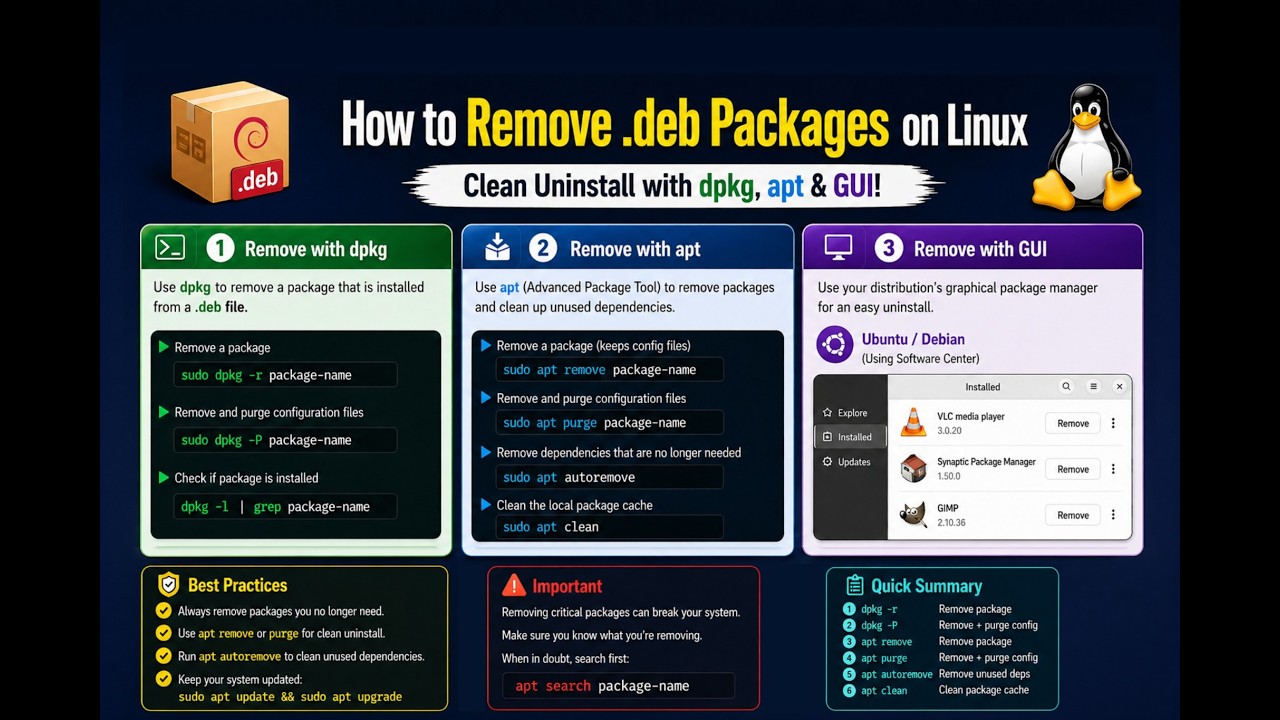
Installed a .deb file and now need to remove it? In this video, we'll show you how to properly uninstall packages installed via .deb on Linux. Whether you forgot the package name, want to keep configs, or need a full purge, we cover dpkg, apt, and GUI methods. Learn to search, verify, remove, and clean up—safely and efficiently!
Learn:
✅ Step-by-Step Guide:
1.Find the Package Name (If Unknown):
dpkg -l | grep keyword
(Look at column 2 for the exact package-name to use.)
2.Verify Package Details:
dpkg -s package-name
(Confirms installation status and dependencies.)
3.Remove the Package:
Keep configuration files:
sudo dpkg -r package-name
OR (preferred):
sudo apt remove package-name
4.Purge Completely (Remove + Configs):
sudo dpkg -P package-name
OR:
sudo apt purge package-name
5.Clean Up Leftover Dependencies:
sudo apt autoremove
6.GUI Alternatives:
Discover: Open → Installed → Find package → Remove
Synaptic: Right-click package → Mark for Removal → Apply
✅ Tool Comparison:
| dpkg | sudo dpkg -r pkg | Low-level, precise removal
| apt | sudo apt remove pkg | Safe removal with dependency handling
| Discover | GUI → Installed → Remove | Beginner-friendly, KDE native
| Synaptic | Right-click → Mark for Removal | Advanced package management
✅ Why Proper Removal Matters:
Free Disk Space: Remove unused binaries and libraries.
Avoid Conflicts: Prevent version clashes with future installs.
System Hygiene: Clean configs and orphaned dependencies.
Security: Remove outdated or vulnerable software completely.
✅ Pro Tips:
Prefer apt remove over dpkg -r—it handles dependencies automatically.
Always run sudo apt autoremove after uninstalling to clean leftovers.
Use dpkg -l | grep keyword to search when you don't know the exact package name.
Backup configs before purging: cp -r ~/.config/app ~/backup/.
For GUI users: Discover and Synaptic are safer; for control: use terminal commands.
You can find the full tutorial, and package management examples here:
📁 https://gitlab.com/hatem-badawi/linux...
Perfect for Linux users who want to manage .deb installations cleanly and confidently! Hit subscribe for more system administration tips and like if this helped.
Let us know: Do you prefer terminal or GUI for package removal?
👉 Watch now and master clean package uninstallation on Linux!
#LinuxTips #dpkg #apt #PackageManagement #SysAdmin #DebFiles #CommandLine
(Short, clear, and packed with practical knowledge!).
Повторяем попытку...
Доступные форматы для скачивания:
Скачать видео
-
Информация по загрузке: