Control Chrome Tabs Like a Pro: Slido, Google Slides, and More with APS + Companion
Автор: PresentationTools
Загружено: 2025-05-30
Просмотров: 633
Описание:
🎛️ Control Slido, Google Slides & More – With Stream Deck, Companion & APS
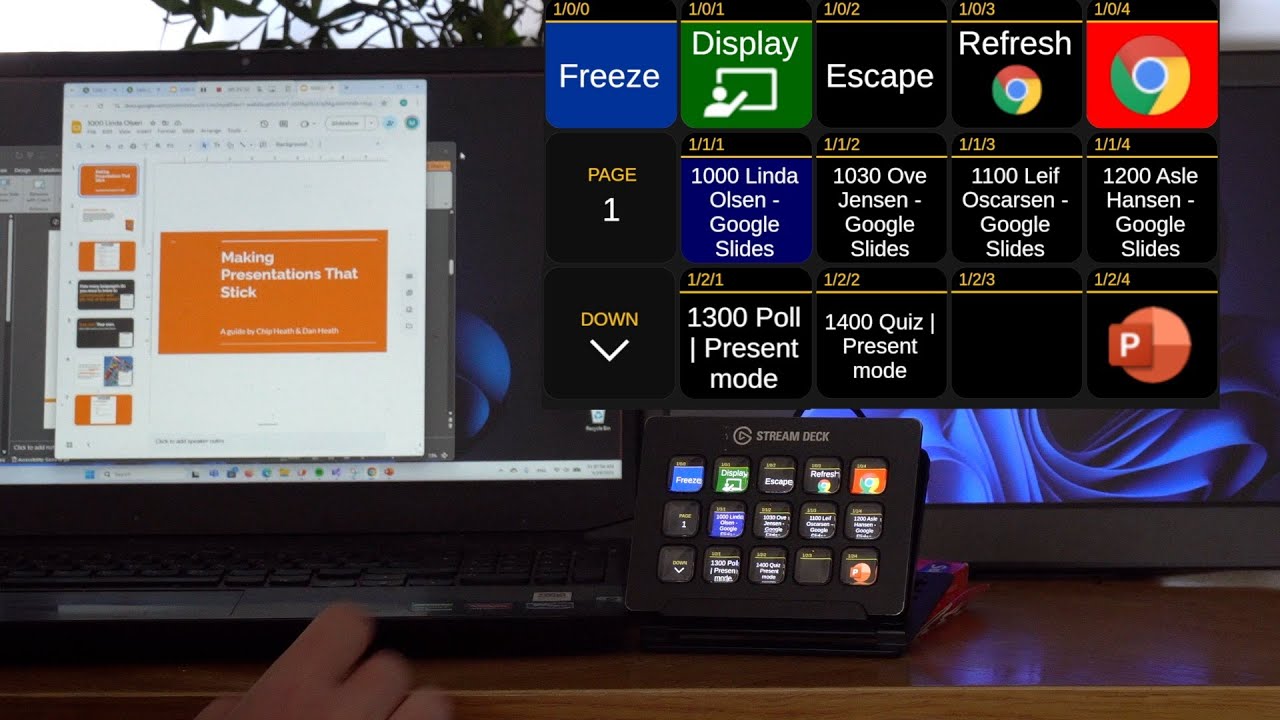
Say goodbye to mouse clicks and tab hunting during live events. In this video, we show how you can control Google Chrome tabs like Slido, Google Slides, and other web pages using Auto Presentation Switcher (APS), Bitfocus Companion, and a Stream Deck.
💡 Perfect for AV technicians who want a smoother workflow when switching between live polls, presentations, and audience interaction tools.
🔧 What you'll learn:
How to set up buttons in Companion to open and control Chrome tabs
How to toggle between Slido presentations and display them fullscreen
How to manage Google Slides from Companion, including naming tricks for sorting
How APS ensures smooth transitions between tabs and fullscreen mode
📥 Download Auto Presentation Switcher (APS):
👉https://www.presentationtools.com/dow...
🔗 Download Companion templates shown in this video:
https://www.presentationtools.com/com...
📸 Thumbnail shows real-time control with Stream Deck + APS + Chrome
🔗 Related tools:
Bitfocus Companion: https://bitfocus.io/companion
Elgato Stream Deck: https://www.elgato.com/en/stream-deck
👍 If you find this useful, don’t forget to like, comment, and subscribe!
#StreamDeck #Companion #APS #Slido #GoogleSlides #AVtech #EventTech #LiveEvents #ChromeControl #PresentationTools
Повторяем попытку...
Доступные форматы для скачивания:
Скачать видео
-
Информация по загрузке: