Xiaomi Redmi Y1 Power & Volume Button Problem Solution | Not Working or Stuck Keys Fix
Автор: Mobile hardware solutions
Загружено: 2025-07-19
Просмотров: 288
Описание:
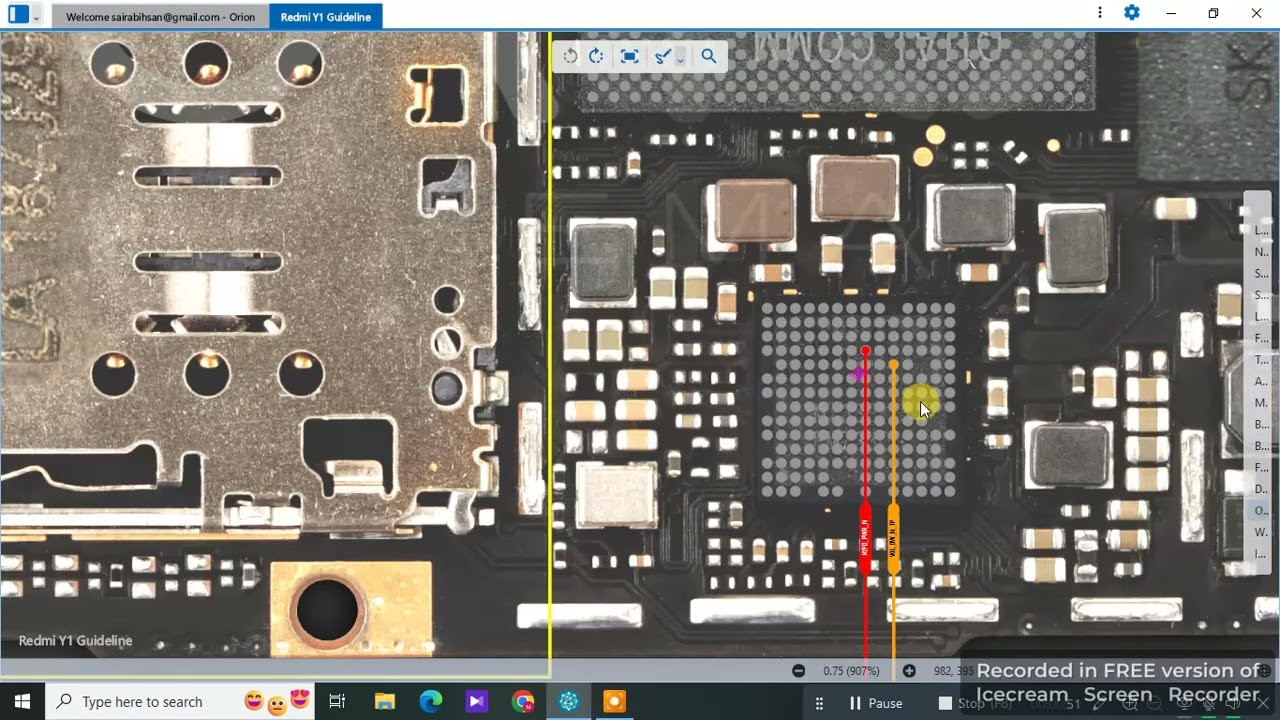
This video provides a complete hardware solution to fix power button not working, volume up/down not responding, or stuck key issues on the Xiaomi Redmi Y1. Whether the phone doesn't turn on, keys feel loose, or volume buttons are unresponsive, this step-by-step guide will help mobile repair technicians resolve it quickly.
This fix includes testing the button strip, checking motherboard pads, and replacing damaged key flex or jumpers.
🔧 Model: Xiaomi Redmi Y1
📌 Common Issues Covered:
• Power Button Not Working
• Volume Up/Down Button Not Working
• Buttons Physically Stuck or Not Responding
• Phone Doesn’t Boot or Rebooting Due to Key Fault
🔧 30-Step Button Repair Solution:
Turn off the phone and remove the SIM tray.
Detach the back cover using a plastic opener.
Unscrew all visible screws holding the mid-frame.
Remove the mid-frame to expose the motherboard.
Disconnect the battery connector safely.
Locate the power and volume key flex strip.
Gently disconnect the flex cable from the board.
Inspect the flex strip for tears, bends, or corrosion.
Use a multimeter to test button continuity.
Check if buttons show continuity when pressed.
If dead, replace the button flex strip.
Clean the flex connector on the motherboard.
Reconnect a new strip and test again.
If buttons still don’t work, inspect motherboard side.
Check the power and volume key pads with multimeter.
If no continuity, trace the lines back to the IC.
Jumper any broken track from key pad to corresponding resistor or capacitor.
Inspect related passive components (resistors/caps) near the connector.
Replace any burnt or missing component.
If the key is stuck in pressed state, clean dust/debris.
Ensure plastic key support is aligned properly.
Check for physical misalignment or worn rubber pad.
Use magnifier to inspect cold joints or lifted pads.
Reflow or jumper lifted pads to restore connection.
Temporarily power on the board with tweezers.
Test each key manually during boot.
Confirm key response in recovery or fastboot mode.
Once working, reassemble the frame and cover.
Final key testing in full UI.
Seal the unit and confirm full button functionality.
🔍 Hashtags:
#XiaomiRedmiY1
#RedmiY1PowerButtonFix
#RedmiY1VolumeKeyProblem
#RedmiY1NotTurningOn
#RedmiY1KeySolution
#MobileRepair
#RedmiY1HardwareFix
#PowerKeyNotWorking
#PhoneButtonRepair
#XiaomiRepairGuide
Повторяем попытку...
Доступные форматы для скачивания:
Скачать видео
-
Информация по загрузке: