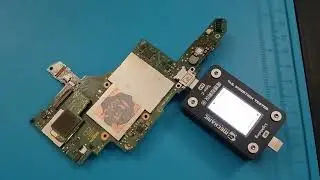
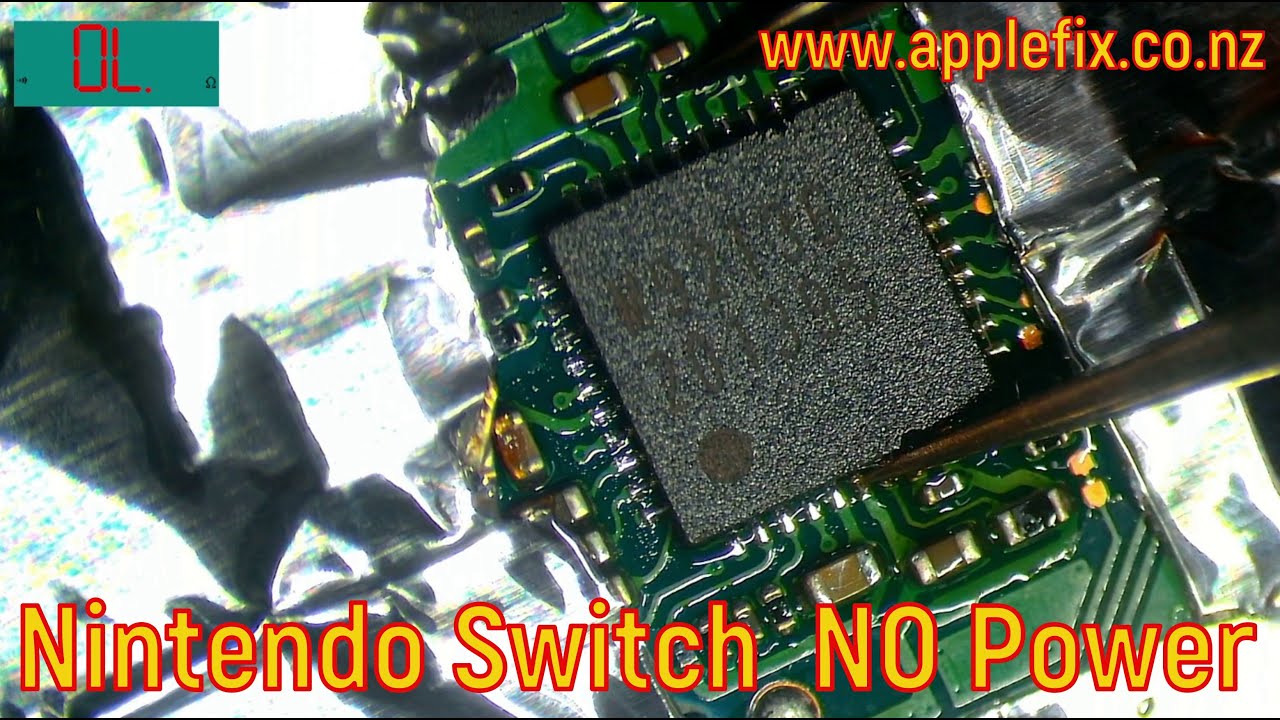
Nintendo Switch OLED Not Turing ON , USB C Power Management IC Failed. How to diagnose & Replacement
Автор: Tech Engineers & AppleFix Hamilton New Zealand
Загружено: 2025-09-08
Просмотров: 402
Описание:
Nintendo Switch OLED NOT Charging M92T36 PD Controller USB-C Charging Power IC Repair. Nintendo switch repair experts in Hamilton New Zealand Call 078394188 or visit 937 victoria street Hamilton New Zealand www.applefix.co.nz
How to replce Nintendo switch PD Controller below is a general guide.
Severity Warning:
Skill Level: Expert Micro-soldering
Risk of Damage: Very High. A mistake can permanently destroy the Switch's main board (CPU, RAM, eMMC).
Tools Required: High-end, specialized equipment.
Tools and Materials Required
Micro-soldering Station: A high-quality station with a hot air gun and a precise soldering iron (e.g., Quick, JBC, Pace, Hakko).
Microscope: A stereo microscope is absolutely essential. You cannot do this accurately with magnifying glasses or the naked eye.
High-Quality Solder: Leaded solder (e.g., 63/37) is easier to work with for this type of job.
Flux: No-clean flux paste or gel. Amtech NC-559-V2-TF is a popular professional choice.
Solder Wick & Desoldering Pump: For cleaning up pads.
Isopropyl Alcohol: 99% for cleaning flux residue.
Tweezers: Sharp, anti-static, non-magnetic tweezers.
Kapton Tape: To shield surrounding components from hot air.
High-Quality Replacement IC: CRITICAL. Source a genuine M92T36 chip from a reputable supplier. Many chips on eBay and AliExpress are counterfeit or pulled from dead boards and will not work. A bad chip can cause further damage.
Stencil & Solder Paste (Optional but Highly Recommended): For applying fresh solder to the new chip's pins. A 0.2mm laser-cut stencil for the M92T36 is ideal.
Preheater (Optional but Recommended): A board preheater helps reduce thermal stress on the motherboard during the hot air process, preventing warping and solder joint issues.
Step-by-Step Removal and Replacement Guide
Step 1: Diagnosis and Preparation
Confirm the Fault: Common symptoms of a failed M92T36 include:
No Power: Completely dead, no LED, no response.
No Charging: Battery doesn't charge, but console may run on battery.
No USB-C Communication: Console doesn't recognize being docked.
Burning Smell from the area near the USB-C port.
Disassembly: Completely disassemble the Nintendo Switch until you have the naked main motherboard.
Clean the Area: Use isopropyl alcohol and a soft brush to clean any dirt or corrosion around the M92T36 chip and USB-C port.
Inspect Under Microscope: Look for physical damage, cracked solder joints, or signs of liquid damage.
Step 2: Board Preparation
Secure the Board: Place the motherboard securely in a holder that won't melt or interfere with heating.
Apply Kapton Tape: Use Kapton tape to mask off all small components around the M92T36 chip. This includes tiny capacitors, resistors, and especially plastic connectors. The tape protects them from being blown away by the hot air or melted.
Apply Flux: Apply a generous amount of flux around and under the sides of the existing M92T36 chip. This helps with heat transfer and protects the pads from oxidation.
Step 3: Removing the Old M92T36 Chip
Preheat the Board (If possible): If you have a preheater, set it to around 150-180°C. This gently warms the entire board.
Hot Air Settings: On your hot air station, use a medium-sized nozzle. Set the temperature to 320-350°C and the air flow to a medium-low setting (e.g., 3-4 on a Quick 861DW). The goal is to melt the solder without overheating and damaging the chip or board.
Heating Process: Hold the hot air gun about 1-2 cm above the chip. Move it in small circles to evenly heat the entire component. Do not focus on one spot.
Lifting the Chip: After 60-90 seconds, gently nudge the chip with your tweezers. When the solder underneath is fully liquid, the chip will slide easily. Carefully lift it straight off the board.
Immediately clean the area with solder wick and flux to remove excess solder from the pads. Ensure all pads are clean, flat, and shiny.
Step 4: Preparing the New Chip
Tin the Pads (Optional): You can put a tiny, minimal amount of fresh solder on the center ground pad.
Apply Solder Paste (Best Method):
Align the stencil perfectly over the new M92T36 chip.
Apply a small amount of solder paste and spread it across the stencil with a squeegee.
Carefully remove the stencil. A perfect layer of solder should now be on all the pins.
Use your hot air gun (on a low setting) to "reflow" the paste onto the pins, turning it into shiny solder. This is called "pre-balling" the chip.
Apply Flux: Apply a small amount of flux to the solder balls on the new chip.
Search for reputable console repair shops like Tech Engineers & AppleFix that specialize in board-level repair and mention Nintendo Switch and micro-soldering specifically.
Повторяем попытку...
Доступные форматы для скачивания:
Скачать видео
-
Информация по загрузке: