VCS 2024 Moving Heads Intensive, Kyle Bostick
Автор: Virtual Christmas Summit
Загружено: 2024-09-04
Просмотров: 1043
Описание:
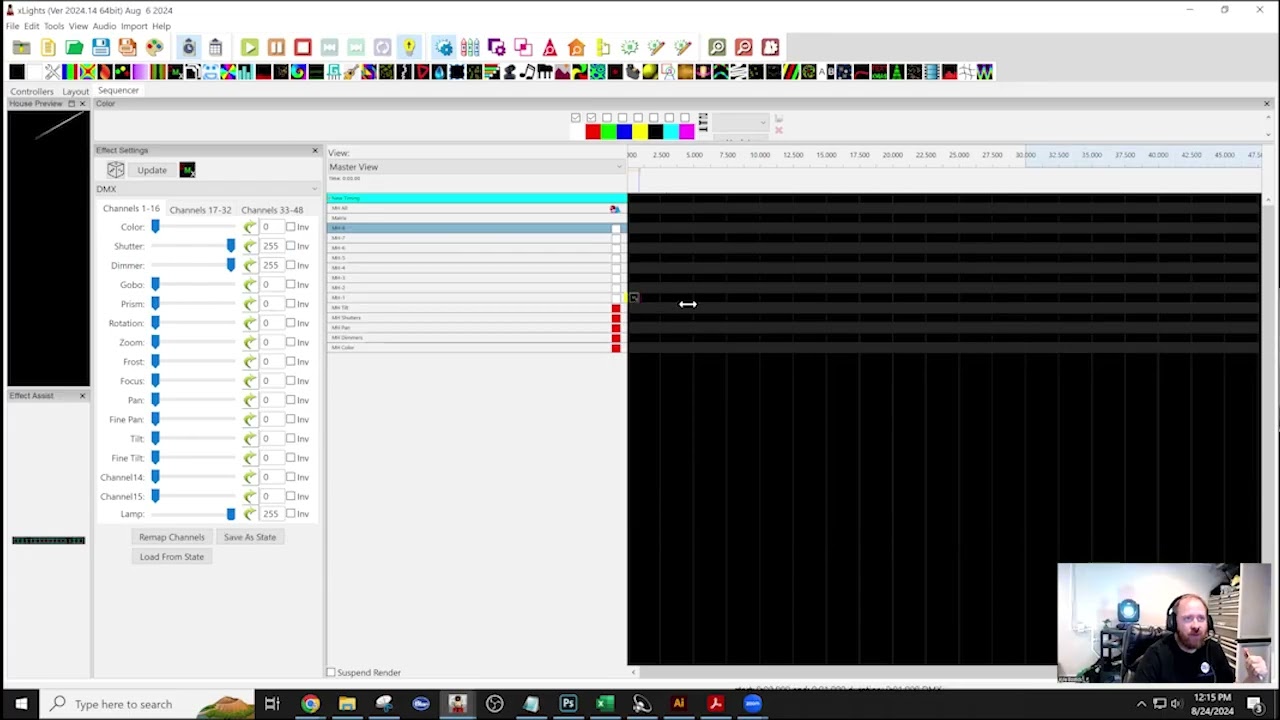
Kyle's session covers setting up and working with moving heads in xLights. Here's a quick summary:
1. **Moving Head Setup**:
Import models from your vendor or create them manually.
Configure channels, pan, tilt, and other features like color wheels.
Adjust orientation for accurate sequencing and use the "Orient to Zero" feature to face your crowd.
2. **Sequencing**:
Begin with basic on/off effects, adjusting dimmer, pan, and tilt for your moving heads.
Align the timing of light movements with the music, and be mindful of the moving heads' speed limits to match real-world performance.
You can create group effects for simultaneous light movements or individual effects for custom patterns.
3. **Advanced Sequencing**:
For complex sequences, combine different movements such as tilting towards or away from the crowd.
Synchronize the pan and tilt effects for smoother transitions during the show.
4. **Troubleshooting**:
Common issues include incorrect group settings or not switching the string type to "single color" for DMX nodes.
If moving heads are not behaving correctly after importing a sequence, adjusting the pan and tilt values can fix the direction.
5. **Additional Notes**:
Use smart outlets to control power, ensuring moving heads are cooled properly after a show.
The new xLights moving head effect is still being refined, so older methods remain common for now.
Kyle also touched on dealing with atmospheric conditions (fog, rain, snow) and how to avoid overheating by keeping lights in a default downward position when off.
Повторяем попытку...
Доступные форматы для скачивания:
Скачать видео
-
Информация по загрузке: