CS3 Layout Automation: Experimenting with Routes, Signals & Train Movement (Automation Episode 5)
Автор: Model Train Fun
Загружено: 2022-05-20
Просмотров: 22354
Описание:
In this video we experiment with automation on the Märklin Central Station 3 (CS3). We look at routes, signals and train movements. The video is the first in a series of videos were we will experiment with automation.
We will make routes for an oval and make the freight train move around this oval. In later videos we will make more trains move.
The video uses the Märklin Central Station 3 (CS3) 2.4.0 (5). Consider update according to the video below if you have an earlier version. In addition to that you must enable extended event mode to complete the examples in the videos.
Updating your CS3: • Updating Your Märklin Central Station 3 (C...
CS3 Automation Experimentation Videos:
Routes, Signals & Train Movement: This video
Controls: • CS3 Layout Automation: Experimenting with ...
Background videos:
S88/S88: • S88 and Link88 (Märklin 60881/60883) on th...
Contact tracks: • Creating and Troubleshooting Märklin C-tra...
Basic events on the CS3: • Basic Events on the Märklin Central Statio...
Tips & How to included:
• How to create route events
• How to automatically change signals to red creating signal events
• How to create train movement events
• Tip: Please contact track where you want to Stop, Change Speed & avoid collisions
• Tip: Name places on your layout
• Tip: Use signals to limit train movements as in the real world
• Tip: Signals can be virtual and only in the CS3
• Tip: Group events in Routes, Signals and one for each train
• Tip: Make short routes to reserve as little track as possible.
• Tip: You can still hit play when an event has been stopped even when it says Stop
• Tip: Use Events-Control-Terminate Events to terminate all events
• Tip: You can click on contracts, signals etc. to change state for troubleshooting
• Tip: Before running an event make sure the track diagram reflects the real layout
• Tip: You can expand sub events using long press
• Tip: Turning on the engine sound and wait 8-10 sec depending on your locomotive
• Tip: Macro's are always at the end of the event list
• Tip: Make events in small bites and test
• Tip: Make one train move, then another and finally combine them
• Tip: Test, test and test again ;-)
Enjoy and have fun with model trains :-)
Interesting links (English):
Märklin: https://www.maerklin.de/en
Märklin Central Station 3: https://www.maerklin.de/en/products/d...
Märklin Central Station 3 Plus: https://www.maerklin.de/en/products/d...
Chapters
00:00 Intro
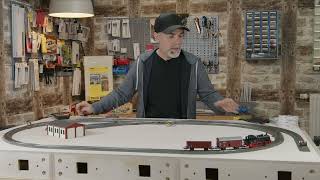
02:17 The layout
04:07 Contract track placement
07:24 CS3 Track Diagram
10:14 Naming places
11:57 Train Automation Philosophy
13:59 Route MS1 to ML1 going East
20:53 Route ML1 to MS1 going West
29:13 Signal events MS1 East Free and ML1 Free
33:42 Train Movement: Freight MS1 to MS1
45:56 Train Movement: Freight Run
49:29 Train Movement: LOOP Freight
51:42 LOOP Macro
53:20 Freight Run execution
56:48 Outro
Повторяем попытку...

Доступные форматы для скачивания:
Скачать видео
-
Информация по загрузке: