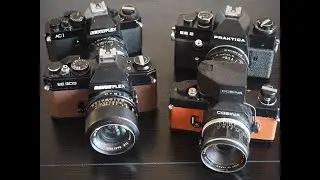
Modding The Olympus Pen F To A Full Spectrum Camera For Daniel. Disassembly Guide
Автор: FullSpectrumuk
Загружено: 2025-06-30
Просмотров: 585
Описание:
Free image processing tool for creating pink foliage from 590 nm infrared images:
https://fullspectrumuk.com/apps/590pink/
Download the free Infrared Photography eBook here:
https://www.fullspectrumuk.com/infrar...
Find this guide on our website: https://fullspectrumuk.com/modding-ol...
If you are in the EU or UK, we can convert your camera.
Digital Camera Conversions to IR, Full Spectrum, or Astro:
https://www.fullspectrumuk.com/shop1/...
Converted Infrared Cameras for Sale:
https://www.fullspectrumuk.com/shop1/...
Converted Astro Cameras for Sale:
https://www.fullspectrumuk.com/shop1/...
Full Spectrum Converted Cameras:
https://www.fullspectrumuk.com/shop1/...
If you live in the USA, KolariVision is your local camera conversion service:
https://kolarivision.com/product-cate...
KolariVision Converted Cameras:
https://kolarivision.com/product-cate...
Infrared Photography Tools
CLiR Infrared Photography Mastery – Complete IR Course and Software:
https://kolarivision.com/product/clir...
KolariVision IR Chrome Lens Filter:
https://kolarivision.com/product/kola...
Getting Started with Your Converted Infrared or Full-Spectrum Camera by Rob Shea:
https://www.fullspectrumuk.com/gettin...
Our Blog:
https://www.fullspectrumuk.com
Our Shop:
https://www.fullspectrumuk.com/shop1
Our Instagram:
/ fullspectrumuk.com_
Our Facebook:
/ fullspectrumuk
Modding the Olympus Pen-F to a Full Spectrum Camera for Daniel. Camera Disassembly Instruction
This time we will convert this camera to a Full Spectrum camera.
If you like what we do, please consider getting one of our memberships. This will help us make more videos.
This conversion is difficult. You probably want to know this before starting the conversion. Also, you will need a gauge with a stand.
Unscrew all outside screws. There will be many hidden screws.
You need to unscrew screws that are hidden on the front and the back of the camera.
Also, you need to remove the lens mount to access two screws.
Now you can unscrew the back panel screws, remove the bottom part, and access the camera internals.
Carefully separate the back panel, disconnect three ribbon cables, and remove the panel.
Disconnect all accessible ribbon cables.
Take out the top part.
To remove the mainboard, you need to separate its one ribbon cable from the camera and separate the power contacts that connect it to the battery.
Now you can access the sensor.
You need to take sensor distance readings from the camera chassis. There are four screws, so you need to take measurements next to those four screws. Write down those numbers; we will need them later.
Keep the gauge in a safe place and do not move its arms.
Unscrew sensor screws and take out the sensor.
If you do not use a clear glass to “fix” focusing and want to shift the sensor to the front, some metal removal will be needed. The areas where this should be done are marked in the image.
Please keep everything clean and remove bits of metal as soon as possible. Any metal particles can stick to the sensor stabilization system magnets and affect its function.
If you see any metal particles on the magnets, remove them with painter’s tape.
The first and the second sensor filters should be removed.
Now subtract one millimeter from those four numbers and use the same gauge to level the sensor. You may need new shims to get the right distances.
I am testing a few different thickness shims to get the sensor level and at the right distance from the camera chassis.
After finishing with the sensor, secure its three screws with a drop of glue and assemble the camera.
The conversion is complete.
Повторяем попытку...

Доступные форматы для скачивания:
Скачать видео
-
Информация по загрузке: