Accessible Flashcards with VoiceOver — Flipnem Demo
Автор: Sam Cooper
Загружено: 2026-07-22
Просмотров: 12
Описание:
Accessible flashcards for blind and visually impaired learners — a demo of the Flipnem flashcard platform working with the macOS VoiceOver screen reader.
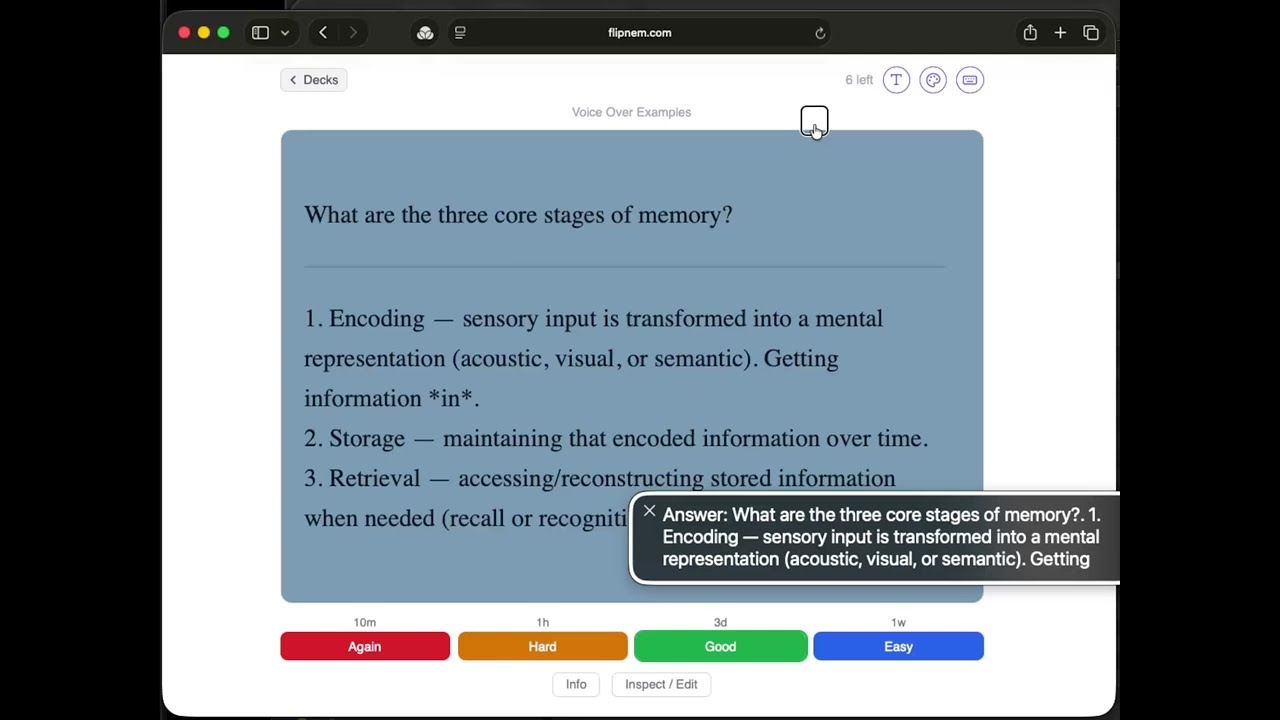
Using Flipnem, a blind or low-vision person can navigate the website with VoiceOver and run a full spaced-repetition study session — entirely by keyboard and audio:
1. The front of the card is read aloud to the user.
2. The user considers the answer, then advances by pressing Space or Enter to "Show Answer."
3. The back of the card is revealed and read aloud.
4. The user rates their recall. Like Anki: press 1 for Again, 2 for Hard, 3 for Good, and 4 for Easy.
The process repeats for all cards due that day.
Note the demo of Cloze (fill-in-the-blank) cards, where Flipnem speaks the word "blank" in place of each hidden word — so cloze deletions work naturally with a screen reader.
Chapters
0:00 Intro
2:32 Start a study session & view a card
3:34 Keyboard shortcuts interface
4:21 Cloze card example
Try Flipnem: [url pending]
#Accessibility #VoiceOver #Flashcards #SpacedRepetition #a11y #BlindTech #AssistiveTechnology
Повторяем попытку...
Доступные форматы для скачивания:
Скачать видео
-
Информация по загрузке: