How To Move Navigation Buttons To Left / Right Side On Samsung Galaxy Z Fold 7
Автор: WebPro Education
Загружено: 2025-07-16
Просмотров: 712
Описание:
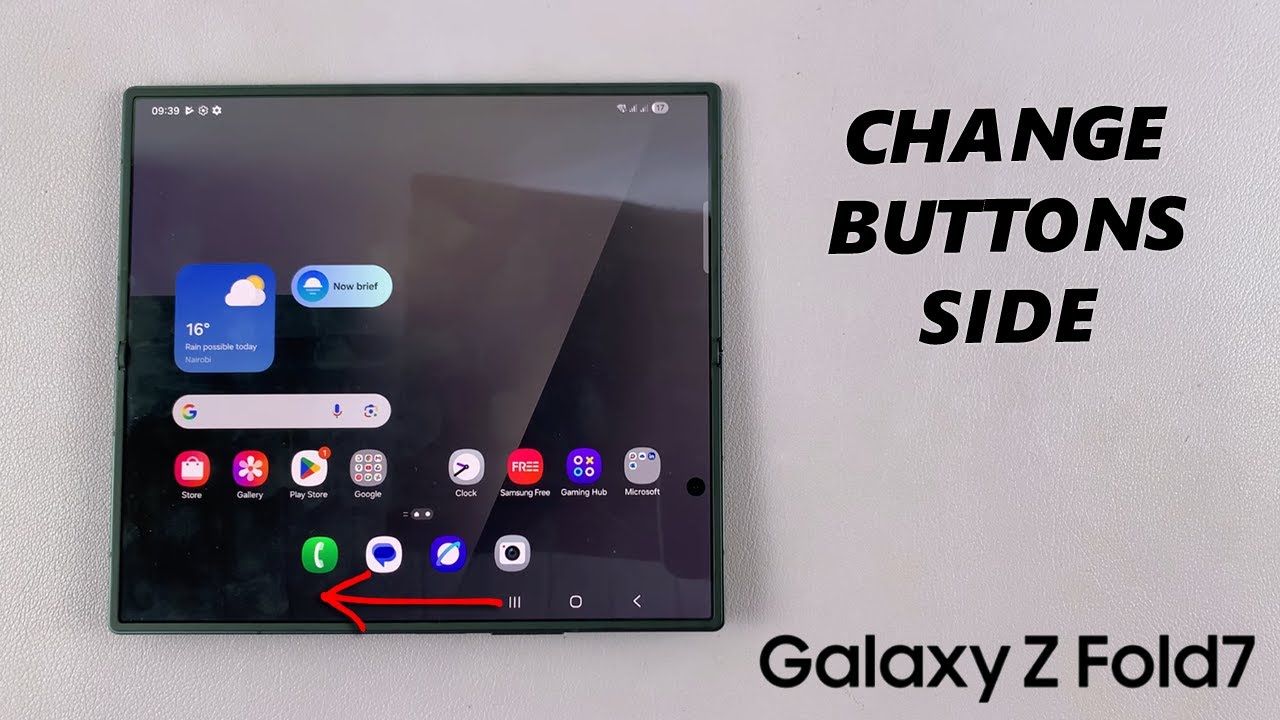
Here's how to move the navigation buttons to the left or right side of the screen on your Samsung Galaxy Z Fold 7. Customize your Galaxy Z Fold 7 for easier one-handed use.
If you’re left-handed, right-handed, or you just prefer a different layout, this guide will help you change the buttons side on the unfolded Galaxy Z Fold 7.
Samsung Galaxy Z Fold 7: https://amzn.to/44vP5Wt
How To Switch Navigation Buttons Side On Samsung Galaxy Z Fold 7:
Step 1: Launch the Settings app, scroll down and select "Display". Here, tap on the "Navigation Bar" option. It is usually set to "Buttons" by default.
Step 2: Under Navigation Bar, choose "Buttons" if it had been set to "Swipe Gestures". Then tap on "More Options".
Step 3: Under More Options, tap on "Button Position". Select either "Right" or "Left", depending on the option that is selected by default. The changes should reflect immediately on the unfolded screen.
Step 4: You will also have the option to choose between two layouts for the button order. Select either the '||| ◉ ◄' or '◄ ◉ |||'.
Once you’ve selected your preferred navigation button position and order, exit the menu.
#galaxyzfold7 #zfold7 #samsunggalaxyzfold7
----My Gear for YouTube videos----
Main Camera (iPhone 13 pro): https://amzn.to/3GZztve
Tripod: https://amzn.to/35acqRa
Cell Phone Tripod Adapter: https://amzn.to/3v3wFuI
Lights: https://amzn.to/3vkoGK7
As full disclosure, I use affiliate links on this channel and purchasing through these links earns me a small commission. The price you pay will be the same!
Website: https://www.webproeducation.org
Facebook: / webproeducation.org
Twitter: / webpro_e
Instagram: / webproeducation
Повторяем попытку...
Доступные форматы для скачивания:
Скачать видео
-
Информация по загрузке: