META Ray-Ban Wayfarer – How to Change Press and Hold Gesture
Автор: HardReset.Info
Загружено: 2025-07-10
Просмотров: 324
Описание:
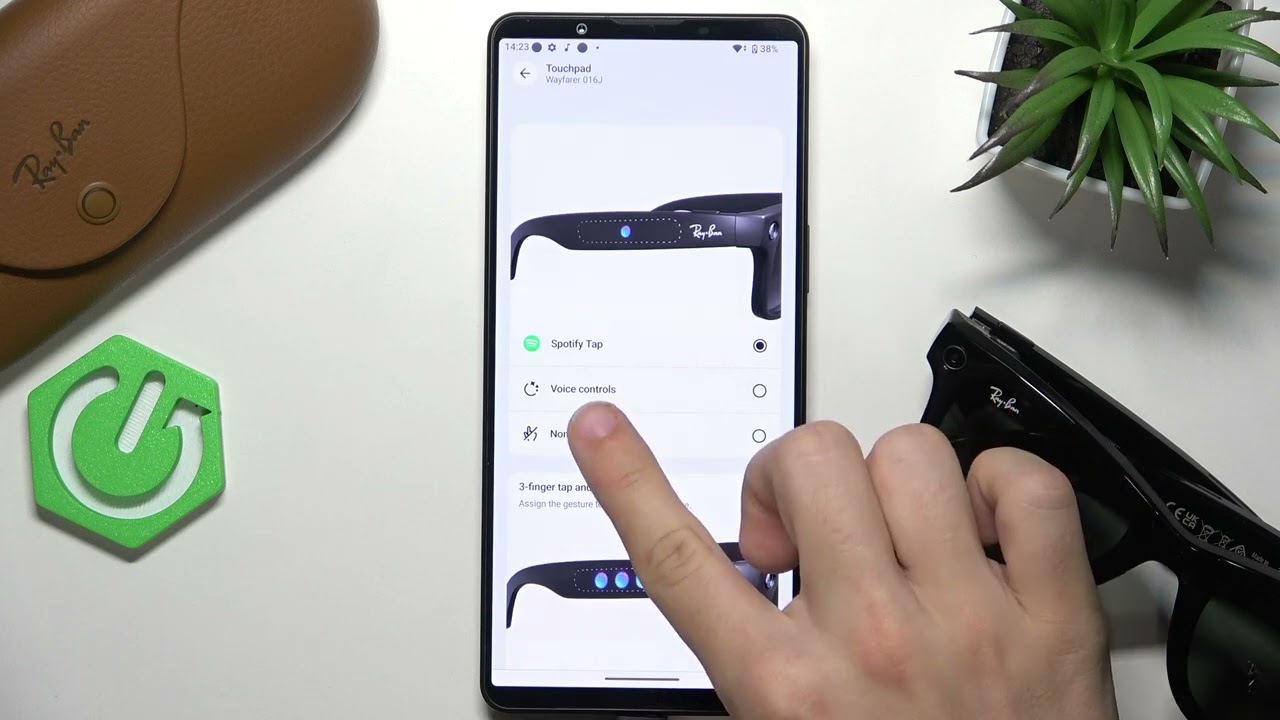
Learn how to change the press and hold gesture on your META Ray-Ban Wayfarer smart glasses. In this video, we walk you through the steps to customize the touchpad controls, including how to set up the press and hold or three-finger tap and hold gestures for connected apps like Spotify, Amazon Music, or Com. Discover how to access the correct settings, navigate to the touchpad options, and choose the gesture that works best for you. Whether you want to enable voice controls, app shortcuts, or turn off the gesture, this guide will help you personalize your META Ray-Ban Wayfarer experience for maximum convenience and functionality.
How to change press and hold gesture on META Ray-Ban Wayfarer glasses?
How to customize touchpad controls on META Ray-Ban Wayfarer?
Where are gesture settings in META Ray-Ban Wayfarer smart glasses?
0:00 Introduction
0:08 Open settings on META Ray-Ban Wayfarer
0:20 Go to connected apps
0:28 Access touchpad options
0:37 Change press and hold gesture
0:50 Set three-finger tap and hold gesture
1:02 Final tips and outro
#MetaRayBan #RayBanWayfarer #SmartGlasses #GestureControl
Find out more:
https://www.hardreset.info/devices/me...
Follow us on Instagram ► / hardreset.info
Like us on Facebook ► / hardresetinfo
Tweet us on Twitter ► / hardreseti
Support us on TikTok ► / hardreset.info
Use Reset Guides for many popular Apps ► https://www.hardreset.info/apps/apps/
Повторяем попытку...
Доступные форматы для скачивания:
Скачать видео
-
Информация по загрузке: