DJI MIC MINI II Unboxing and Quick setup
Автор: SpectreTI
Загружено: 2026-01-19
Просмотров: 14
Описание:
DJI MIC MINI II Unboxing and Quick setup
In this video I will
Unbox and show you quick setup
show you how to use USB adapter, put on windscreens and charger TX and RX.
#dji #djimicmini #microphone #audio #tech #gadgets
his video provides an unboxing and quick setup guide for the DJI Mic Mini II.
Here's a summary of the video:
Unboxing the DJI Mic Mini II (0:00-0:52): The video begins with the unboxing of the DJI Mic Mini II, showcasing the main box, carrying case, and initial paperwork, including DJI and memory card stickers.
Included Paperwork (0:59-1:05): The unboxing continues by showing the information in different languages, a quick start guide, and safety guideline paperwork.
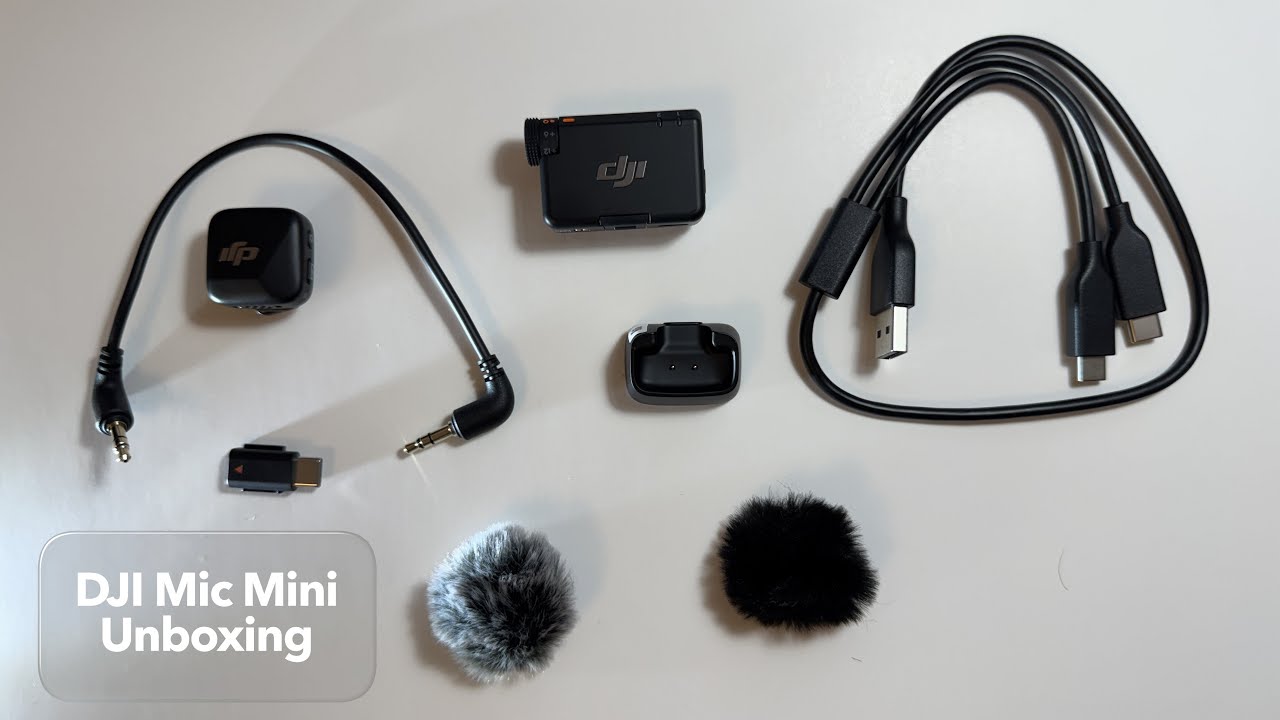
Pouch Contents (1:12-3:04): The presenter opens the accessory pouch, revealing:
A dual charging cable for the transmitter and receiver (1:32-1:37).
A 3.5mm jack to connect the receiver to a camera (1:44-1:56).
Two wind muffs (1:58-2:01).
A USB Type-C connector to connect the receiver to a USB-C phone or device (2:07-2:20).
The transmitter and receiver units (2:49-3:04).
Transmitter Charging Adapter (3:11-3:41): The video also shows a magnetic charging adapter specifically for the transmitter.
Complete Accessories Overview (3:46-4:13): A quick recap of all items included in the box: splitter charging cable, receiver, transmitter, 3.5mm headphone jack, USB-C adapter, magnetic clip, two windscreens, and the transmitter charging dock, along with the carrying bag.
Attaching the USB-C Adapter (4:18-4:48): The presenter demonstrates how to attach the USB-C adapter to the receiver by sliding out the existing connector and sliding in the USB-C adapter.
Putting on Windscreen (4:53-5:44): Instructions are provided on how to attach the windscreen to the DJI Mic transmitter, ensuring the plastic part faces the clip side.
Charging the Devices (5:54-6:35): The video shows how to charge both the receiver and transmitter using the dual charging cable, connecting one end to the receiver, the other to the magnetic charging dock for the transmitter, and the main cable to a power source.
Upcoming Content (6:49-6:58): The creator mentions future videos will compare the voice quality of the DJI Mic Mini with default iPhone and AirPods Pro 2 microphones.
Повторяем попытку...
Доступные форматы для скачивания:
Скачать видео
-
Информация по загрузке: