How to add Validity to Mikrotik Hotspot Portal without server
Автор: The Jheg Codes
Загружено: 2023-10-04
Просмотров: 4295
Описание:
Adding Validity to Mikrotik Hotspot Portal
Customized Portal Design - Lowest file size
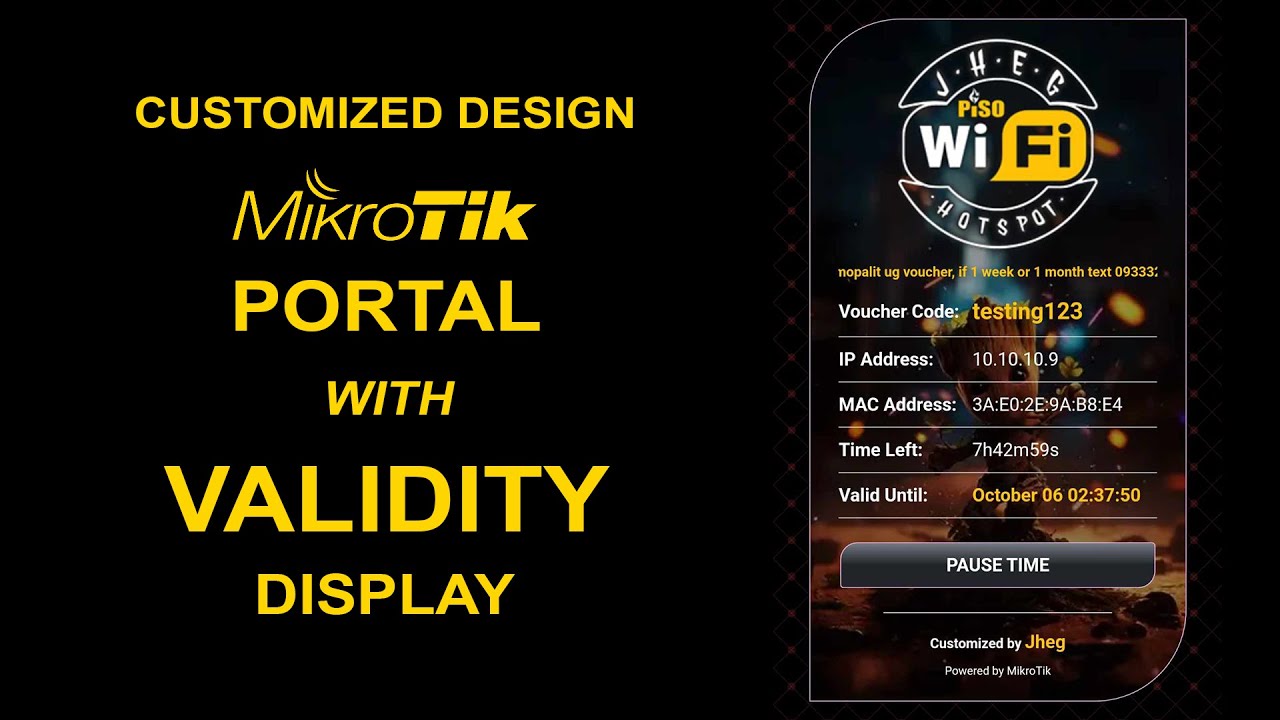
Mikrotik Custom Hotspot Portal Design with Validity Display
Featured:
1. Customized Portal Design, Lowest file size, 64kb only with logo and image background
2. Auto save the last voucher code sa portal
3. With Custom own Validity also auto remove all info when expired
4. Show the Validity on portal (No server needed)
5. Can integrate to mikhmon or any voucher generator
How to show the validity?
When login the script run and add info to scheduler
Also create a text file with the content of validity to mikrotik file
Display the validity text file to portal converted using javascript
Instructions:
Add the script below to all mikrotik user profiles
1. Change the "2d" validity
Example: 30d,7d,2d
2. Change the URL on your validity.rsc URL
Example:
/flash/public/validity.rsc
/public/validity.rsc
/hotspot/validity.rsc
:global addvalidity "2d";:global currentuser $user;/import /hotspot/public/validity.rsc;
NOTE:
1. Add the script to the top of ON-Login in all user profiles, don't remove the mikhmon code just add my code to the top
Download Link:
https://drive.google.com/file/d/1_NqM...
https://www.geocities.ws/jheg_harlz/p...
File Password: jheg1234
Повторяем попытку...
Доступные форматы для скачивания:
Скачать видео
-
Информация по загрузке:










![🔴 EXPRESS BIEDRZYCKIEJ | JAKUB STEFANIAK, GRZEGORZ RZECZKOWSKI [NA ŻYWO]](https://imager.clipsaver.ru/VsWukpP8bQo/max.jpg)