Revit Electrical Sheet Setting & Scope Box Tutorial
Автор: AutoCAD & Revit Tools
Загружено: 2024-08-26
Просмотров: 1054
Описание:
Join this channel to get access to perks:
/ @autocadrevitbyju
https://www.bimlane.com/
We are providing MEP BIM Modelling Services , shop drawing creation, As built, MEP coordination drawing preparation , 3D Modelling, BOQ.
Please contact Us +918921751895
• REVIT Electrical Equipment & Small Power T...
• Electrical Cable Tray Modelling in Revit ...
• Revit Electrical Question & Answers Part 1
• Revit Electrical Project Setup For Small P...
• Revit Electrical Project Setup For Beginne...
• Revit Electrical Project Setup For Lightin...
• Power Circuiting & Creating Panel Schedule...
• Small Power Shop Drawings In Revit Mep Pt. 3
For training & Work contact me on WhatsApp +918921751895
In Revit, scope boxes and sheets play an essential role in managing views and layouts, particularly in large projects.
Scope Box
Purpose:
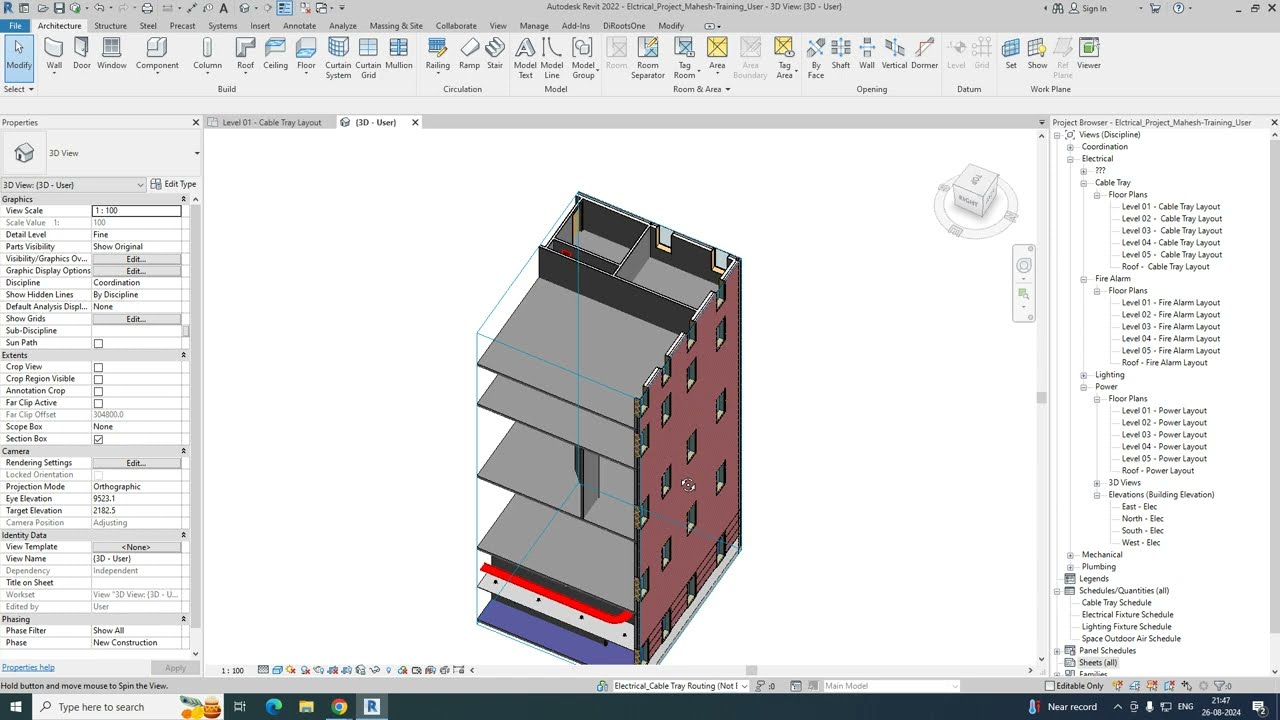
A Scope Box is used to define a specific area of your model to control the extents of views (such as floor plans, ceiling plans, or sections) and grids.
It helps in organizing and managing large projects by allowing you to focus on a particular area without altering the overall model.
Usage:
Create a Scope Box:
Go to the View tab.
Select Scope Box from the Create panel.
Draw the Scope Box around the area you want to focus on.
Name the Scope Box for easy identification.
Apply Scope Box to Views:
Open the view (e.g., floor plan, section) you want to apply the Scope Box to.
In the Properties panel, find the Scope Box parameter.
Select the desired Scope Box from the dropdown menu.
Control Grids and Levels:
Scope Boxes can also control the extents of grids and levels, ensuring that they are consistently shown across views.
Sheet
Purpose:
Sheets in Revit are used to organize and present your views (plans, sections, elevations, schedules, etc.) for documentation and printing.
Usage
Create a New Sheet:
Go to the View tab.
Select Sheet from the Sheet Composition panel.
Choose a title block for your sheet. Revit provides default title blocks, but you can also create custom ones.
Place Views on a Sheet:
Open the sheet where you want to place your views.
In the Project Browser, drag and drop the desired view onto the sheet.
Adjust the position and alignment as needed.
Managing Sheets:
Sheets can be organized in the Project Browser under the Sheets section.
You can modify sheet properties such as sheet number, name, and title block.
Use viewports to control the view placement, scale, and annotations.
Printing and Exporting Sheets:
Sheets are typically printed or exported to PDF for documentation.
Use the Print or Export options from the File menu to create outputs.
Key Points:
Scope Boxes control and manage the visible area of views and elements.
Sheets are used to compile and present views for documentation.
Повторяем попытку...
Доступные форматы для скачивания:
Скачать видео
-
Информация по загрузке: