How to Translate PDFs with AI (2026)? Stop Tab Overload with KDAN PDF for Windows v2.5.0 | KDAN PDF
Автор: KDAN
Загружено: 2026-01-18
Просмотров: 22
Описание:
Learn how to translate PDF files instantly with KDAN PDF AI Translation.
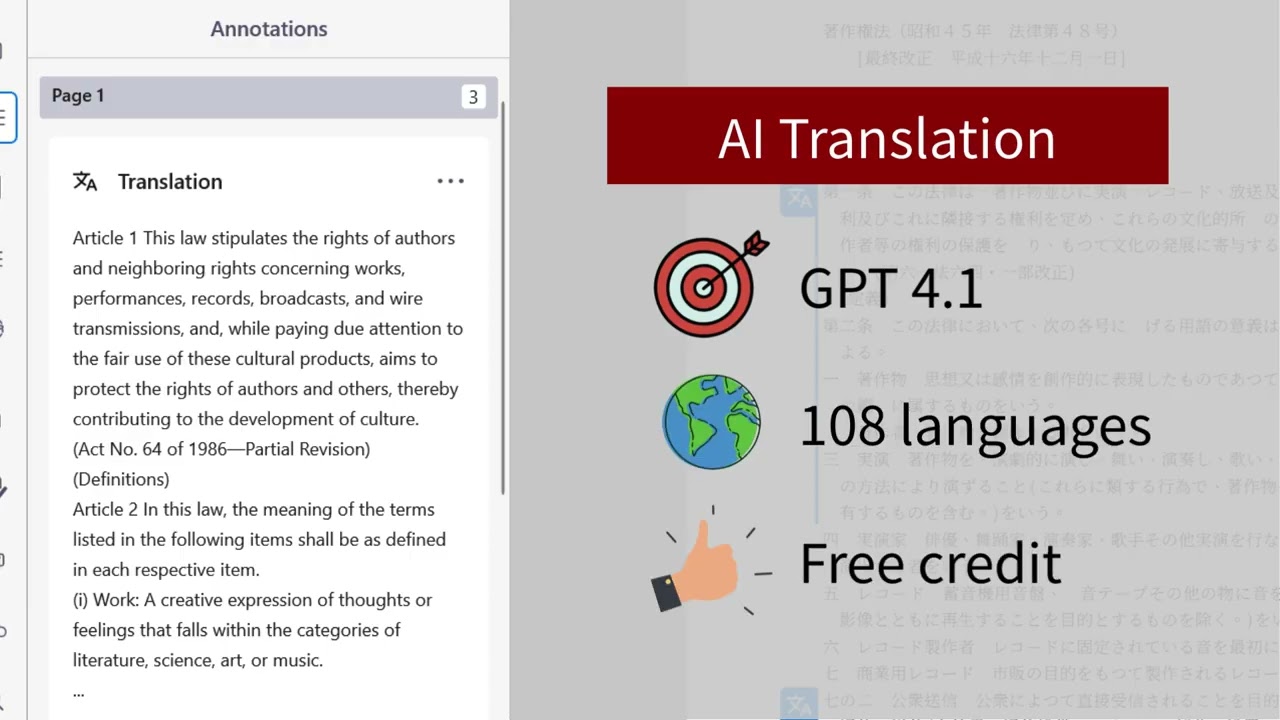
This video shows how to use AI-powered PDF translation in 108 languages with GPT-4.1.
KDAN PDF AI Translation lets you translate selected text directly inside your PDF without switching apps.
Perfect for students, researchers, legal professionals, and multilingual readers.
📌 What’s inside this video:
00:00 The pain of tab overload
00:08 How to translate PDFs instantly with AI
00:14 Staying organized: Integrated notes & translations
00:20 Powered by GPT-4.1, Supporting 108 languages
00:26 Using AI Explain for deeper insights
00:31 Create your personal notes and record the insights in the PDF
🛠️ Product Highlights & Specs:
Native Platform: Now optimized for Windows Version 2.5.0
Core Technology: Powered by GPT-4.1 for 108+ languages
Key Features: One-click instant translation, AI Explain (summarization), and built-in PDF annotation tools.
Special Offer: Free AI credits for signed-in users to experience the power of smarter document management.
🚀 Download KDAN PDF for Free & Claim Your Credits: https://pdf-reader.kdandoc.com/
Already using KDAN PDF for Windows? Upgrade to the latest version now! https://apps.microsoft.com/detail/9nb...
❓FAQ:
Q:What is AI Translation in KDAN PDF?
A:AI Translation is a built-in AI-powered PDF translation feature that lets you translate selected text directly inside your PDF.
Q:Which AI model does KDAN PDF AI Translation use?
A:KDAN PDF AI Translation uses the GPT-4.1 model in Windows v2.5.0 and later for more accurate and natural results.
Q:How many languages does KDAN PDF AI Translation support?
A:It supports up to 108 languages, allowing you to switch target languages instantly in the Translator panel.
Q:Is KDAN PDF AI Translation free?
A:Yes. Signed-in users receive a free monthly AI Translation allowance.
Q:Why is AI Translation not available in KDAN PDF?
A:AI Translation may be unavailable if you are not signed in, have used up your monthly allowance, or have no internet connection.
Q:Can I save translated text in KDAN PDF?
A:Yes. You can save translations as annotations and review them anytime from the Annotations panel.
Q:How can I use AI Translation more efficiently?
A:Translate only key paragraphs, save important results as annotations, and review the first translation before switching languages.
#KDANPDF #AI #WorkSmarter #Windows #GPT4.1 #PDFTranslation #EfficiencyTips
Повторяем попытку...
Доступные форматы для скачивания:
Скачать видео
-
Информация по загрузке:








