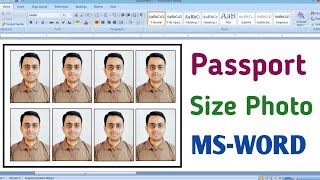
How To Create Passport Size Photo In Mobile 2024 Bangla| Passport Size Photo
Автор: Rohan Nagg
Загружено: 2024-06-24
Просмотров: 11670
Описание:
Creating a passport photo using Cutout.pro is a straightforward process. Here's how to do it:
1. *Prepare your photo:* Ensure you have a well-lit, clear photo meeting your country's passport photo requirements (check official guidelines for details like background color, facial expression, and attire).
2. *Go to Cutout.pro:* Open a web browser and visit Cutout.pro's passport photo maker page [https://www.cutout.pro/passport-photo...](https://www.cutout.pro/passport-photo....
3. *Upload your photo:* Click "Upload Image" and select the photo you want to use for your passport.
4. *Cutout.pro does the work:* The website will automatically remove the background (replacing it with white if needed), resize and crop your photo to the standard passport size, and center your face within the frame.
5. *Download or print:* Once you're satisfied with the preview, you can download the photo or choose to print multiple passport photos on a single sheet of standard printing paper size.
*Additional tips:*
Double-check your country's specific passport photo requirements before taking your photo.
Cutout.pro offers a virtual suit option if your photo lacks formal attire.
While Cutout.pro automates most of the process, ensure your photo meets all regulations (e.g., no jewelry, neutral expression).
#passportsizephoto #cutoutpro #rohannag
Follow me on Instagram:
/ rohannag94
Повторяем попытку...

Доступные форматы для скачивания:
Скачать видео
-
Информация по загрузке: