PDF import and annotation
Автор: MyScript Notes
Загружено: 2021-01-13
Просмотров: 21912
Описание:
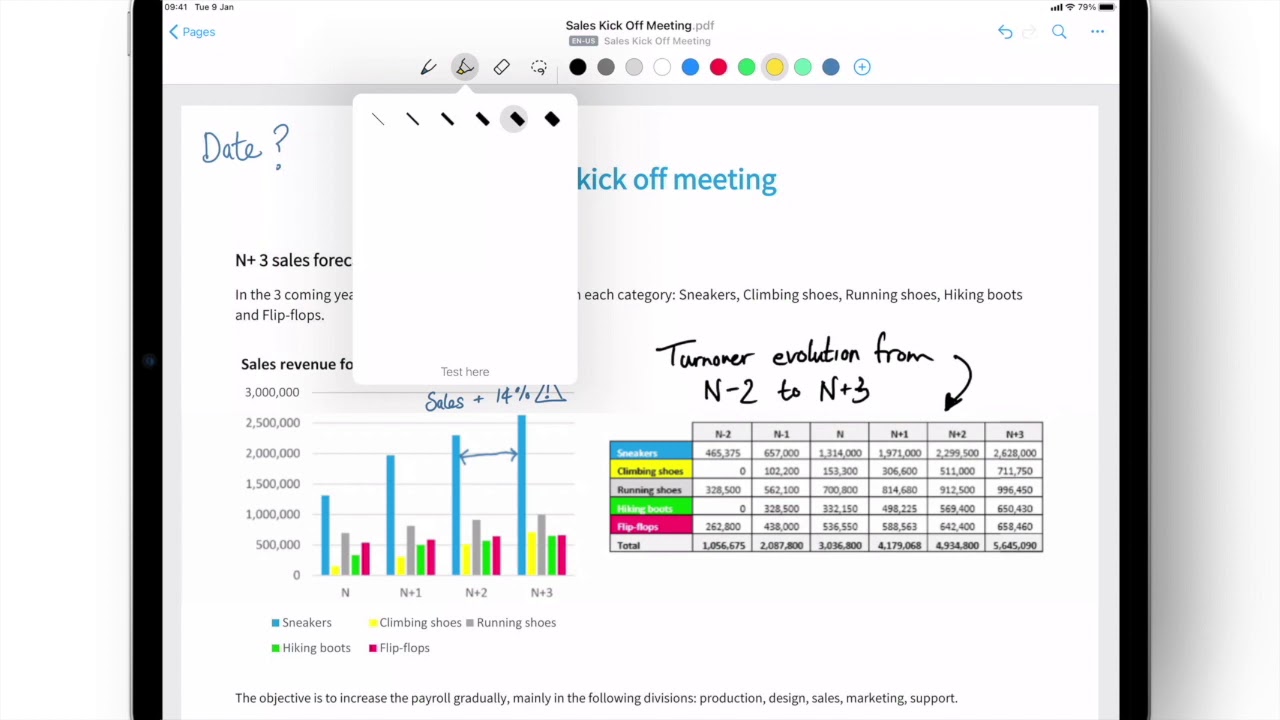
Nebo 3.0 introduces new PDF features to further empower your digital note-taking.
With this update, you can:
Import any PDF into a Nebo notebook - 0:32 and 1:17
Mark up PDFs with customizable pen tools, including a new PDF highlighter - 0:46
Edit, resize, move 1:51 and search your annotations - 2:23
Copy/paste annotations to other pages and convert them to typed text - 2:03
Export annotated documents as PDFs or publish them to private URLs directly from Nebo - 2:40
For more information, take a look at our Medium article: / nebo-3-0-adds-pdf-import-and-annotation or visit https://www.nebo.app/.
*****************************************
Twitter - / myscriptapps
Facebook - / myscriptapps
LinkedIn - / myscript
MyScript Website - http://www.myscript.com
This video shows Nebo 3.0 in action. All the features shown are available in all subsequent versions of Nebo, though the app’s interface may have evolved.
To activate subtitles, select the Settings icon in the lower right of the video player, select “Subtitles/CC”, then select “Auto-translate”. Choose your language from the list and the subtitles will display.
Повторяем попытку...
Доступные форматы для скачивания:
Скачать видео
-
Информация по загрузке: