AI Workflow Automation + AR/VR Ligand Docking & Protein Analysis: Nanome AI Walkthrough (MARA, v2.2)
Автор: Nanome
Загружено: 2025-08-11
Просмотров: 202
Описание:
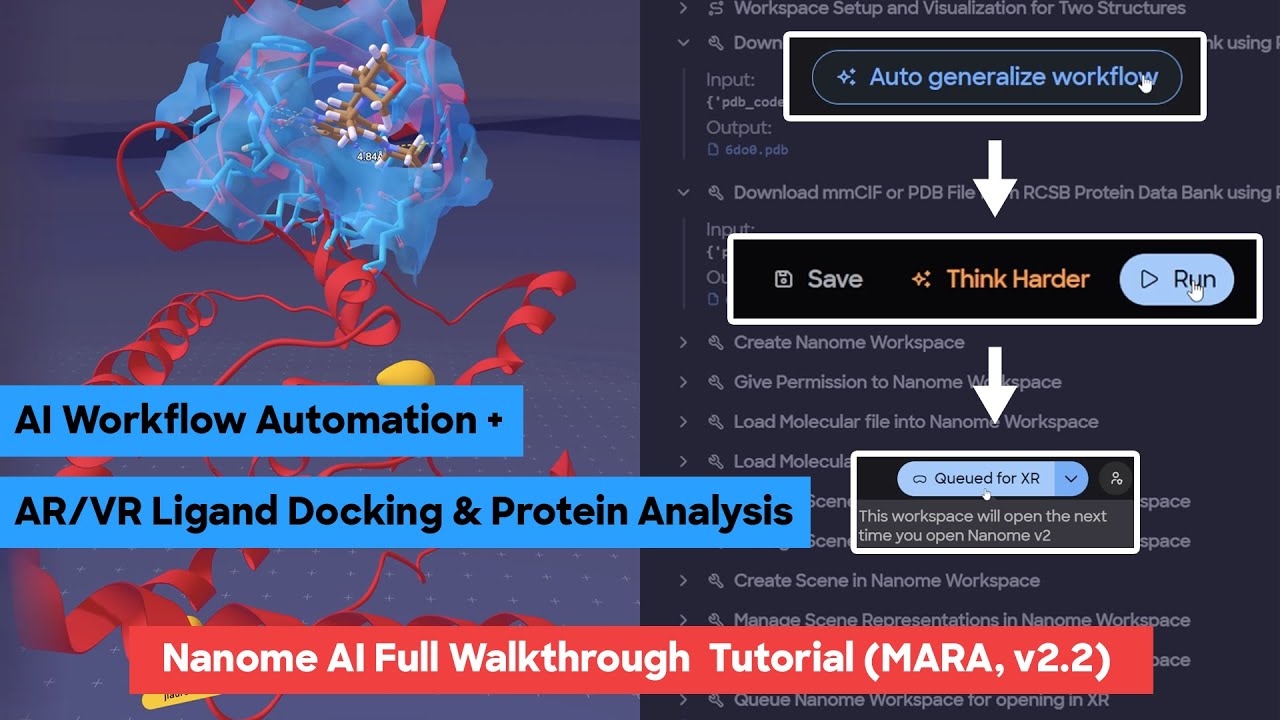
In this comprehensive Nanome AI tutorial, we walk you through the complete workflow of combining our AI assistant, Mara, with the power of Nanome v2 for XR molecular visualization. You’ll see how to download protein structures directly from the RCSB database without leaving the interface, create and name a new workspace, and invite colleagues with the right permission levels for collaborative editing. We’ll show how to move your imported molecular files into the workspace, apply color schemes to specific chains, hide unwanted waters, and set up multiple scenes — for example, a cartoon representation in Scene 1 and a surface representation in Scene 2 — all through natural language prompts to Mara.
We’ll then queue the workspace so it’s ready the moment you enter VR, save it as a reusable workflow, and use the auto-generalize feature so it can be applied to any pair of structures in the future. You’ll see how to import ligands from previous chats, customize their representations and colors, and explore them in 3D alongside your proteins.
In the XR segment, we’ll cover how to align proteins, explore ligand binding pockets, measure hydrogen bonds and distances, toggle spotlight mode for guided meetings, and highlight specific residues or molecular components. You’ll learn how to manage multiple docking results, filter and rank poses by affinity scores, and set scene-specific viewpoints so collaborators see exactly what you intend.
Whether you’re preparing for a drug discovery meeting, comparing protein homologs, or analyzing docking simulations, this video shows how Nanome AI lets you work faster, collaborate more effectively, and unlock the full potential of your molecular data.
00:00 – Introduction to Nanome AI: Mara + Nanome v2
01:03 – Downloading PDB Structures via Mara
02:11 – Creating a Workspace and Inviting Collaborators
03:31 – Customizing Protein Representations and Colors
03:59 – Creating Multiple Scenes (Cartoon & Surface Views)
05:21 – Reviewing and Editing the Mara Workflow Plan
06:59 – Moving Structures into Nanome v2
07:54 – Applying Colors, Hiding Waters, and Scene Setup
08:52 – Queuing Workspaces for XR Sessions
09:59 – Reviewing Workspace in Mara and XR Queue
11:40 – Navigating Workspaces and Ligand Tables
13:05 – Using Pocket View for Binding Site Exploration
14:00 – Importing Ligands from Chat History
14:58 – Customizing Ligand Representations and Colors
15:49 – Sharing Workspaces via Links and Codes
16:48 – Auto-Generalizing Workflows for Reuse
18:53 – Running the Generalized Workflow with New Structures
20:14 – Updated Workspace Ready for XR
XR Segment
22:19 – Exploring the Workspace in VR
23:30 – Multi-User Collaboration and Cursor Tracking
24:17 – Spotlight Mode for Guided Presentations
25:13 – Aligning Proteins (CE Align) in XR
25:54 – Pocket View with Ligands in Aligned Structures
26:12 – Identifying Hydrogen Bonds and Clashes
27:05 – Measuring Distances Between Atoms
28:52 – Managing Components and Molecular Representations
30:40 – Highlighting Key Residues with Components
31:41 – Switching Between Workspaces in XR
Docking Results Analysis
32:28 – Loading and Viewing Docking Results
33:22 – Spotlight Mode for Docking Discussions
34:34 – Creating Pocket Views for Docked Ligands
35:44 – Tracking Ligand Pose Changes with Measurements
36:40 – Comparing Binding Affinities Between Poses
37:38 – Ranking and Rating Docking Poses
38:33 – Sorting Ligands by Affinity or Rank
Scene Management & Wrap-Up
39:38 – Setting Scene-Specific Viewpoints for Presentations
40:25 – Using Scenes to Guide Collaborators’ Perspectives
42:00 – Upcoming Features and Closing Remarks
Nanome is the ultimate interface for scientific discovery, starting with molecular data. Top R&D labs conduct cutting-edge research and make billion-dollar decisions in Nanome. But, Nanome isn’t just for experts, it’s also used by students and amateur scientists studying chemistry and biology. Anyone can build 3D molecules or simulate an entire protein made of hundreds of atoms, all in one collaborative environment. Transform the way you learn, design, and communicate molecular structures with Nanome. Available on the new Meta Quest Pro.
Visit nanome.ai/setup to download Nanome
Get started today by downloading Nanome for free on:
1Oculus Rift/Rift S/Quest Link:
https://www.oculus.com/experiences/ri...
SteamVR:
https://store.steampowered.com/app/49...
Viveport
https://www.viveport.com/apps/0a467f7...
App Lab:
https://www.oculus.com/experiences/qu...
SideQuest:
https://sidequestvr.com/app/333/nanome
To learn more visit:
https://www.nanome.ai
or, follow us on:
/ nanomeinc
Twitter & Insta: @nanome_inc
Be sure to also check out our blockchain platform, Matryx, which will serve as the backend IP tracking mechanism for Nanome. More info at https://www.matryx.ai
Повторяем попытку...
Доступные форматы для скачивания:
Скачать видео
-
Информация по загрузке: