How to Remove Faces from any Image (ps touch | ps cc 2019)
Автор: Creative Ralph
Загружено: 2021-09-02
Просмотров: 532
Описание:
#faceless #pstouch #pscc #android #pscc2019 #phtoshop #touch
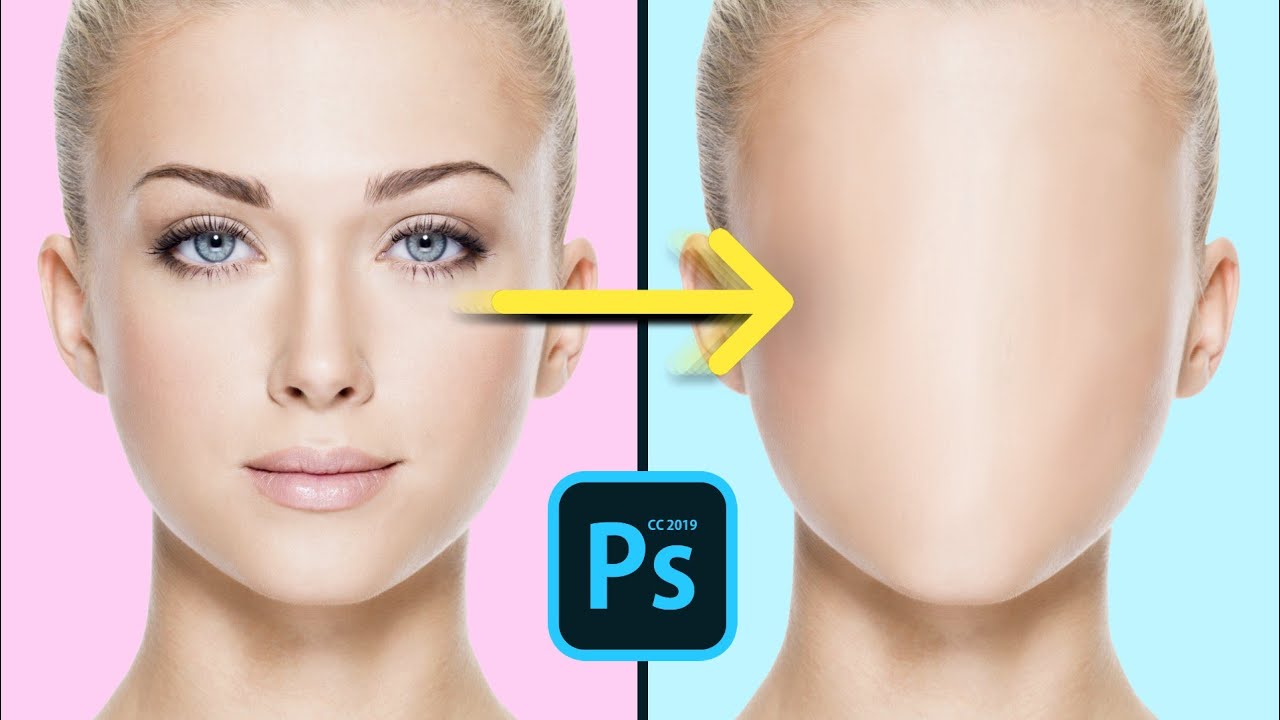
How to Erase Facial Features from the face in photoshop Touch | ps touch | PS CC 2019
In this video tutorial am going to show you a very easy and simple way that you can use to remove the eyes nose and mouth from any image in ps touch and ps cc 2019. This is a fun and easy tutorial that everyone can follow even for beginners or if you are new to photoshop touch( ps touch and ps cc 2019).
So if you like this video and you want more of this then click on the subscribe button and also give a thumbs up for this video because more of this kind of video and other photo manipulation tutorials are coming soon... All you need is an android mobile device and ps touch or ps cc 2019 installed and you good to become and amazing graphics designer and a mobile editor just with a mobile phone.
➖➖➖➖➖➖➖➖➖➖
📥DOWNLOAD📥
PS TOUCH APP ( photoshop touch for android) : • LEGIT Website to download Photoshop touch ...
IMAGE(S) USED: https://drive.google.com/file/d/1F75s...
➖➖➖➖➖➖➖➖➖➖
TIMESTAMPS:
00:00 Introduction
00:11 getting started with the editing by importing our model image
00:31 preparing for the editing
01:35 painting over roughly
03:30 blending the roughly painted areas
08:40 Adding an interesting stuff to the face
13:41 bye bye 👋
➖➖➖➖➖➖➖➖➖➖
IN SUMMARY
So as always we started by importing our model image, then we duplicated it and give it a blur after which we then made an empty layer and painted roughly just to cover the eyes nose and mouth, then we started blending the roughly painted areas through another empty layer and finally we created a cool effect to the face to make it look more interesting.
Повторяем попытку...
Доступные форматы для скачивания:
Скачать видео
-
Информация по загрузке: