How to get Files Ready for Prepress
Автор: Markzware
Загружено: 2011-12-19
Просмотров: 25761
Описание:
How to get files ready for prepress: This prepress help tutorial shows graphic designers how to prepare an Adobe InDesign CS5 file for prepress, with Markzware's stand-alone preflight application, FlightCheck. Check QuarkXPress, Adobe Illustrator, Photoshop & more, to ensure quality output:
https://markzware.com/products/flight...
How To Create A Clean PDF With Markzware FlightCheck
https://markzware.com/flightcheck/cre...
Troubleshooting Files for Print (Help FAQ for Printing):
https://it.newschool.edu/services/lea...
To create a print-ready PDF, preflight BEFORE making the PDF. Preflight and package files, before prepress, to professionally handle this reprographics process.
How to get Files Ready for Prepress, with FlightCheck:
[Start of Transcript]
Hi, Everybody! David Dilling, for Markzware. Today's how-to: How to get Files Ready for Prepress. Today's how-to is rather generic and can apply to working in QuarkXPress, or Adobe InDesign, or even, for that matter, Microsoft Word or Microsoft Publisher.
How to get files ready for prepress: On one hand, rather straightforward, and on the other hand, it can be complicated. It's important to understand your desired output, and the checklist of things to do, and, most importantly, not to do, when creating this file. Here, in InDesign CS5, when you make a new file, which is very similar in Quark, it will gather all fonts and images into one folder, even compressing the job, for sending to the printer, perhaps, or to other parties.
To get your files ready for prepress may mean sending the entire made-over, open file. So, you see, you might need to send this entire InDesign file, with used fonts, used images, to the next party, to work further on it, or to your colleague, across the hall. This way, they know for sure they have all the elements, and then get everything on their system, independently working, very quickly.
Another great feature of FlightCheck: the package or Collect Job. That way, when you're back into the InDesign file, in this case, and you do the "File Export to PDF", you'll know for sure this file will, now. An ounce of prevention is worth a pound of cure. Preflight, first, with FlightCheck, then export to PDF. That's how to get files ready for prepress, the professional way. ...
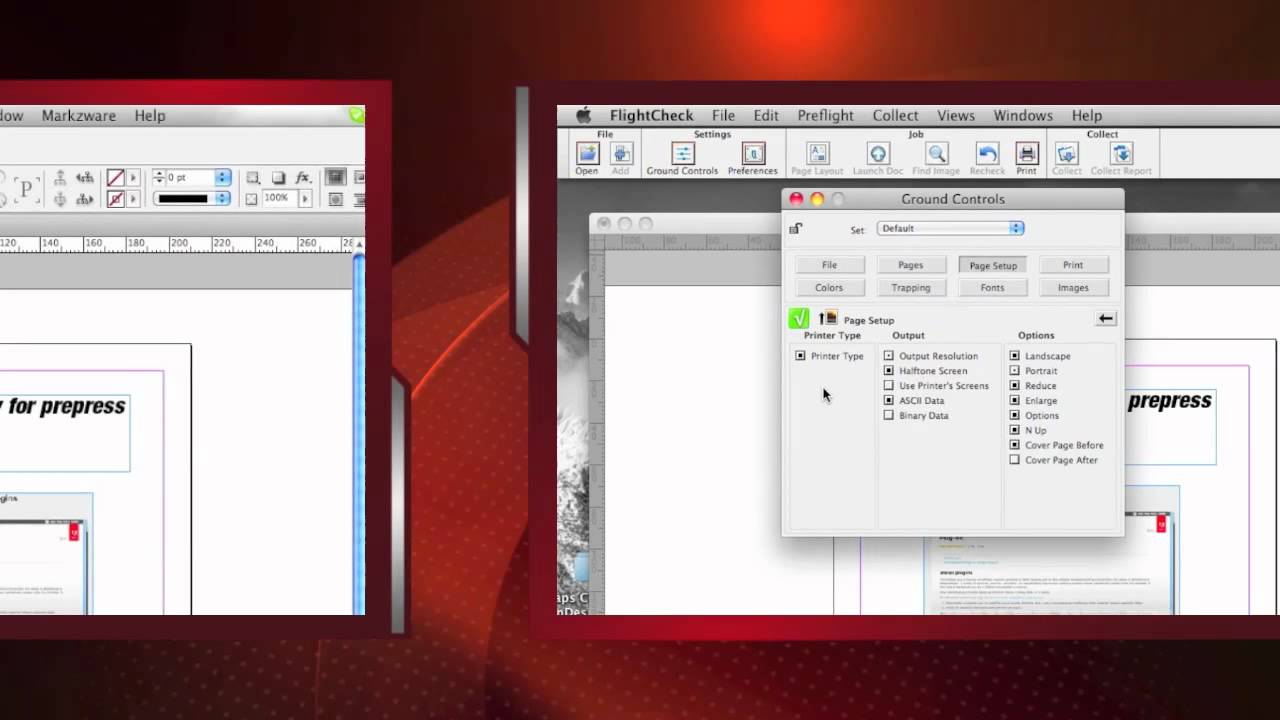
Here we are, back in the Ground Controls in FlightCheck. We can also check the resulting PDF with FlightCheck, which is stand alone and doesn't need to have Acrobat or InDesign on this machine. So, it's a great tool for anybody to use in graphic arts, whether you're in the administration side, the selling side, the receiving side, even the prepress side, but definitely as a graphic designer side.
You're supposed to check your files before you make the PDF and after, but watch this. The Ground Controls in FlightCheck will switch automatically to the PDF Ground Controls. So, FlightCheck is smart enough to see that it's a PDF file and switches the checks to relevant. The pair might be able to fix many of these, but it's best to take matters into your own hand.
For instance, the printer can't make a low-res image, high-resolution. You need to correct that yourself. Place the proper high-res file in the native InDesign file, before you export to PDF. There are a host of other tips, of course, I've oversimplified this process, but, in general, if you use tools like FlightCheck to act as a checklist, communicate with the prepress department or printer to know what the check for, or what to have on your checklist, creating a print-ready file is not all that difficult.
So, when you do a File Export, you'll know for sure that that file is ready for printing. For more information on FlightCheck, just go over to markzware.com/products/flightcheck and you can even download it. Under the articles section, there's a great article on how to create a clean PDF with Markzware FlightCheck.
Here, you'll read about Wild Pete Publishing. Now, they use FlightCheck pretty much religiously, to check all files before generating PDFs for their catalogs. Really a great article on why FlightCheck and how important it is. I'll put a link to this ... in the more information section, as well. Thank you. This is David Dilling, for Markzware, on how to get files ready for prepress.
[End of Transcript]
Like this Video & Subscribe to our YouTube channel:
/ markzware
Follow us on Social Media:
LinkedIn: / markzware
Facebook: / markzwaresoftware
GETTR: https://www.gettr.com/user/markzware/
Pinterest: / markzware
Tumblr: / markzware
Twitter: / markzware
Visit our Website:
https://markzware.com
Read Industry Articles:
https://markzware.com/blog/
Get the Latest Markzware News:
https://markzware.com/support/mailing...
#files #prepress #PrepressReady
How to get Files Ready for Prepress
Повторяем попытку...
Доступные форматы для скачивания:
Скачать видео
-
Информация по загрузке: