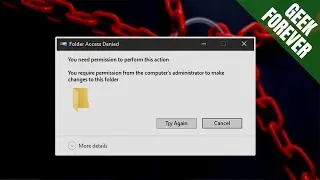
FIXED: Can't Delete Folder in Windows❌ Folder Access Denied Error !
Автор: DrComp
Загружено: 2025-03-02
Просмотров: 1861
Описание:
💥 Struggling to delete a folder in Windows? Getting errors like "Folder Access Denied", "This folder is in use", or "You need permission to perform this action"? In this video, I’ll show you how to fix undeletable folders in Windows 11, Windows 10, and older versions—quickly and easily! 🚀
This step-by-step guide will help you force delete any stubborn folder using built-in Windows tools, Command Prompt (CMD), and other powerful methods. If Windows is blocking folder deletion, this tutorial will show you how to remove any folder permanently.
🔹 What You’ll Learn in This Video
✅ Why You Can’t Delete a Folder in Windows
✅ How to Fix Folder Deletion Errors in Windows 11 & 10
✅ How to Use CMD to Force Delete Any Folder
✅ How to Take Ownership & Unlock Protected Folders
✅ How to Fix "File in Use" and "Permission Denied" Errors
🔥 Follow these simple steps to remove any locked or undeletable folder in just minutes!
📌 Video Chapters:
🕒 00:00 - Why We Can't Delete a Folder in Windows
🛠 00:57 - How to Fix This Folder Can't Be Deleted Error in Windows 11
🔚 03:30 - Conclusion
❌ Why Can’t You Delete a Folder in Windows?
Before fixing the issue, let’s understand why Windows refuses to delete some folders:
🔸 The folder is open in another program 🔄
🔸 You don’t have administrator permissions 🛑
🔸 The folder is read-only or locked 🔒
🔸 The system believes the folder is in use ⚠
🔸 Windows has protected or system files inside the folder 🖥
🔸 The folder is corrupted or contains a malware-infected file 🦠
If you’re facing any of these issues, don’t worry—I’ll show you the exact solutions to delete any folder in Windows!
🛠 How to Fix "This Folder Can't Be Deleted" Error in Windows 11 & 10
✅ Method 1: Restart Your PC & Try Again
A simple restart can close any background processes using the folder.
✅ Method 2: Close All Running Apps Using Task Manager
1️⃣ Press Ctrl + Shift + Esc to open Task Manager.
2️⃣ Look for programs that might be using the folder.
3️⃣ Right-click the program and select End Task.
4️⃣ Try deleting the folder again.
✅ Method 3: Use CMD (Command Prompt) to Force Delete
1️⃣ Open Command Prompt as Administrator.
2️⃣ Type this command:
rd /s /q "C:\Path\To\Your\Folder"
3️⃣ Press Enter—the folder will be deleted immediately!
✅ Method 4: Take Ownership & Change Permissions
1️⃣ Right-click the folder and go to Properties.
2️⃣ Click on Security and then Advanced.
3️⃣ Click Change Owner and select your user account.
4️⃣ Grant Full Control and apply changes.
5️⃣ Delete the folder.
✅ Method 5: Delete the Folder in Safe Mode
1️⃣ Restart your PC and enter Safe Mode (Press Shift + Restart, then go to Troubleshoot / Advanced Options / Startup Settings / Restart).
2️⃣ Try deleting the folder again—it should work!
⚠️ Common Folder Deletion Errors & Fixes
❌ Error: "You need permission to perform this action"
✔ Fix: Change folder ownership and permissions as explained above.
❌ Error: "Folder in use by another program"
✔ Fix: Use Task Manager to close apps using the folder.
❌ Error: "The system cannot find the file specified"
✔ Fix: Use Command Prompt (CMD) to delete the folder forcefully.
❌ Error: "Access is denied"
✔ Fix: Run CMD as Administrator and use the rd /s /q command.
🔥 Why Watch This Video?
If you’ve ever struggled to delete a locked folder in Windows, this tutorial will help you fix the problem permanently. Whether you're using Windows 11, Windows 10, or older versions, these solutions will work for you.
💡 By the end of this video, you’ll be able to:
✔ Delete any stubborn folder with ease
✔ Fix common Windows folder deletion errors
✔ Use CMD like a pro to remove locked folders
📌 Don't forget to LIKE 👍, COMMENT 💬, and SUBSCRIBE 🔔 for more helpful tech tutorials!
🔍 Related Searches (SEO Keywords)
Can't delete folder in Windows 11
How to delete a folder that won’t delete in Windows 10
Windows 11 folder deletion error fix
Command Prompt delete folder forcefully
How to unlock and remove stubborn folders
Fix "Folder in Use" error in Windows 10/11
Remove locked folders in Windows without software
CMD delete folder with access denied fix
📢 SUBSCRIBE NOW!
🔔 Subscribe to my channel for more Windows tips & fixes:
👉 Click Here to Subscribe: / @drcompyt
🔴 You Might Like These Videos:
✅ How to Install Windows 11 On Unsupported Hardware [In 2024]
👉 • Fastest Way To Install WINDOWS 11 On Unsup...
✅ The BEST Text Translator Tool with Mouse Hovering
👉 • "The BEST Text Translator Tool with Mouse ...
✅ How To Install Xbox 360 Games In 2023: Uncover the Surprising Method!
👉 • How To Install Xbox 360 Games In 2025 : Un...
✅ Transform Your Windows Search from Basic to Lightning Fast
👉 • Transform Your Windows Search from Basic t...
📢 Hashtags
🔹 #Windows11
🔹 #Windows10
🔹 #WindowsFix
🔹 #DeleteFolderError
🔹 #FileAccessDenied
🔹 #WindowsTips
🔹 #CommandPrompt
🔹 #TechTutorial
Повторяем попытку...

Доступные форматы для скачивания:
Скачать видео
-
Информация по загрузке:









![How To Fix Command Prompt Access Denied To Administrator on Windows 11/10 [Solution]](https://image.4k-video.ru/id-video/HOqA5-boC00)
