Скачать
Working with the Bill of Materials in an Autodesk Inventor Assembly
Автор: Between CAD Classes
Загружено: 2021-01-17
Просмотров: 1368
Описание:
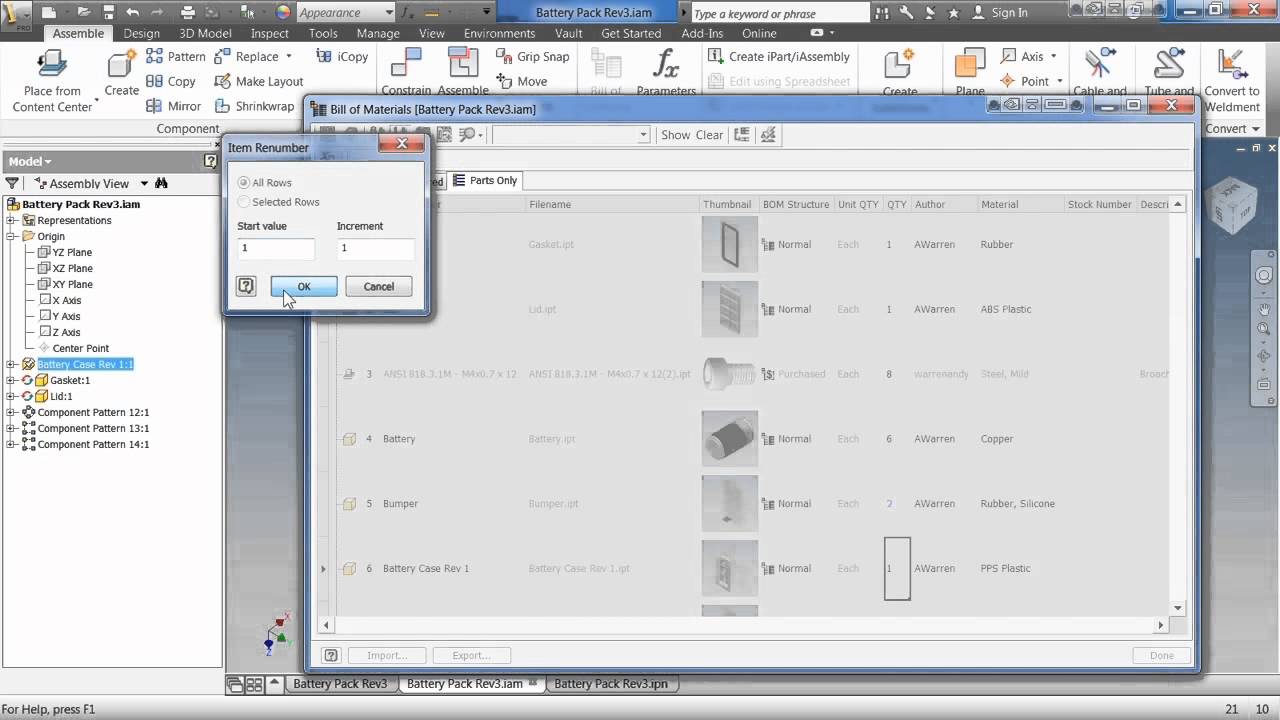
In this video you will learn how to work with the Bill of Materials in an Autodesk Inventor assembly.
0:00 Introduction
0:10 Opening the Bill of Materials (BOM)
0:30 Model Data tab
0:44 Structured tab
0:48 Parts Only tab
1:12 Making an assembly a phantom assembly
1:40 Making a part or assembly a purchased item
2:00 Virtual components
3:22 Adding and removing columns
3:47 Entering property information in the BOM
4:33 Exporting the BOM to an Excel spreadsheet
Не удается загрузить Youtube-плеер. Проверьте блокировку Youtube в вашей сети.
Повторяем попытку...
Повторяем попытку...
Доступные форматы для скачивания:
Скачать видео
-
Информация по загрузке: