Implementation Of BPCS (Bit-Plane Complexity Segmentation) Steganography in CrypTool 2
Автор: Hasiif Jamil
Загружено: 2025-06-10
Просмотров: 125
Описание:
Reference Guide:
1. Load Cover Image
o Open CrypTool 2 → Create new workspace.
o Drag an Image component (under Images) to the workspace.
o Double-click the component → Load a 24-bit BMP cover image (e.g., lena.bmp).
2. Prepare Secret Data
o Drag a File Input component (under I/O) to the workspace.
o Load your secret file (e.g., secret.txt).
3. Add BPCS Component
o Search for "BPCS Steganography" in the component list → Drag it to the workspace.
4. Connect Components
o Link the Image component to the Cover Image input of the BPCS component.
o Link the File Input component to the Secret Data input of the BPCS component.
5. Configure Parameters
o Double-click the BPCS component:
Set Threshold (α): 0.3 (adjust complexity tolerance).
Check "Encrypt before embedding" (optional).
Select "Embed" mode.
6. Execute Embedding
o Right-click the BPCS component → Execute.
o Wait for the process to complete (status bar shows "Ready").
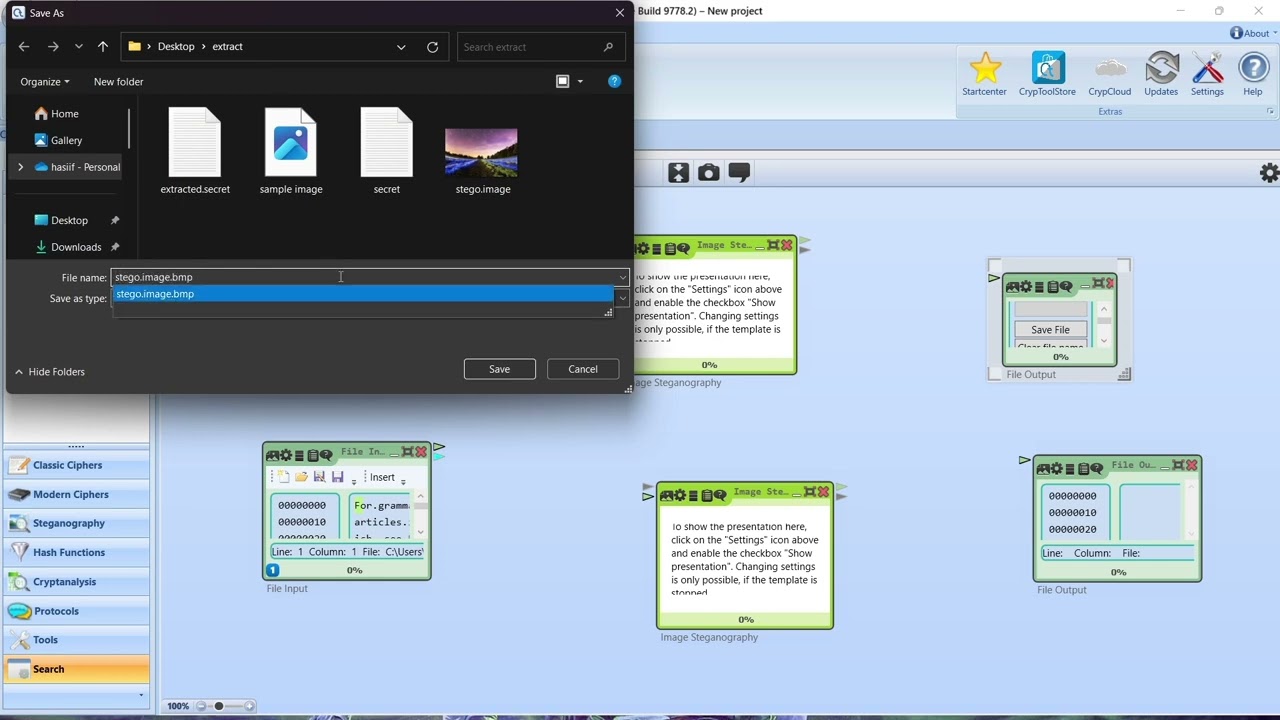
7. Save Stego Image
o Connect the Output of the BPCS component to an Image Output component.
o Double-click the Image Output → Save as stego_image.bmp (BMP format).
8. Extract Secret Data (Verification)
o Add a new BPCS component → Set mode to "Extract".
o Connect the stego image (stego_image.bmp) to its Cover Image input.
o Connect a File Output component to its Secret Data output.
o Execute → Save extracted data as extracted_secret.txt.
9. Validate Results
o Compare secret.txt and extracted_secret.txt to ensure integrity.
Повторяем попытку...
Доступные форматы для скачивания:
Скачать видео
-
Информация по загрузке:





![Детектирование виртуальных машин: как оно работает и как его обходят [RU]](https://imager.clipsaver.ru/W-KGmGH_IZ4/max.jpg)