Rolling Updates on EKS: Scale, Self-Heal & Roll Back (Zero Errors)
Автор: ClouViQ
Загружено: 2026-10-15
Просмотров: 20
Описание:
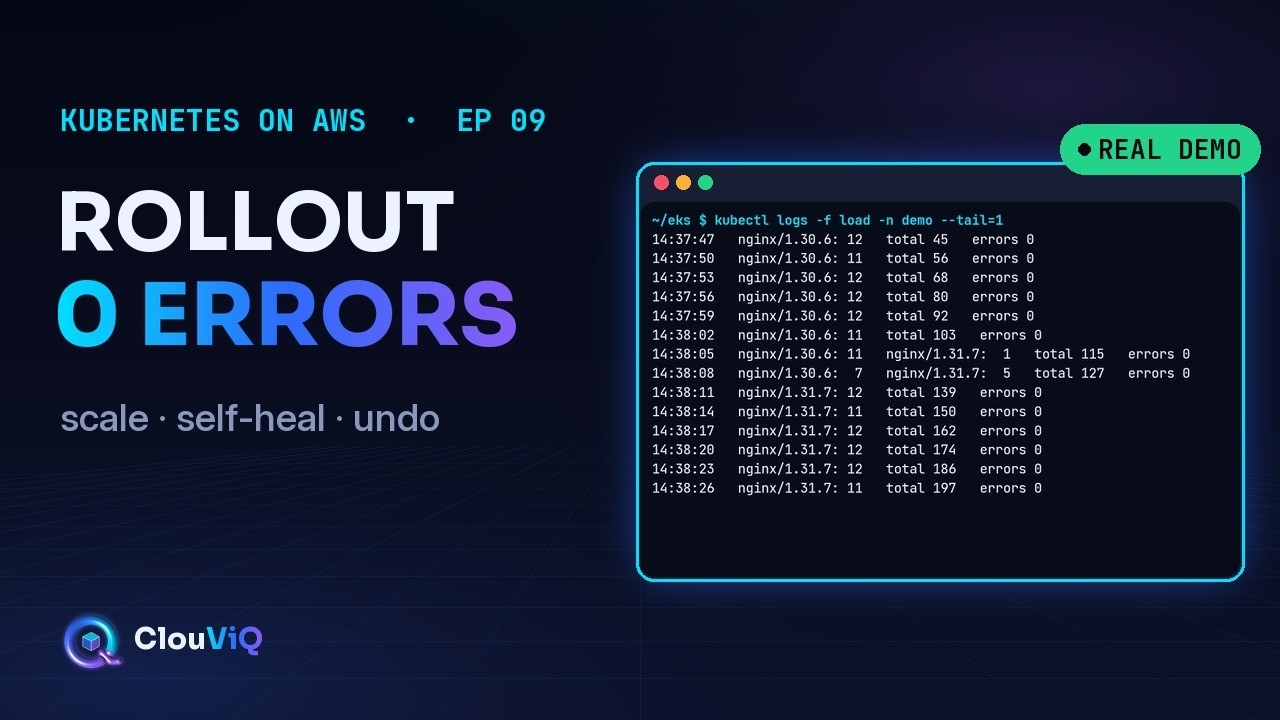
Delete a pod on purpose. Ship a new version. Your users never notice. On a real EKS cluster we scale a Deployment to five pods, kill one and watch the ReplicaSet replace it, make updates safe with a readiness probe, a preStop pause and maxSurge/maxUnavailable, roll out a new nginx version while a test pod sends 4 requests a second, then read the rollout history and roll back. 468 requests, 0 errors.
In this episode you will:
• Scale a Deployment with kubectl scale (and why replicas belong in the file)
• Delete a pod and watch the ReplicaSet heal it in seconds
• Add a readinessProbe, a preStop sleep and maxSurge 1 / maxUnavailable 0
• Ship v2 with kubectl set image + rollout status, while live traffic sees zero errors
• Use kubernetes.io/change-cause, kubectl rollout history and kubectl rollout undo
Timestamps:
0:00 - Intro
0:11 - How a rolling update works
0:31 - Step 1: Scale
0:46 - Step 2: Self-heal
0:59 - Step 3: Make updates safe
1:39 - Step 4: Rolling update
2:09 - Step 5: History and undo
2:46 - Recap
🔧 What you saw (eu-north-1, October 2026)
Cluster: EKS Auto Mode, Kubernetes 1.36 · kubectl 1.37.1 · image public.ecr.aws/docker/library/nginx stable-alpine (1.30.6) → mainline-alpine (1.31.7)
Rolling-update defaults are maxSurge 25% and maxUnavailable 25%; we set 1 and 0, so there are never fewer than five ready pods
Applying a manifest overwrites a manual kubectl scale, so replicas: 5 went into app.yaml
The preStop sleep uses the native sleep action (no shell in the image needed)
--record is deprecated: CHANGE-CAUSE comes from the kubernetes.io/change-cause annotation; history keeps 10 old ReplicaSets by default
rollout undo creates a NEW revision (1, 3, 4) and warns that it doesn't update the last-applied configuration: in production, roll back by applying your previous file (or reverting in Git)
The traffic came from a busybox pod inside the cluster calling the ClusterIP Service: 4 requests per second, 468 requests, 0 errors through the rollout and the rollback
💰 Cost: nothing new. The 5 small pods fit the existing Auto Mode node. The cluster is $0.10 per hour plus nodes; delete it when you're done.
✅ Production notes
1. Keep replicas in the manifest (or let an HPA own them, Ep 16)
2. Every container gets a readinessProbe; add a preStop pause so endpoints update before shutdown
3. maxUnavailable 0 for user-facing apps; raise maxSurge for faster rollouts if you have spare capacity
4. Annotate change-cause (or use GitOps, Ep 20) so you know what each revision was
5. Roll back from Git and kubectl apply; keep rollout undo for emergencies
📺 Kubernetes on AWS (EKS) playlist (Episode 09 of 25)
⬅ Previous: Ep 08 · Deploy Your First App to EKS → • Deploy Your First App to Amazon EKS: YAML ...
➡ Next: Ep 10 · EKS Networking: How the VPC CNI Gives Pods Real IPs → • EKS Networking: VPC CNI, Pod IPs & Prefix ...
▶ Full playlist: • Kubernetes on AWS (EKS)
All demos are recorded in a dedicated sandbox AWS account. Account identifiers are blurred.
ClouViQ: cloud engineering, clearly explained.
#AWS #EKS #Kubernetes
Повторяем попытку...
Доступные форматы для скачивания:
Скачать видео
-
Информация по загрузке: