ycliper

Популярное

Музыка Кино и Анимация Автомобили Животные Спорт Путешествия Игры Юмор

Интересные видео

2025 Сериалы Трейлеры Новости Как сделать Видеоуроки Diy своими руками

Топ запросов

смотреть а4 schoolboy runaway турецкий сериал смотреть мультфильмы эдисон
Скачать

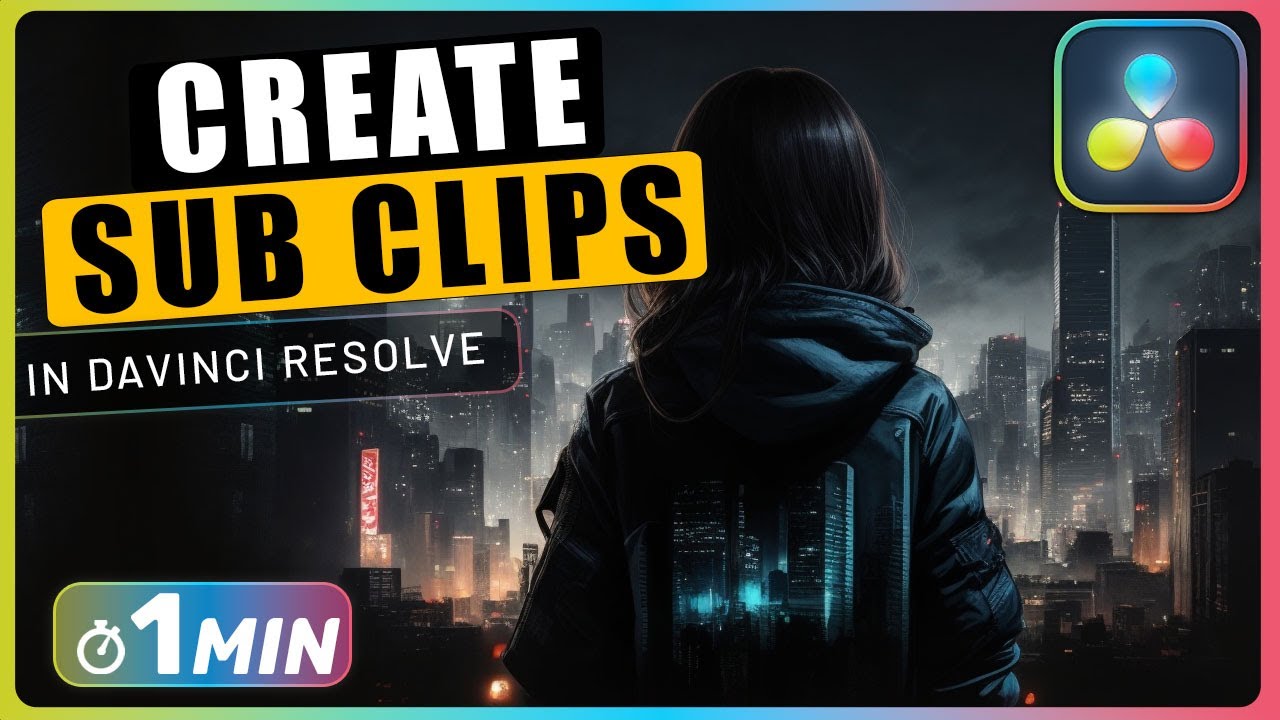
How to Create SUB CLIPS in DaVinci Resolve

Автор: One Minute Premiere

Загружено: 2024-03-28

Просмотров: 3332

Описание: To create sub-clips in DaVinci Resolve, open a video in the source viewer, mark the in and out points using I and O, and drag it to the media pool, then set a name and create. You can use these sub-clips in your timeline for editing.

🔔 Subscribe and Learn MORE: https://bit.ly/3D6M6p3


How to Create SUB CLIPS in DaVinci Resolve Chapters:
00:00 mark in and out clip
00:29 create subclip in davinci resolve
00:49 create full clip extents subclip


#davinci_resolve #davinciresolve #davinci_resolve_tutorial

In DaVinci Resolve, you can easily create sub clips to streamline your editing process. Follow these simple steps to create sub clips in just a minute using DaVinci Resolve.

To get started, import your video into the media pool of DaVinci Resolve. Once imported, double-click on the video to open it in the source viewer. In the source viewer, position the play head at the start of the section you want to clip and press "I" or right-click and select "mark in" to set the starting point. Next, move the play head to the end of the section you want to clip and press "O" or right-click and choose "mark out" to set the ending point. Now, drag the marked section from the source viewer to the media pool, set a name for the sub clip, and click "create" to generate the sub clip.

Once you have created your sub clip, you can easily drag and drop it into the timeline and make further edits. If you need to extend the duration of the sub clip, make sure to enable the "use full clip extents" option when creating the sub clip. This allows you to easily adjust the duration as needed. Additionally, you can directly drag sub clips from the source viewer into the timeline, and even choose to drag only the video or audio component of the sub clip. With these simple steps in DaVinci Resolve, you can create sub clips quickly and efficiently, enhancing your editing workflow.


Important Videos and Playlists
======================================
💡 Premiere Pro Tutorials:    • Premiere Pro Tutorials  
💡 Subtitle Edit Tutorials:    • Subtitle Edit Tutorials  
💡 DaVinci Resolve Tutorials:    • DaVinci Resolve Tutorials  

►I want to mention that this video is original content of the One Minute Premiere channel, it takes a lot of time and energy to create content that are clear and concise.

❤ Thank YOU for watching! If you know someone who could use this video, share it with them!

👇🏼 Have any questions? Leave a comment below.

✉ Contact me for any inquiries at: [email protected]

Не удается загрузить Youtube-плеер. Проверьте блокировку Youtube в вашей сети.
Повторяем попытку...
How to Create SUB CLIPS in DaVinci Resolve

Поделиться в:

Доступные форматы для скачивания:

Скачать видео

  • Информация по загрузке:

Скачать аудио

Похожие видео

Subclip Editing Workflow in Davinci Resolve - Additive versus Subtractive Editing

Subclip Editing Workflow in Davinci Resolve - Additive versus Subtractive Editing

How To edit with MULTICAM In Davinci Resolve 20

How To edit with MULTICAM In Davinci Resolve 20

DaVinci Resolve Subclips In 3 Minutes

DaVinci Resolve Subclips In 3 Minutes

Загрузить напрямую на YouTube из Davinci Resolve

Загрузить напрямую на YouTube из Davinci Resolve

How to Create Parallax Credits with Photos and Videos in DaVinci Resolve Fusion

How to Create Parallax Credits with Photos and Videos in DaVinci Resolve Fusion

How to compare clips side by side when color grading in DaVinci Resolve

How to compare clips side by side when color grading in DaVinci Resolve

Speed Editing in DaVinci Resolve's Cut Page

Speed Editing in DaVinci Resolve's Cut Page

Aesthetic orange aura 🍊 | 4k background screensaver wallpaper | The Aesthetic Guide

Aesthetic orange aura 🍊 | 4k background screensaver wallpaper | The Aesthetic Guide

How to Edit with Multiple Camera Angles in DaVinci Resolve 20 | Multicam Editing

How to Edit with Multiple Camera Angles in DaVinci Resolve 20 | Multicam Editing

БОЛЕЕ УМНЫЙ способ организации отснятого материала в Davinci Resolve 19

БОЛЕЕ УМНЫЙ способ организации отснятого материала в Davinci Resolve 19

How to Create Sub Clips in DaVinci Resolve 17 | Quick Tip Tuesday

How to Create Sub Clips in DaVinci Resolve 17 | Quick Tip Tuesday

Light Purple Screen (live 12-23-2019)

Light Purple Screen (live 12-23-2019)

Warm Lighting Screensaver: The Ultimate Relaxation Experience

Warm Lighting Screensaver: The Ultimate Relaxation Experience

Эти советы по редактированию сэкономят вам ЧАСЫ в Resolve

Эти советы по редактированию сэкономят вам ЧАСЫ в Resolve

Правильный способ создания СТОП-КАДРА в DaVinci Resolve 18

Правильный способ создания СТОП-КАДРА в DaVinci Resolve 18

Tip 3 CHANGED MY WORKFLOW in Resolve!

Tip 3 CHANGED MY WORKFLOW in Resolve!

Clone ANY Voice In DaVinci Resolve EASILY!

Clone ANY Voice In DaVinci Resolve EASILY!

[4K FULL HD] Relaxing Water Background | 1 HOUR | Calm Water Wallpaper (No Sound)

[4K FULL HD] Relaxing Water Background | 1 HOUR | Calm Water Wallpaper (No Sound)

Если бы я начал использовать DaVinci Resolve в 2026 году, я бы сделал ВОТ ЭТО.

Если бы я начал использовать DaVinci Resolve в 2026 году, я бы сделал ВОТ ЭТО.

11 БЕСПЛАТНЫХ плагинов DaVinci Resolve для БЫСТРОГО редактирования!

11 БЕСПЛАТНЫХ плагинов DaVinci Resolve для БЫСТРОГО редактирования!

© 2025 ycliper. Все права защищены.


  • Контакты
  • О нас
  • Политика конфиденциальности


Контакты для правообладателей: [email protected]