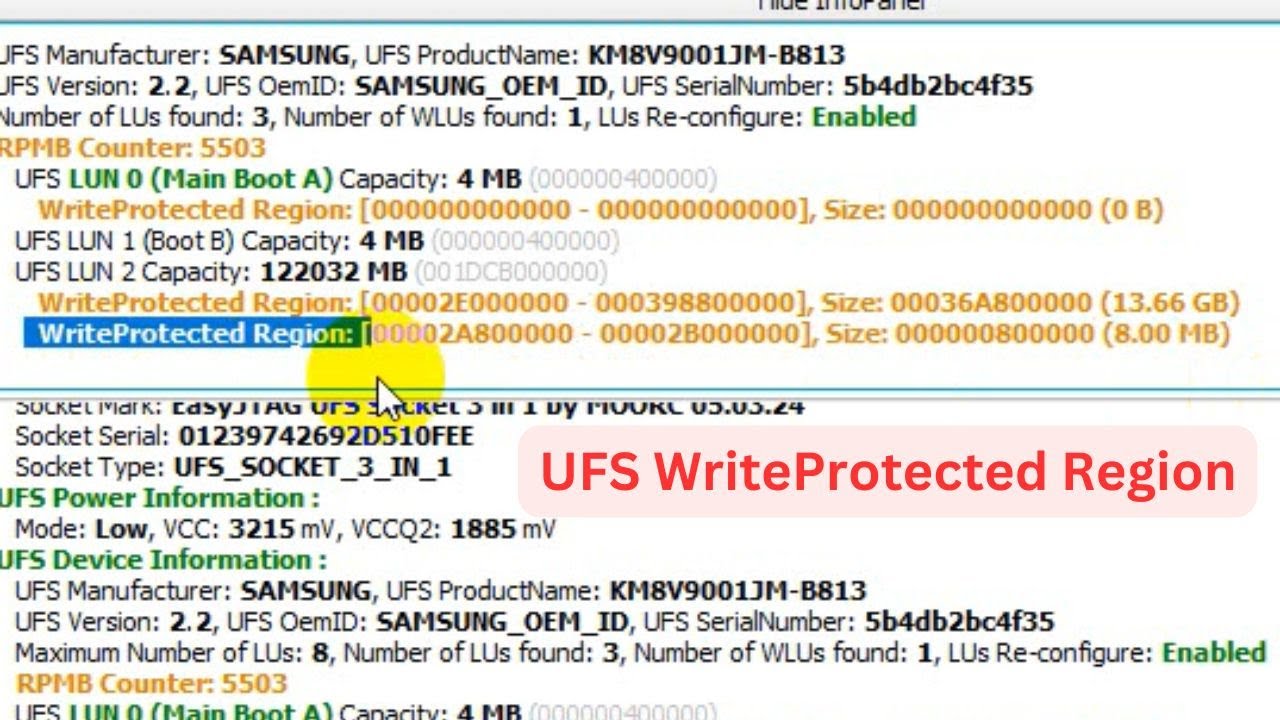
UFS WRITE PROTECTED REGIONS WITH EASY JTAG STEP BY STEP
Автор: SOLUTION VIDEOS
Загружено: 2024-11-03
Просмотров: 1998
Описание:
UFS WriteProtected Region
UFS WRITE PROTECTED REGIONS WITH EASY JTAG STEP BY STEP
Welcome to 🆂🅾🅻🆄🆃🅸🅾🅽 🆅🅸🅳🅴🅾🆂
এই সাইটের প্রতিটি ফাইল ফ্রী।সাবস্ক্রাইব করে সাথেই থাকুন
Every file on this site is free. Stay tuned by subscribing
https://www.facebook.com/profile.php?...
Subscribe 🆂🅾🅻🆄🆃🅸🅾🅽&🆅🅸🅳🅴🅾🆂 : https://www.youtube.com/c/SOLUTIONVID...
●▬▬▬▬▬▬▬▬▬▬▬▬▬▬▬▬▬▬▬▬▬▬●
1. Intro [00:00]
2. Boot the Xiaomi Redmi smartphone into Fastboot Mode [01:40]
3. Download/extract the MIUI firmware that matches your device/model/codename. [02:46]
4. Connect the smartphone to the PC with a USB cable.
5. Put those firmware files into your ADB/Fastboot folder. [03:42]
6. Open up a Command Prompt/PowerShell, or Terminal window [04:30]
7. And execute the flash_all.bat file as shown [05:09]
8. Wait for the batch script to complete [08:25]
9. Then the smartphone should reboot on its own [09:02]
10. Activate Android like normal [11:00]
11. Then complete the setup to fix the boot loop [12:43]
Mobile hardware and software solution
●▬▬▬▬▬▬▬▬▬▬▬▬▬▬▬▬▬▬▬▬▬▬●
ʟɪᴋᴇ | sᴜʙsᴄʀɪʙᴇ | sʜᴀʀᴇ | ᴄᴏᴍᴍᴇɴᴛ
●▬▬▬▬▬▬▬▬▬ஜ۩۞۩ஜ▬▬▬▬▬▬▬▬▬●
~-~~-~~~-~~-~
Hot Update New idm Free Neat Download Manager-SOLUTION VIDEO"
• Hot Update New idm Free Neat Download Mana...
~-~~-~~~-~~-~
Повторяем попытку...
Доступные форматы для скачивания:
Скачать видео
-
Информация по загрузке:


![Divine Music - The Year Mix Vol.10 [Chill & Ethnic Deep 2025]](https://image.4k-video.ru/id-video/Q3XBH_FhuKY)



