Stress Testing an Overclock on your Computer
Автор: Tek's Therapy
Загружено: 2012-12-15
Просмотров: 4352
Описание:
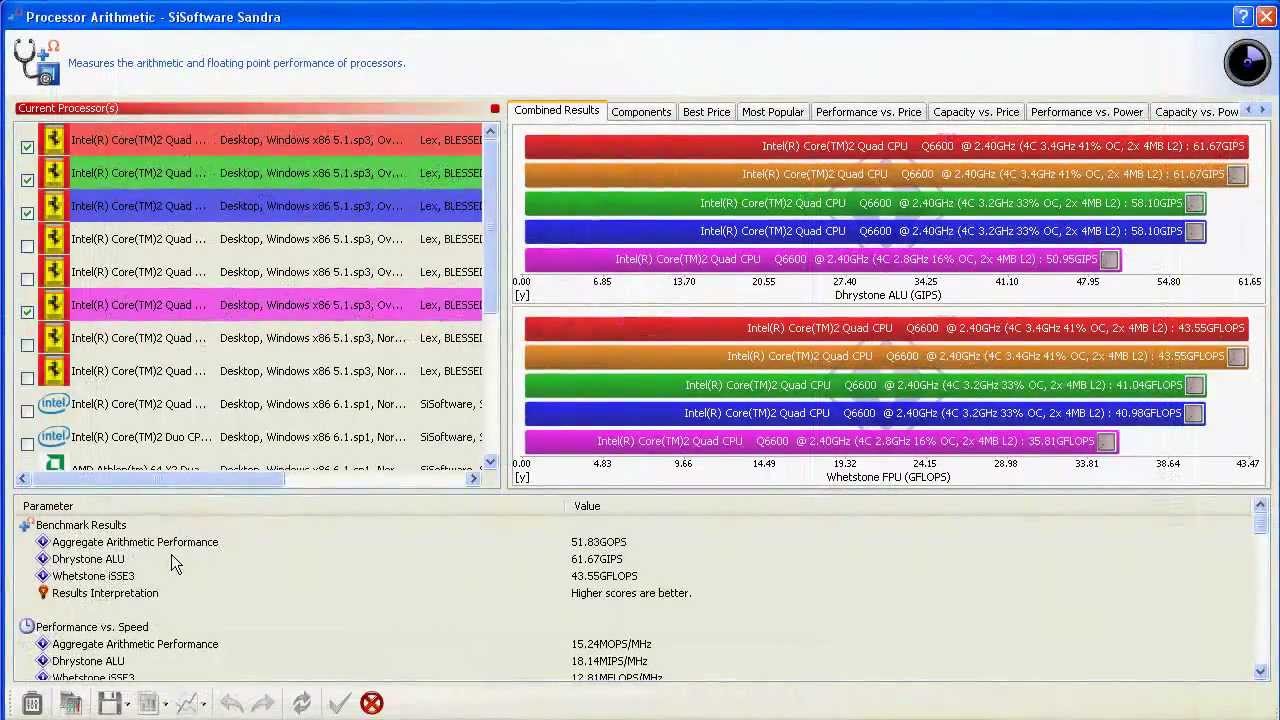
In this video tutorial I'll show you how to stress test an Overclocked computer. I will also provide you my overclock settings for a stable 4.6 GHZ overclock on my Intel i7 2600k unlocked Sandy Bridge CPU running on an Asrock P67 Motherboard. See my part list below.
Motherboard: Asrock P67 Extreme 4 Gen 3 = $140
CPU: Intel i7 2600k Unlocked CPU = $320
CPU Cooler: Xigmatek Loki SD963 = $25
Memory: G.Skill Ripjaws X Series 8 GB = $65
Operating System: Windows 7 Professional 64 Bit = $280
Total Cost = $830
Highest Stable Overclock 4.8 GHZ
Highest Everyday Overclock 4.4 GHZ
If you have any questions please comment below. Also keep an eye out for my next overclocking video where I'll walk you thourgh each step of the processes inside your BIOS.
Below are my BIOS settings for this 1.2 GHZ overclock.
By the way, check out http://www.SimplyAdditions.com when you need to get instant costs on any type of remodeling or new home construction!
LASTLY Please subscribe and show some love by clicking the thumbs up :)
CPU Control
CPU Setting Manual
Max Ratio 46
Internal PLL Overvoltage Enabled
Intel SpeedStep Enabled
Turbo Boost Power Limit Manual
Short Duration Power Limit 230
Long Duration Power Limit 200
Long Duration Maintained 1s
Additional Turbo Voltage Auto
Core Current Limit 230
Host Clock Override (BLCK) 100
TJ Max is the maximum allowed processor temperature, before the processors downclocks itself to prevent any type of damage.
Subscribe to ProvenHelper Today & join in on the Sweet Life!
http://www.youtube.com/user/homeaddit...
Follow me on Social Media: I'm just getting started, but millions have been served with sweet additions to their lives already!
/ provenhelper
http://plus.google.com/+Provenhelper
/ provenhelper
Повторяем попытку...

Доступные форматы для скачивания:
Скачать видео
-
Информация по загрузке: