How To Calculate Plot Area into Table in AutoCAD with Area to Table LISP
Автор: DPENAMIN
Загружено: 2026-01-13
Просмотров: 70
Описание:
In this detailed tutorial, you will learn how to calculate plot area into a table in AutoCAD using an Area-to-Table LISP, step by step. This method is extremely useful for land surveyors, aminship candidates, civil engineers, CAD operators, and students who regularly work with mouja maps, plot layouts, land records, and survey drawings.
🔍 Why Area-to-Table LISP Is Important
In real-world surveying and engineering work, calculating plot area is not enough. You must also:
Organize multiple plot areas
Present them in a clear table format
Avoid manual typing errors
Save time on large projects
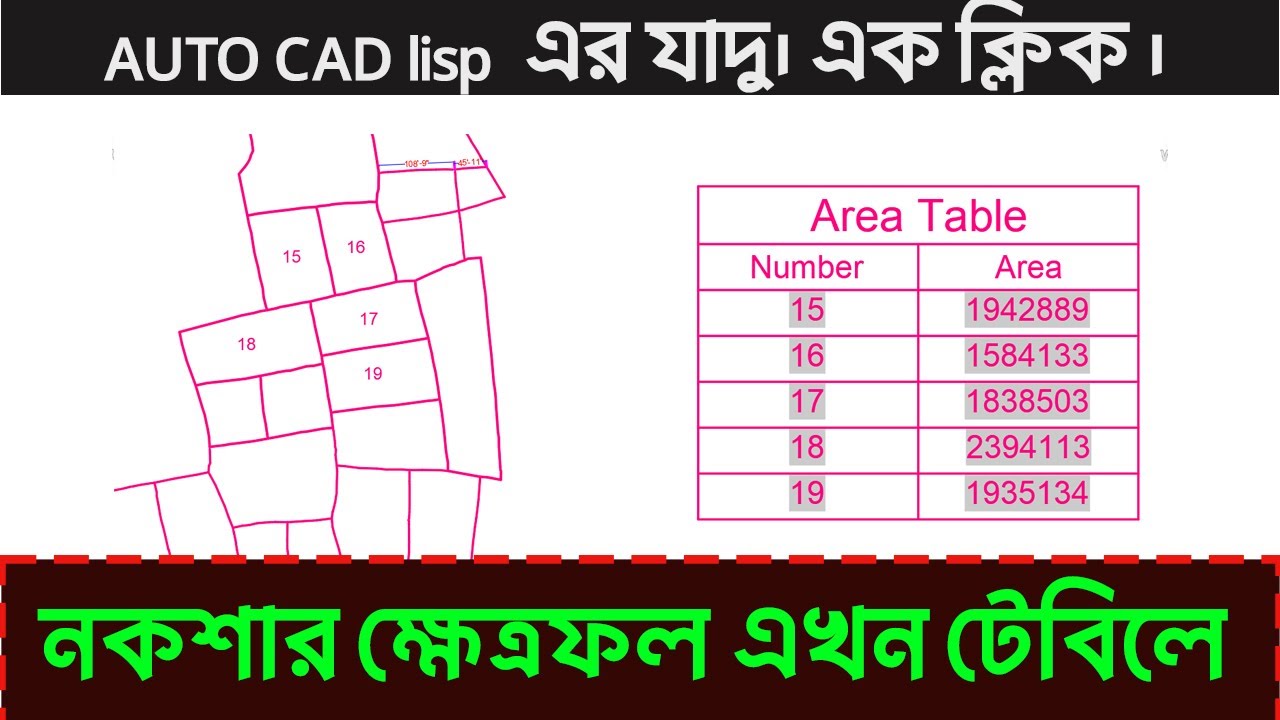
Using an Area-to-Table LISP, AutoCAD can automatically:
✔️ Detect closed polylines
✔️ Calculate plot area accurately
✔️ Convert area values into required units
✔️ Insert all results into a professional table
This video explains everything in simple language, even if you are a beginner in AutoCAD.
🧭 What You Will Learn in This Video
This complete tutorial covers basic to advanced concepts, including:
✅ Plot Area Calculation Basics
What is plot area in AutoCAD
Why closed polylines are mandatory
Difference between manual area calculation and LISP automation
✅ Drawing Setup & Units
Setting correct drawing units (inch, feet, meter)
Avoiding unit conversion mistakes
Preparing mouja or plot drawings properly
✅ Introduction to Area-to-Table LISP
What is AutoCAD LISP
Why LISP is used for automation
Benefits of using Area-to-Table LISP
✅ Loading LISP File
How to load LISP in AutoCAD
APPLOAD command explained
Checking successful LISP execution
✅ Automatic Plot Selection
Selecting multiple closed polylines at once
Automatic plot numbering
Avoiding missing plots
✅ Area Calculation Process
How LISP calculates area internally
Decimal precision control
Accuracy verification
✅ Creating Table Automatically
Auto-generating table rows and columns
Plot number column
Area column
Unit column
✅ Final Output
Clean, readable area table
Professional layout suitable for printing
Ready for government or client submission
🏗️ Who Should Watch This Video?
This tutorial is highly recommended for:
🧑🎓 Survey students
🧑💼 Aminship (BTEB) exam candidates
🧭 Land surveyors
🏗️ Civil engineers
🖥️ AutoCAD drafters
🏛️ Land record professionals
📐 Consultancy firms
Whether you are working on small residential plots or large mouja maps, this method will increase speed and accuracy.
🛠️ Tools & Software Used
AutoCAD (Any version)
AutoCAD LISP (Area-to-Table automation)
Closed polyline technique
Table object in AutoCAD
No third-party software or paid plugins are required.
⚠️ Common Mistakes Explained
Many AutoCAD users face wrong results because of:
❌ Open or broken polylines
❌ Wrong drawing units
❌ Manual typing errors
❌ Missing plots during calculation
❌ Inconsistent decimal values
This video clearly explains how to avoid all these issues using LISP automation.
📊 Real-Life Practical Example
Imagine you have a mouja map with 20–50 plots.
Manually calculating each plot area and entering data into a table can take hours.
With Area-to-Table LISP, you can:
✔️ Select all plots at once
✔️ Generate a full area table instantly
✔️ Reduce human error
✔️ Save massive time
This video shows exactly how to do that.
📚 Educational & Professional Benefits
Useful for exam preparation
Helpful for field survey work
Ideal for government and private projects
Improves AutoCAD workflow efficiency
Builds confidence in automation techniques
📌 Video Chapters (Example)
00:00 – Introduction
02:30 – Plot area concept
05:45 – Drawing unit setup
10:10 – What is Area-to-Table LISP
15:00 – Loading LISP file
20:30 – Selecting plots
25:40 – Automatic table creation
32:10 – Final review
👍 Why You Should Watch Till the End
By the end of this video, you will be able to:
✔️ Calculate plot area accurately
✔️ Convert area into a professional table
✔️ Use AutoCAD LISP confidently
✔️ Handle large survey drawings easily
📢 Support the Channel
If this video helps you:
👍 Like the video
💬 Comment your questions
📌 Share with friends
🔔 Subscribe for more AutoCAD & surveying tutorials
AutoCAD plot area, area to table lisp, calculate plot area AutoCAD, AutoCAD area table, mouja map area calculation, land survey AutoCAD, aminship AutoCAD tutorial, AutoCAD lisp area calculation, plot area automation, AutoCAD table from area
#AutoCAD#AutoCADLISP#PlotAreaCalculation#AreaToTable#Surveying
#LandSurvey#MoujaMap#CivilEngineering#Aminship
#AutoCADTutorial#CADAutomation#PlotArea
#SurveyWork#EngineeringDrawing#BangladeshSurvey
Повторяем попытку...
Доступные форматы для скачивания:
Скачать видео
-
Информация по загрузке: