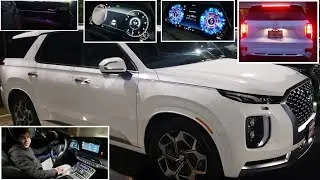
Unleash The Power Of The 2021 Hyundai Palisade With Its State-of-the-art Touchscreen!
Автор: Jason Gillett
Загружено: 2020-09-18
Просмотров: 80052
Описание:
🚘 2021 Hyundai Palisade – Touchscreen Tech Walkthrough
Take a closer look at the high-tech touchscreen system in the 2021 Hyundai Palisade! In this quick walkthrough, I show you how Hyundai’s advanced infotainment system puts power and convenience right at your fingertips.
From seamless Apple CarPlay & Android Auto integration to intuitive navigation, media, and vehicle settings, the Palisade’s screen is as smart as it is stylish.
🧠 What you'll see in this video:
Touchscreen layout and design
Navigation and shortcut features
Smartphone mirroring
Customization tips
Whether you're shopping for a Palisade or already own one, this video will help you get the most out of its tech features.
👍 Like the video if it helped
💬 Drop your questions or thoughts in the comments
🔔 Subscribe for more vehicle insights and tech reviews!
#HyundaiPalisade #PalisadeTouchscreen #CarTech #Hyundai #Infotainment #JasonGillett
0:00 – Intro & home screen overview (nav/radio/weather tiles)
0:29 – App pages & icons (Map, Nav, Phone, Blue Link, Radio, Media, Sounds of Nature, AA/CarPlay, HD data, Passenger Talk, Voice Memo)
0:58 – Edit Home: widgets & icon order (drag like a smartphone)
1:28 – Hard keys row: Power/Vol, MAP (map view, zoom, options)
1:58 – NAV: POI, previous, address book, dealers, cancel/edit/route options + 5 Favorites
2:26 – RADIO: AM / FM / SiriusXM
2:37 – MEDIA: sources + 2021 “Sounds of Nature” list
3:07 – Hazards, track seek, programmable Star/Favorites key (set to Passenger Talk)
3:26 – SETUP hub overview
3:35 – Sound, voice recognition, devices
3:41 – Vehicle → Heads-Up Display (height/tilt/brightness)
3:56 – HUD content (turn-by-turn, signs, lane/BSM info, radio; speedo size & color)
4:39 – Driver Assistance menu
4:46 – Smart Cruise Control behavior (fast/normal/slow)
4:51 – Driving convenience: LVDA, Lane Follow, Highway Driving Assist explained
5:35 – Alert timing & volume settings
5:53 – Driver Attention Warning
5:58 – Forward Safety (AEB): Active Assist / Warning / Off
6:07 – Lane Safety: Assist / Warning / Off
6:17 – Blind-Spot Safety & Exit Assist options
6:35 – Parking Safety (front/rear: warn vs. auto-brake)
6:59 – Drive modes (Eco/Sport/Smart; Snow/Mud/Sand) + mode alert detail/simple
7:23 – Climate settings: auto dehumidify, auto defog/defrost, rear climate display
7:56 – Lights: ambient lighting brightness & colors (incl. custom), one-touch signal (3/5/7), headlight delay
8:34 – Doors: auto lock/unlock behaviors, single vs. all-door unlock
9:19 – Power liftgate speed; Smart Liftgate (lock, wait 15s, stand 2–3 ft behind)
9:55 – Cluster: service intervals, energy reset rules, content selection (gear, wipers/lights popups, traffic signs, BSM, icy road), welcome sound
10:37 – Convenience: Rear Occupant Alert, Welcome Light, wireless charging toggle, auto rear wiper in reverse
11:30 – Seats: position change alert graphic, 3rd-row fold from screen, Seat Easy Access & Height Easy Access
12:14 – Reset vehicle settings
12:19 – Navigation settings; Display (blue-light filter, screensaver, home widgets, split-screen, media change toast)
13:32 – Tuning knob recap
13:39 – Physical climate panel: AUTO, fan/vents, dual & SYNC, rear climate, mirror/rear defrost, recirc
14:12 – Shifter; Auto Hold; Hill Descent; Park sensors; Camera (360 views, brightness)
15:11 – Auto Stop/Start toggle; seat heat/vent & heated wheel
15:35 – Cupholders (adjustable), wireless charger pad & USB, sliding cover
15:56 – Wrap-up / outro
Повторяем попытку...

Доступные форматы для скачивания:
Скачать видео
-
Информация по загрузке: