How to Connect Ring to Samsung TV
Автор: DigitalByte Labs
Загружено: 2025-10-03
Просмотров: 209
Описание:
How to Connect Ring to Samsung TV
🔗 Video Link: • How to Connect Ring to Samsung TV
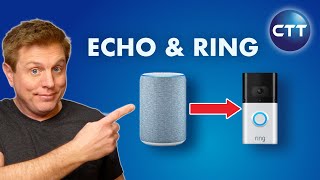
Connecting your Ring device directly to a Samsung TV isn't done via a dedicated app on the TV itself. The most common and effective method involves leveraging Amazon Alexa. First, ensure your Ring device is set up in the Ring app and linked to your Amazon account. Next, enable the Ring skill within the Alexa app on your smartphone. If your Samsung TV has built-in Alexa, simply enable it and link your Amazon account. If not, you can use an external Alexa-enabled device, like an Echo Show or Fire TV Stick, connected to your TV. Once linked, you can use voice commands such as, "Alexa, show me [Ring device name]" (e.g., "Alexa, show me the front door") to display your Ring camera's live feed directly on your Samsung TV screen. Some advanced Samsung TVs also integrate with SmartThings, which can pull in Ring feeds if linked through Alexa, offering another viewing option.
👉 Support the channel by:
Subscribing here: / @digitalbytelabs
Liking the video if you found it helpful
Sharing it with others who may benefit
⚠️ Disclaimer: This video is for educational purposes only. It does not replace professional, medical, financial, or legal advice. Please consult qualified experts for specific concerns.
🙏 Thank you for watching and supporting DigitalByte Labs!
Повторяем попытку...

Доступные форматы для скачивания:
Скачать видео
-
Информация по загрузке: