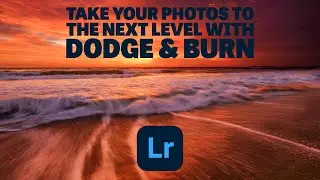
How To Dodge & Burn Photos In Lightroom (Better Than Photoshop?)
Автор: Brendan Williams
Загружено: 2021-06-04
Просмотров: 5564
Описание:
Want To Edit Your Photos Like A Pro? Click Here: https://www.bwillcreativecourses.com/...
---------------------------------------------------------------------------------
Dodging and burning your photos is an amazing way to make the contrast in your photo pop and draw more attention to certain parts of your photo. In the past Photoshop was the go-to method I used for my dodge and burn adjustments, but with these Lightroom techniques, I only use Lightroom for the job.
In Lightroom, you can make a custom dodge and burn brush simply by adjusting the flow and density of the B brush. By creating new brush adjustments, you can refine the exposure slider to go between dodging and burning your images. Mix that with the luminance range mask and you have the ultimate control over these effects without as much work. Now rather than working between Lightroom and Photoshop to dodge and burn, you can do it all in Lightroom!
--------------------------------------------------------------
Find More Tutorials Here: https://bwillcreative.com/
Come Say Hello: / brnwills
--------------------------------------------------------------
Timestamps
0:00 Intro
0:42 The Advantage Of Dodge And Burn
3:03 Creating A Dodge And Burn Brush
4:20 Dodging In Lightroom
5:55 Burning In Lightroom
6:17 Using Range Masks With D&B
Повторяем попытку...

Доступные форматы для скачивания:
Скачать видео
-
Информация по загрузке: