RIP SimPowerSystems? Why MATLAB Removed the Entire SPS Library!
Автор: SunTech Engineering Solutions
Загружено: 2025-10-23
Просмотров: 1316
Описание:
@MATLAB @matlabprogrammingfornumeri5135
#matlab #matlab_assignments #matlabprogramming #matlabtutorial #matlabbasicsbook #matlabcode #matlabsimulation #matlabbasicscourse
Are you shocked to see that your Simscape Electrical Specialised Power Systems (SPS) complete library is missing in MATLAB R2025b? You’re not alone! Thousands of MATLAB and Simulink users are facing the same confusion—especially when the software throws an error like:
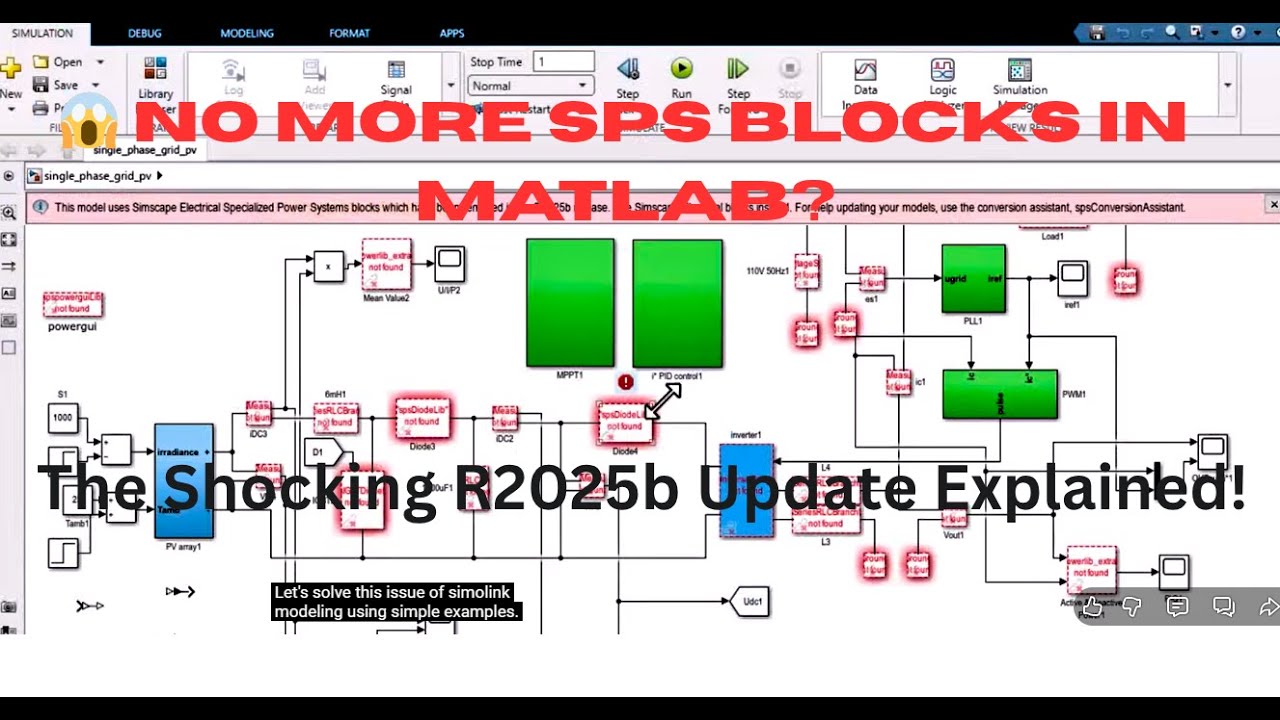
“This model uses Simscape Electrical Specialised Power Systems blocks which have been removed in the R2025b release.”
In this video RIP SimPowerSystems? Why MATLAB Removed the Entire SPS Library! We’ll uncover the real reason why MathWorks removed SPS from R2025b, what’s replacing it, and how you can still run or convert your existing models safely.
⚙️ What Happened to SPS (SimPowerSystems)?
In MATLAB R2025b, MathWorks officially removed the Specialised Power Systems library — the one that included familiar blocks like Powergui, Universal Bridge, Voltage Measurement, and Three-Phase Source. These were part of the Simscape Electrical Specialised Power Systems (formerly SimPowerSystems) toolbox, used for power electronics, grid modelling, and electrical machines.
However, starting from R2025b, MathWorks has handed over the entire SPS technology to OPAL-RT Technologies, a company well-known for real-time simulation and hardware-in-the-loop (HIL) systems. OPAL-RT obtained the commercialisation and development rights from Hydro-Québec, the original developers of SPS.
This means the SPS blocks will no longer be developed or maintained by MathWorks — they’re being transitioned to OPAL-RT as a standalone package that will remain compatible with new MATLAB versions.
⚡ Why Did MathWorks Remove SPS?
MathWorks is moving towards a unified Simscape-based modelling framework.
The newer Simscape Electrical environment uses physical modelling blocks that are more flexible, compatible with multi-domain systems (electrical + mechanical + thermal), and support Solver Configuration for more accurate simulations.
In short:
MathWorks wants users to shift to Simscape Physical Modeling,
while OPAL-RT will handle legacy SPS systems for those who still rely on them for power system simulations.
🔍 Common Problems Users Are Facing in R2025b
If you’ve opened an old model in MATLAB R2025b, you might see messages like:
“This model uses Simscape Electrical Specialised Power Systems blocks which have been removed.”
“Use the spsConversionAssistant to convert your model.”
But when you try running the command:
spsConversionAssistant
You might get an error:
“Function ee.internal.assistant.import is for internal use only.”
This is because the conversion assistant is not yet fully functional in R2025b — it’s likely an internal tool that hasn’t been released for public use yet.
So, for now, you have two options:
Continue using older MATLAB versions (like R2023a or R2024a) to run SPS-based models.
Rebuild your models in the Simscape Electrical environment using physical blocks and the Solver Configuration block instead of Powergui.
🧠 What to Use Instead of Powergui
In Simscape Electrical, the Powergui block is no longer needed. Instead, you use the Solver Configuration block, which defines how the physical network is simulated. It connects to all Simscape blocks through physical connections.
Use Current Sensor instead of “Current Measurement”.
Use Voltage Sensor instead of “Voltage Measurement”.
Connect signals to Simulink using PS-Simulink Converter blocks.
For Simulink inputs (like control signals), use Simulink-PS Converter.
⚡ What About OPAL-RT?
OPAL-RT Technologies has officially announced that it will continue developing and maintaining SPS as a separate product. They plan to release a dedicated SPS website and download portal, where users will be able to get the latest SPS version compatible with MATLAB R2025b and beyond.
That means, even though MathWorks removed SPS, you’ll still be able to use those same familiar blocks — just through OPAL-RT’s version instead of MathWorks’.
This transition ensures that engineers working on large-scale power grids, converters, and real-time simulations can continue using their legacy models without breaking workflows.
🧭 What Should You Do Now?
Here’s a quick summary of your options:
✅ If you rely heavily on SPS models:
– Keep MATLAB R2023a or R2024a installed.
– Wait for OPAL-RT’s SPS release (expected soon).
✅ If you’re starting new projects:
– Build models using Simscape Electrical (Physical Network).
– Learn how to use Solver Configuration, Sensors, and Converters.
– Forget about Powergui — Simscape handles solver management internally now.
✅ If you tried using spsConversionAssistant:
– The feature exists but is not yet publicly available in R2025b.
– It’s expected to be fully functional in future releases or through OPAL-RT tools.
Повторяем попытку...
Доступные форматы для скачивания:
Скачать видео
-
Информация по загрузке: