How to Install Screen in Tesla Model Y
Автор: ItsTravis
Загружено: 2025-04-07
Просмотров: 609
Описание:
🚗 Parenting Game-Changer? A Real Review of the Model 3 & Y Rear Entertainment LCD H86 Screen 🎥🍿
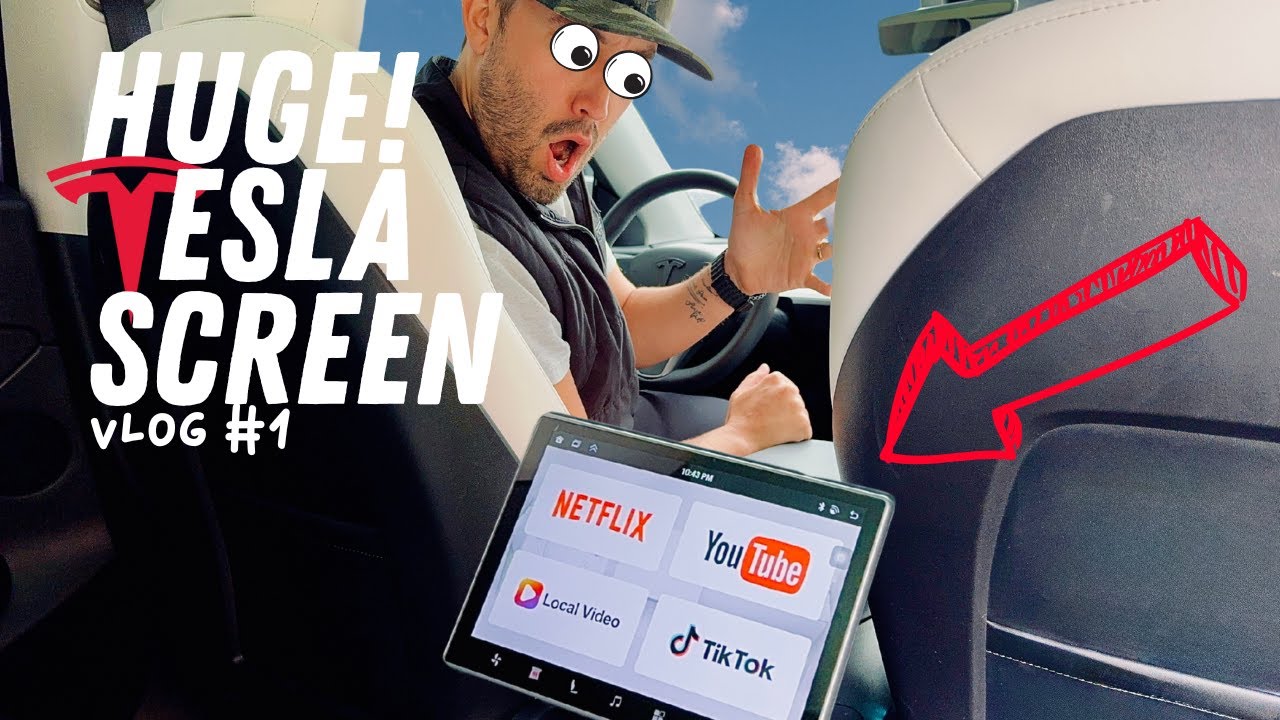
As a dad of two young kids, my Tesla Model Y is basically a futuristic minivan—and I’m not mad about it. Anything that promises to keep the kids happy (and quiet) in the backseat instantly gets my attention. So when I installed the 8.66-inch Rear Entertainment LCD H86 Screen, I had high hopes.
The Good Stuff:
• Size & Placement: It looks slick. The screen sits right where it should—low enough for both kids to see without them karate-kicking each other.
• Entertainment Options: It runs Android, so technically, you can get Netflix, YouTube, games, etc. Perfect for long drives and avoiding 45 versions of “Are we there yet?”
But Here’s the Reality Check 👇
🎧 No Native Audio = Minor Parenting Crisis
The screen does not play natively through the Tesla’s speakers, which honestly feels like a massive oversight. You have to connect Bluetooth headphones or a separate speaker. That’s not ideal when your kid’s asking why Lightning McQueen doesn’t have sound while you’re merging on the freeway.
🐌 Slow Operating System
This thing moves like it’s powered by a potato. The OS is seriously slow—apps lag, and the interface feels clunky. We’ve had moments where the kids tapped a video, and it took so long to load I thought it froze.
🖐️ Super Sensitive, But Not in a Good Way
The touchscreen is way too touchy—my kids either accidentally pause it 12 times or can’t get it to respond at all. It’s not exactly “kid-proof” friendly, and most of the time I end up reaching back to fix it myself, which defeats the whole purpose.
⸻
Final Verdict from a Tesla Dad:
If you’re looking for a sleek-looking backseat screen and don’t mind dealing with a few quirks, it’s serviceable. But for the price and the promise, I expected more. I’d say it’s 60% helpful, 40% headache. If Tesla ever makes a native screen with built-in audio control and a faster interface, I’d be first in line.
Until then, this screen is like giving your kids an iPad from 2012—it’ll work… eventually. 😅
⭐ Overall Parent Rating: 3/5
✔️ Cool look, decent screen size
❌ Clunky OS, Bluetooth audio only, hard for kids to use independently
Повторяем попытку...
Доступные форматы для скачивания:
Скачать видео
-
Информация по загрузке:




![Обзор новых функций Tesla [2025.44.25.3]](https://image.4k-video.ru/id-video/5ccelQcAc5A)


