ATI T5 SunPower Setup, Bulb Selection, Maximize Light, Height, Hanging Saltwater Coral Reef Aquarium
Автор: Salty Pops
Загружено: 2025-01-16
Просмотров: 1139
Описание:
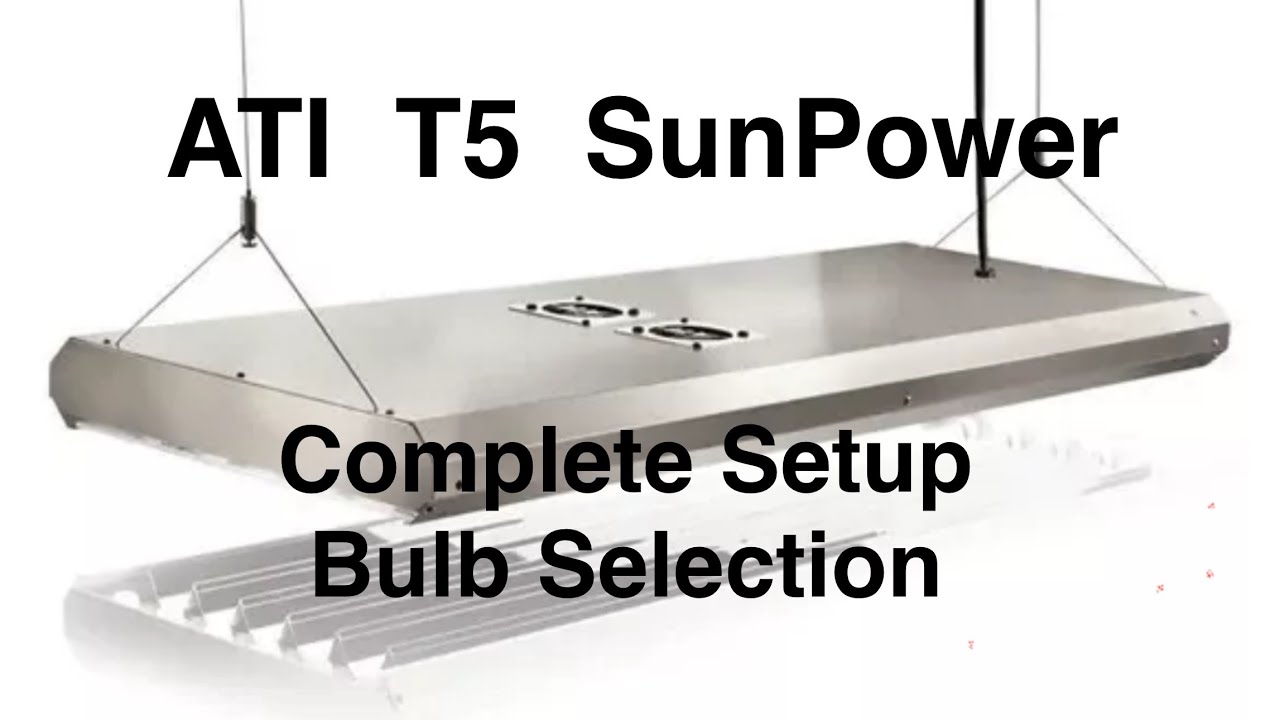
This video is about how to setup your ATI T5 SunPower Light. The light used in this video is the ATI SunPower 48” T5.
I am going to talk through:
Bulb Selection
How to Hang / Install
Hang Height - Maximizing Light
Heat Management
Bulb Selection
I will show 3 presets that ATI recommends and what bulbs I used.
Bulbs I selected:
2 x True Actinic
2 x Blue Plus
2 x Coral Plus
Bulb Set Up:
True Actinic
Blue Plus - Ch 1
Coral Plus
Blue Plus
True Actinic - Ch 1
Coral Plus
True Actinic - violet / blue light that is designed to maximize fluorescence and peaks at 421 nm.
Blue Plus - combines blue bulb (460 nm) and actinic bulb (420 nm) producing an intense blue light that encourages bluing in SPS corals and fluorescence, with high par.
Coral Plus - Blue Plus (~50%) + Aquablue Special (~40%) + Purple Plus (~10%). Appears cool, crisp white at 15000K.
How to Hang / Install
*Note select voltage for fan via voltage given on instructions.
1 - Measure to center and edge of tank from wall on both sides and width of tank.
2 - Mark accordingly.
3 - Upackage and assemble hardware.
4 - Cover or move tank.
5 - Drill holes in ceiling and insert hardware.
6 - Tighten hardware to snug.
7 - Assemble wire into threaded coupling.
8 - Thread coupling into ceiling hardware.
9 - Set light on tank or other surface below hardware you just installed.
10 - Unwrap end hardware.
11 - Insert wire into end hardware.
12 - Lift each side little by little to lift the light by pressing down on the top guide pin and pulling the line through.
*Note - remember to lift and support the light on Step 12.
Mine ended up falling out of the ceiling after about a month, so I added boards that are screwed into the rafter studs and the light is attached to the board.
Hang Height - Maximizing Light
You can maximize the efficiency / intensity of your light by eliminating light spillage into the room.
How to eliminate light spillage:
1 - Cover the front glass so light doesn’t shine through
2 - Raise light above the tank.
3 - Turn on Tank Light.
4 - Turn off all lights in the room to darken the room.
5 - Find where the light hits the floor.
*Note - all light beyond that line is light spillage.
6 - Adjust the height down until there is no line on the floor. Zero light spillage.
7 - make sure the light is level.
8 - Coil up excess wire.
End measurement with no light spillage is 6.5”
ATI recommended height is 6” - 8”
My height setting is 9” - I did this for looks and ability to reach in the tank and do water changes.
Heat Management
You don’t have to do anything with heat management if you don’t want to.
I noticed the non-vented end with all the electronics got hot while the other end did not - makes sense with the location of the electronics and airflow pattern.
I added a fan that is on the timer for Channel 1 to come on and go off with that channel.
#saltypops #fishtank #fishaquarium #fish #fishtok #coral #coralreef #reef #reeftank #reefaquarium #reeffish #aquarium #aquariumfish #aquariumhobby #saltwater #saltwateraquarium #saltwaterfish #saltwatertank #youtube #youtuber #youtubevideo #yt #youtubevideos #youtubechannel #youtubecreator #youtubecommunity #youtubecontent #corals #zoa #zoanthids #paly #euphyllia #frogspawn #hammer #torch #dragonsoul #holygrail #candycane #trumpet #jawbreaker #yuma #mushroom #frag #colony #birdsnest #acro #acropora #monti #montipora #chalice #acan #leather #toadstool #anemone #anemones #anemonefish #tank #aquarium #aquariumhobby #aquariumfish #aquariums #fishtanks #sps #lps #t5 #sunpower #light #aquariumlight
Повторяем попытку...
Доступные форматы для скачивания:
Скачать видео
-
Информация по загрузке: