Control Position and Speed of Stepper Motor using Android Bluetooth App, A4988 Driver, & Arduino
Автор: Electronic Clinic
Загружено: 2021-06-06
Просмотров: 11960
Описание:
$2 for 5 PCB, SMT Assembly fee $0, sign up to get $18 new user coupons
https://jlcpcb.com/RHS
Download circuit diagram, Code, Android App, & Gerber Files:
https://www.electroniclinic.com/contr...
Subscribe to my New YouTube Channel, if you want to watch my videos in Hindi/Urdu
/ @letsgetstartedd
Low Energy Bluetooth BLE Application for Bluetooth 4, 5, and onwards...
• Low Energy Bluetooth BLE Application for E...
Android app designing for Arduino:
• How to create an Android app with Android ...
Generate Gerber Files and Online Order Placement on JLCPCB:
• Generate PCB Gerber Files, JLCPCB Account ...
Other Stepper Motor Related Videos:
Arduino CNC Shield with NEMA17 Stepper Motors:
• Arduino CNC Shield V3 and A4988 Hybrid Ste...
IoT CNC shield using Nodemcu ESP8266:
• IoT CNC Shield, Nodemcu CNC shield, ESP826...
CD Rom stepper motor Arduino L298n + Joystick controlled speed and direction Control
• cd rom stepper motor Arduino L298n + Joyst...
Support me on Patreon and get access to hundreds of projects:
/ electroniclinic
Project Description:
********************
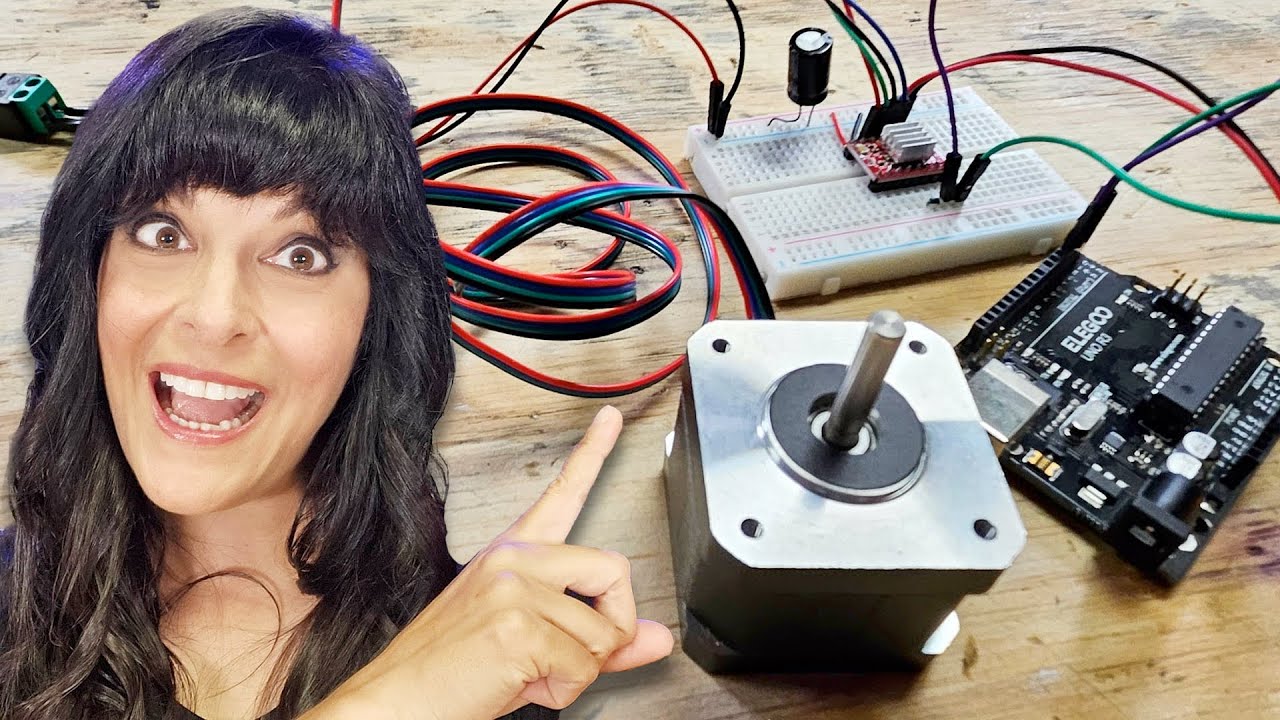
In today’s episode, you will learn how to use the most popular A4988 Stepper Motor drivers and HC05 Bluetooth Module with Arduino to control the NEMA17 Hybrid Stepper Motors wirelessly using an Android cell phone Application designed in Android studio. The different parameters like the set position, limit, and speed are entered wirelessly which greatly reduces the hardware cost, as there is no need to interface touch screens and keypads. Using the Android App we can set the starting position of the stepper motor, enter 0 or 1 to set the starting position, when I press the set position button it moves the shaft of the stepper motor only 1 step at a time, if this thing annoys you, then you can also specify the exact position you want to move to, for which you will need to modify the program a little, for now, I will continue with only 1 step at a time, but don’t worry I will explain everything in the programming, so you will have no problem in modifying the code…After the starting position has been set, next you will need to enter the limit and speed. If any of these two parameters is missing the stepper motor won’t work. Limit sets the maximum number of steps, and you have full control over this, you can change this limit in real-time and the same thing applies to the speed. Speed is basically the delay time, the greater the number the slower the shaft rotates. Each time you enter a new value the buttons should be pressed to send the value to the Arduino board.
***
Amazon Purchase links:
******
Arduino Nano USB-C Type ( recommended):
https://amzn.to/4ahGLdk
ESP32 WiFi + Bluetooth Module for iOT Projects (recommended), more IO pins, improved speed, and supports a Lipo Battery:
https://amzn.to/3v40DkE
Arduino CNC Shield V3.0: https://amzn.to/3rvqTwk
Hybrid Stepper Motor Nema17: https://amzn.to/3ctYFOx
12v Adaptor: https://amzn.to/3wb7GUj
LM7805 Voltage Regulator: https://amzn.to/3tZx0uH
470uf capacitor: https://amzn.to/3m5Nj6r
330-ohm resistor: https://amzn.to/3w8PA5i
DC Female Power Jack:https://amzn.to/31qcZ4b
Female Headers: https://amzn.to/2QFLQYN
Male Headers: https://amzn.to/3lZvt5d
LEDs: https://amzn.to/3dsRt4D
Other must-have Tools and Components:
Arduino Uno, Nano, Mega, Micro "All types of Arduino Boards":
https://amzn.to/3fk5OTi
Top Arduino Sensors:
https://amzn.to/3vZbnfM
Super Starter kit for Beginners
https://amzn.to/3cq56C5
Top Oscilloscopes
https://amzn.to/3ctF3d8
Variable Supply:
https://amzn.to/2PEAqE7
Digital Multimeter:
https://amzn.to/2QGRPg1
Top Soldering iron kits: "best"
https://amzn.to/39nqDtb
Top Portable drill machines:
https://amzn.to/3suQMh7
3D printers:
https://amzn.to/3ruG1dt
CNC Machines:
https://amzn.to/3cuZWVv
Electronics Accessories:
https://amzn.to/3sueV7z
DISCLAIMER: This video and description contain affiliate links, which means that if you click on one of the product links, I will receive a small commission. This helps support the channel and allows me to continue to make videos like this. Thank you for your support!
****************
For more Projects and tutorials visit my Websites
Electronic Clinic:
https://www.electroniclinic.com/
Programming Digest:
https://programmingdigest.com/
Follow me on Instagram:
/ electroniclinic
Follow my Facebook Page Electronic Clinic:
https://web.facebook.com/profile.php?...
Follow my Facebook Group, Arduino Projects:
/ 190031841821771
Email:
[email protected]
Related Tags:
#Nema17StepperMotor
#StepperMotorApp
#StepperMotorSpeed&Position
HOW TO CONTROL SPEED AND POSITION OF THE NEMA17 STEPPER MOTOR
STEPPER MOTOR CONTROL USING ANDROID CELL PHONE APPLICATION
BLUETOOTH CONTROLLED STEPPER
WIRELESSLY CONTROL STEPPER MOTOR USING ANDROID CELL PHONE
STEPPER MOTOR A4988
Повторяем попытку...

Доступные форматы для скачивания:
Скачать видео
-
Информация по загрузке: