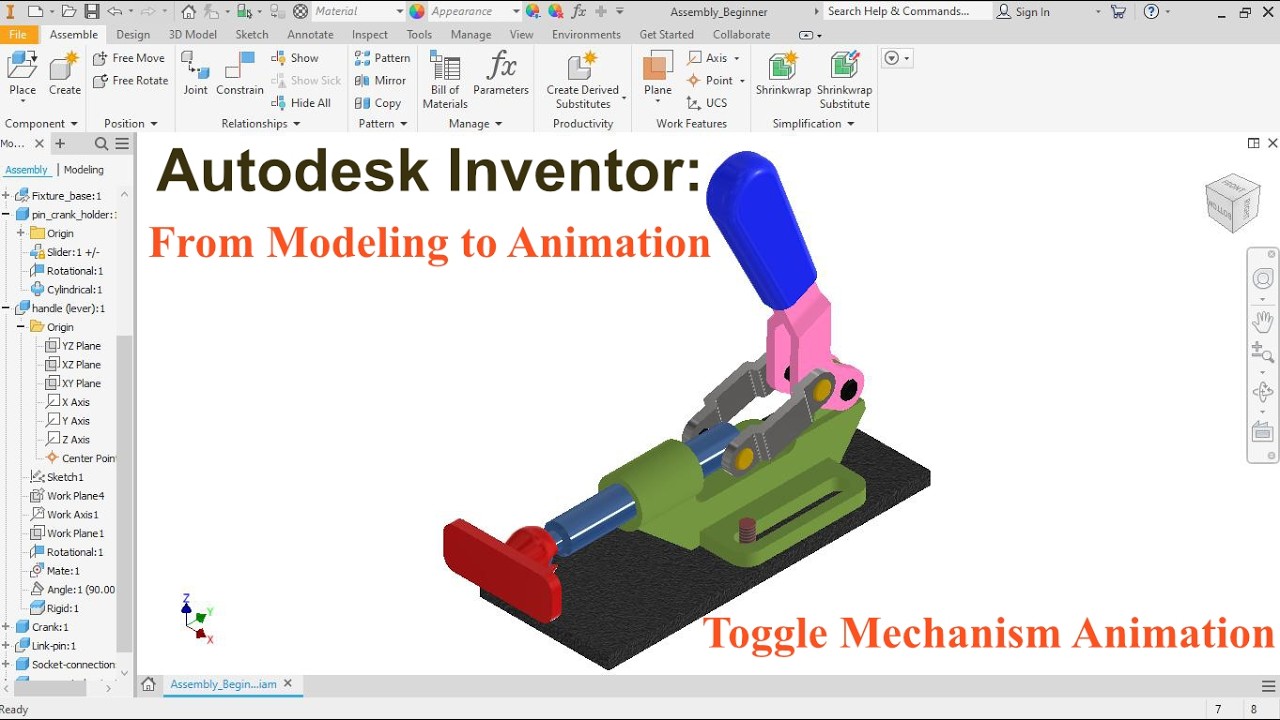
Autodesk Inventor Toggle Clamp | Part Modeling, Assembly Joints & Animation
Автор: Autodesk Inventor 3D Lab
Загружено: 2026-02-14
Просмотров: 24
Описание:
This video demonstrates a complete mechanical workflow in Autodesk Inventor, starting from part modeling, continuing with assembly using joints and constraints, and finishing with a realistic motion animation of a toggle clamp mechanism.
The project shows how individual components are designed, aligned, and connected using Inventor assembly tools, including revolute, slider, and rigid joints, as well as traditional constraints. The final animation clearly visualizes the over-center toggle mechanism, commonly used in jigs, fixtures, and industrial clamping systems.
What you will learn in this video:
Toggle clamp part modeling strategy in Autodesk Inventor
Correct use of assembly joints vs constraints
Setting up revolute and slider motion
Understanding mechanical linkage behavior
Creating a clean assembly animation for engineering visualization
This tutorial is ideal for:
Mechanical engineering students
Autodesk Inventor beginners to intermediate users
Anyone learning assembly constraints, joints, and motion basics
Designers interested in industrial mechanisms and fixtures
🌍 Reach out for freelance animation: [email protected]
#AutodeskInventor #3Dmodeling #EngineeringDesign #ProductAnimation #tutorial #MechanicalDesign #ToggleClamp
#CADAssembly #EngineeringAnimation #InventorTutorial
#MechanicalEngineering #IndustrialDesign #JointsAndConstraints
Повторяем попытку...
Доступные форматы для скачивания:
Скачать видео
-
Информация по загрузке: