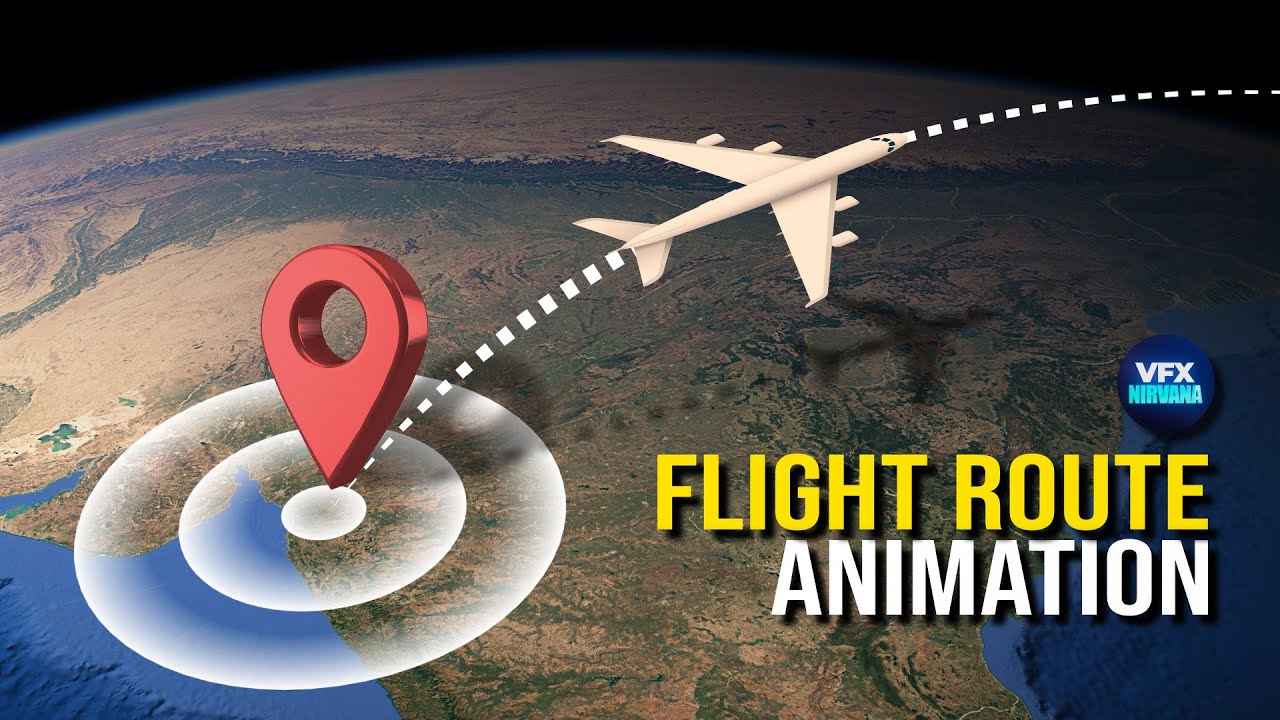
Create 3D flight paths: Google earth & After effects (No Plugins) | Hindi Tutorial
Автор: VFX Nirvana
Загружено: 2026-02-03
Просмотров: 80
Описание:
Create Pro 3D Flight Paths in Google Earth Studio & After Effects — 100% FREE!
Animating curved flight paths in Google Earth Studio’s spherical (zoomed-out) view has always been a challenge. Most artists rely on expensive paid plugins like "3D Earth Connections," but in this tutorial, I’m revealing a 100% Native After Effects method to achieve the same pro results for free.
By leveraging the "Extended Create Nulls from Path" script and some clever 3D parenting, we can create perfect 3D arcs that stay locked to the globe, no matter how much your camera moves.
--------------------------------------------------------------------------------------------------------------------
Download Resources:
Download Script:
https://crunchycreatives.com/create-n...
Plane Position Expression (Apply this to your airplane layer to make it follow the path):
layer = thisComp.layer("Path"); // Rename "Path" to your Shape Layer name
path = layer.content("Shape 1").content("Path 1").path;
trim = layer.content("Trim Paths 1").start; // This links to your Trim Paths 'Start' value
// This translates the path point to your 2D screen space
layer.toComp(path.pointOnPath(trim / 100));
Pin Position Expression (Apply this to UI elements/labels to stick them to the Start/End points):
target = thisComp.layer("Path: Path 1 [1.1.0]"); // Make sure this name matches your Start/End Null
target.toComp([0,0,0]);
--------------------------------------------------------------------------------------------------------------------
Video Chapters
00:00 Introduction 2D vs 3D Flight Paths
00:21 Setting Locations in Google Earth
01:12 Creating the Reference Path
01:54 Google Earth Studio Setup
02:26 Creating 3D Track Points
02:51 Camera Animation Techniques
03:30 The Dual Rendering Process
04:14 Importing into After Effects
05:05 Advanced Path Scripting Free
06:01 Parent Tracking and 3D Alignment
07:05 Animating the Plane and Trim Paths
08:20 Final Touches and Pin Animation
🚀 What You Will Learn:
How to bridge the gap between Earth Studio and After Effects 3D space.
Manipulating Bezier handles using Null objects for perfect altitude arcs.
Using Expressions to automate icon movement and pinning.
Creating realistic path on the Earth's surface.
⏱ Fastest Method – No Plugins – 100% AE Tools
If you found this workflow helpful, please give the video a LIKE and SUBSCRIBE to VFX Nirvana for more high-end motion graphics and VFX tutorials!
#GoogleEarthStudio #AfterEffects #MapAnimation #VFXNirvana #3DMap #MotionGraphics #VFXTutorial #NoPlugins
Music Credits:
Music: TheFatRat - Rise Up
Watch the official music video: https://tinyurl.com/tfrriseuporiginal
Listen to Rise Up: https://thefatrat.ffm.to/riseup
Follow TheFatRat: https://ffm.bio/thefatrat
Song: Culture Code - Fairytale (feat. Amanda Collis) [NCS Release]
Music provided by NoCopyrightSounds
Free Download/Stream: http://ncs.io/Fairytale
Watch: • Culture Code - Fairytale (feat. Amanda Col...
#AfterEffects #NoPlugin #AEtutorial #AfterEffectsTutorial #MotionGraphics #vfxnirvana
Повторяем попытку...
Доступные форматы для скачивания:
Скачать видео
-
Информация по загрузке:











![Revolut Card | Cinema 4D + After Effects Tutorial [RUS]](https://image.4k-video.ru/id-video/oWrzzTNta40)