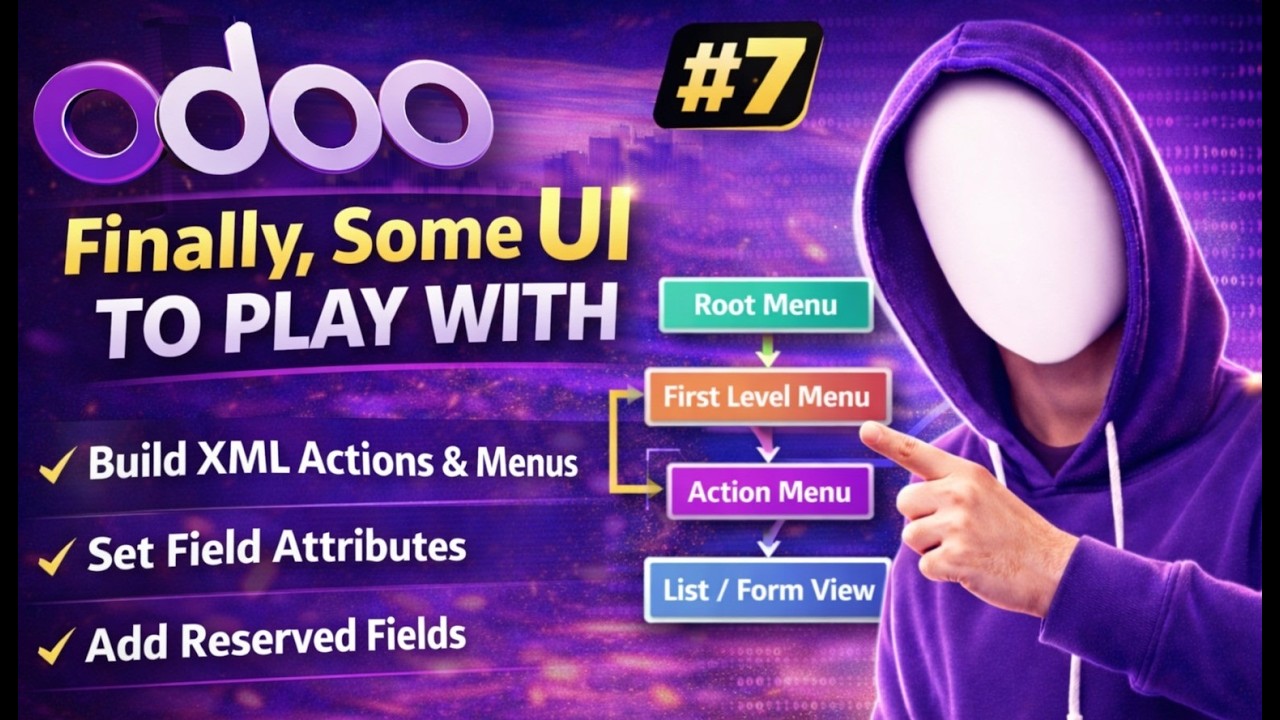
Build Odoo Menus & Actions from Scratch | Real Estate Module Tutorial | video #7
Автор: Logic Works
Загружено: 2026-03-02
Просмотров: 11
Описание:
In this video, we continue our Odoo development journey with Finally, Some UI To Play With.
Now that we have created our model and access rights, it's time to interact with the Odoo User Interface. In this tutorial, you will learn how to create Actions, Menus, and work with XML data files to make your module visible in the UI.
This video is very important because this is where your module starts looking like a real application 🔥
📚 What You Will Learn in This Video
How XML data files work in Odoo
How to create an Action using ir.actions.act_window
Menu to Action to View structure
How to create 3-level menu architecture
How to link menus with models
Field attributes: readonly, copy=False, default
Reserved fields: active and state
How active field hides records (soft delete behavior)
How to create and test your first real estate property
By the end of this video, you will be able to open your model in list view and form view and fully interact with your UI.
🧠 Why This Video Is Important
In Odoo, the user interface is mostly defined using XML.
Understanding the flow:
Menu → Action → View
is the foundation of Odoo development.
Without actions and menus, your model exists — but users cannot access it.
If you are learning:
Odoo Development
Odoo Module Creation
ERP Development with Python
Odoo for Beginners
Then this complete playlist is perfect for you 💯
👍 Like this video if it helped you
🔔 Subscribe to Logic Works for complete Odoo Developer Course
💬 Comment if you have any questions
#Odoo #OdooTutorial #OdooDeveloper #ERP #Python #OdooBeginner
Повторяем попытку...
Доступные форматы для скачивания:
Скачать видео
-
Информация по загрузке: