Shapeoko 2 and Possibly X-Carve Auto Z-Zero on tool change.
Автор: Bill Lawrence
Загружено: 2016-02-11
Просмотров: 7952
Описание:
After just over a year of working with and upgrading my Shapeoko 2, I finally have it doing a Automatic Z-Zero after a tool change.
I will have documentation to follow, but wanted to see i anyone was interested.
Setup:
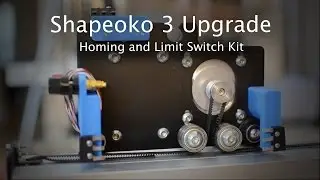
I mounted a switch, just under the homing position.
I made sure the switch was at the perfect spot the attached it with screws.
Now I call some G-Code to:
G21 ------------------ Set to metric, as I use MM
$H ------------------ Home the spindle
M00 ----------------- Pause for tool change
G92 Z0 -------------- Set z to 0
G01 Z-20 F100 ----- Feed down to -20 mm (about 3/4") at 100mm per min. to save time.
F50 ----------------- Slow things down to 50mm per min.
G38.2 Z-60 ----------- Send the spindle down max -60mm to zero tool tip.
G92 Z0 --------------- Set switch point to 0
G01 Z5 --------------- Move spindle up 5mm to release switch
F50 ------------------ Slow things way down to make an accurate zero point.
G38.2 Z-7 ------------ Send the spindle down to -7mm at
G92 Z??? ------------- Offset the switch point Z to the actual height of my table Z.
G01 Z30 F500 ------ Raise the bit to 30mm above my surface.
G01 X0 Y0 F1000 --- Move the bit to X0, Y0 (Optional)
Now my tool is set to the same position every time, after a change.
The most important thing now is to set the bottom of your material or stock at Zero when you program your code.
Then measure and enter the thickness of your stock.
I didn’t think I could get use to this but it’s very easy with the software I use.
Im not using a tool offset, just re-zeroing the tip of the tool with each change.
I can understand it’s not for everyone, but man it sure takes the guess work out of setting 0.
Requirements:
1. You must have a machine
2. This tutorial is only for GRBL, others may be still able to use it.
3. You must have homing setup on your machine.
4. You will need to do some wiring.
Setup - Electrical
Just like using the probe, you must make contact from pin A5 on Arduino and Ground.
Pin A5 on Arduino to the normally open (NO) contact on the switch.
Pin GND to common (COM) on the switch.
When the call G38.2 Z-(??) is called, the machine will drop the z-axis down up to the amount specified with (??)
With the switch working, you should be able to hook the probe wires up to the wires on the switch and continue to use your probe also.
Setup - Mechanical
To set the offset of the switch point and your table height, you must manually set zero the old fashioned way.
I use paper under the tool method.
1. Load a thin tool into the spindle.
2. Home your machine using $H or (Home) on your sender.
3. Move the spindle down to just touch the switch
4. be sure the tool is centered on the switch.
5. Zero your Z-Axis
6. Set the feed rate very slow. (About 10 inches per min or 250 mm per min.)
7. Using the G38.2 Z-(??) G-code. Set?? to a safe distance, 6.35mm = .25inches.
G38.2 Z-.25 (inches per min) (G20)
G38.2 Z-6.35(mm per min) (G21)
8. Zero your Z-Axis (Set Z to 0), Again.
9. Using your sender or controller, move the machine over your waist board in the cutting area.
10. Set the height of the tool so a piece of paper is just touching the tool. (We can adjust for +/- later)
11. Take note of the height of Z on your sender. (Mine is -3.5mm)
12. Now you know the offset of the switch point to your table top.
13. You can call (G92 Z[your offset inverted]).
Explanation
My switch point is 3.5mm above my table top. (add or subtract here to adjust for +/-)
G38.2 Z-60 starts the z-axis moving down for 60mm.
When the switch makes contact Z stops.
(G92 Z3.5) sets Z at 3.5mm
Now when I move to zero on my Z-Axis, it actually moves down 3.5mm.
Very important, if your offset is a negative number, then you must invert that to make it positive. If your offset was a positive number, then you must use a negative number.
Great News
Now you can change tools and know exactly where zero is.
Your machine homes itself every time you tool change.
You will only have to redo this if.
1. You change the height of the table.
2. You move the switch.
Caution.
Take care of your movements, if you have used a probe you most likely know what to do.
G-Code
(Tool Zero - Change)
G21
$H
M00
G92 Z0
G01 Z-20 F1000
F500
G38.2 Z-60
G92 Z0
G01 Z5
F50
G38.2 Z-7
G92 Z3.6
G01 Z30 F1500
G01 X0 Y0 F4000
Повторяем попытку...

Доступные форматы для скачивания:
Скачать видео
-
Информация по загрузке: